
Edge has to be plugged into power supply and have good cellular coverage. You may also use a LAN connection.
|
# |
Type |
Description |
Overview |
|---|---|---|---|
|
1 |
New Features
|
modifying the validation point radius |
In the vertical accuracy verification function, the radius of the point cloud search range can now be set in 5 cm increments up to 40 cm. 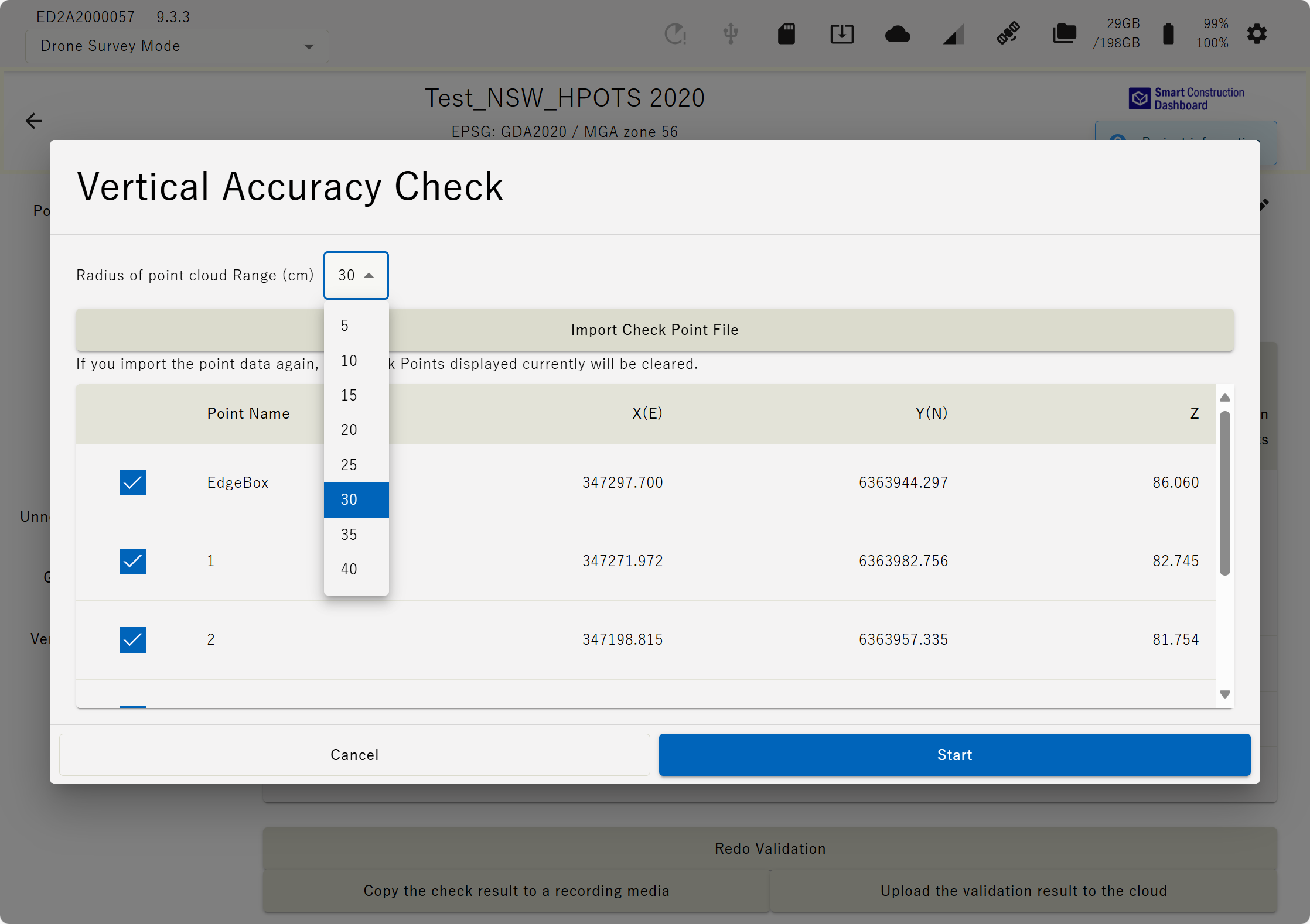
|
|
2 |
New Features |
Display when using fixed station and drone base simultaneously |
Please refer to the diagram below for the LED display when using v7 or later fixed station broadcasting, drone base, or simultaneous use. PPK logging: Led’s Pulse green Base Station Broadcasting: LED’s pulse in Clockwise direction Base Station Broadcasting & PPK Loggin: LED’s pulse in Counter Clockwise direction 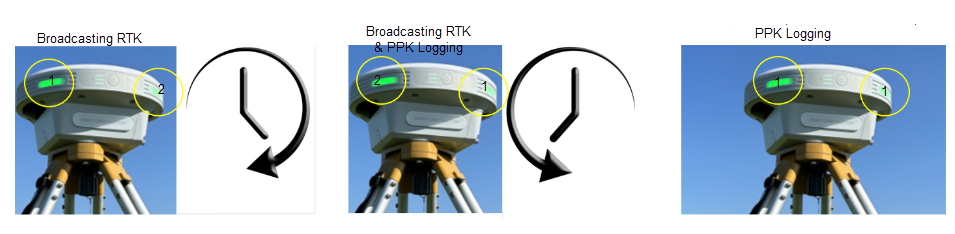
|
|
3 |
New Features |
( tfw ) output |
It is now possible to output a world file ( tfw ) when outputting orthoimages. 
|
|
4 |
|
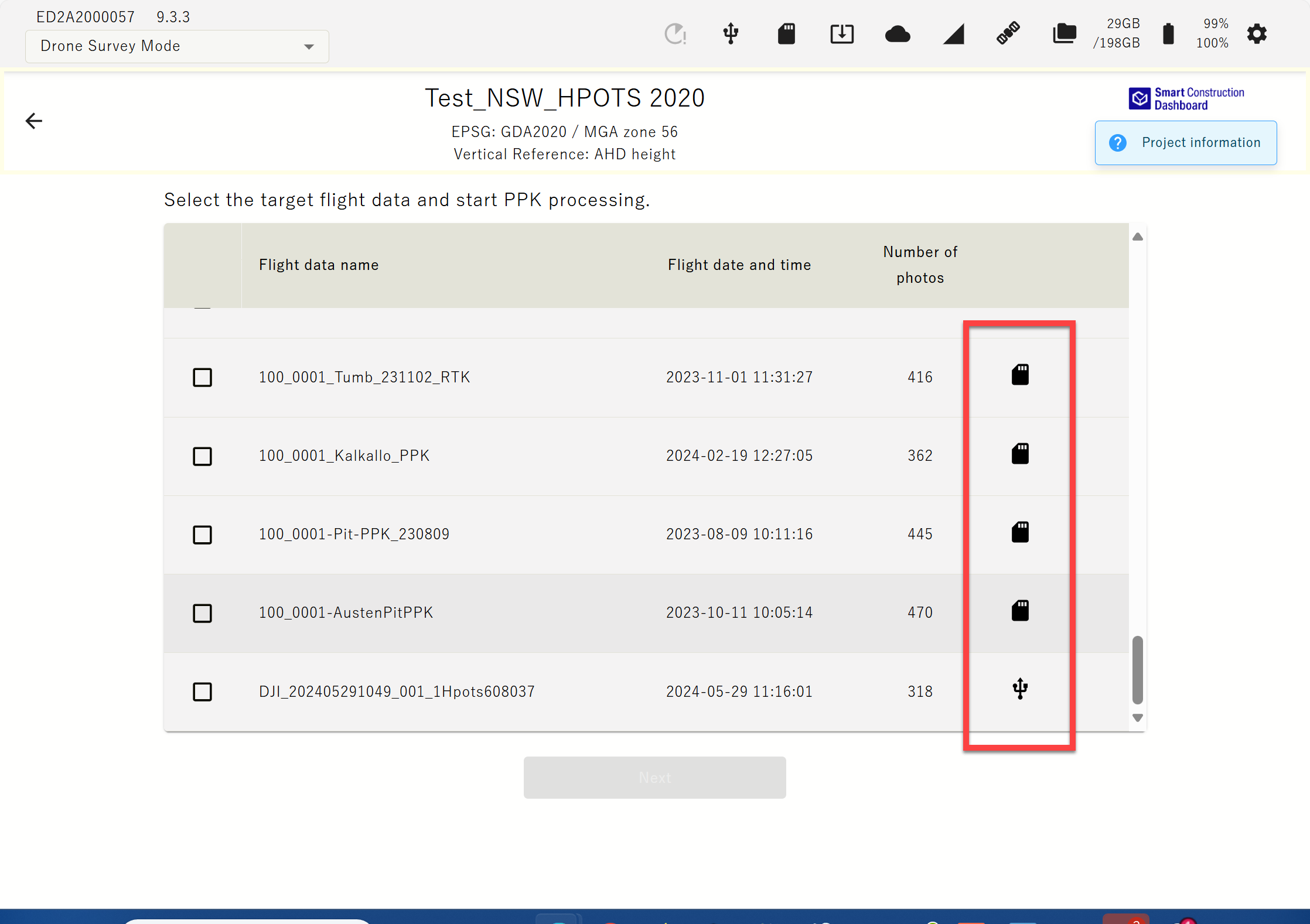
Read drone images via USB , export via SD card |
Drone images , control point data, etc. can now be written to and read from USB / SD. 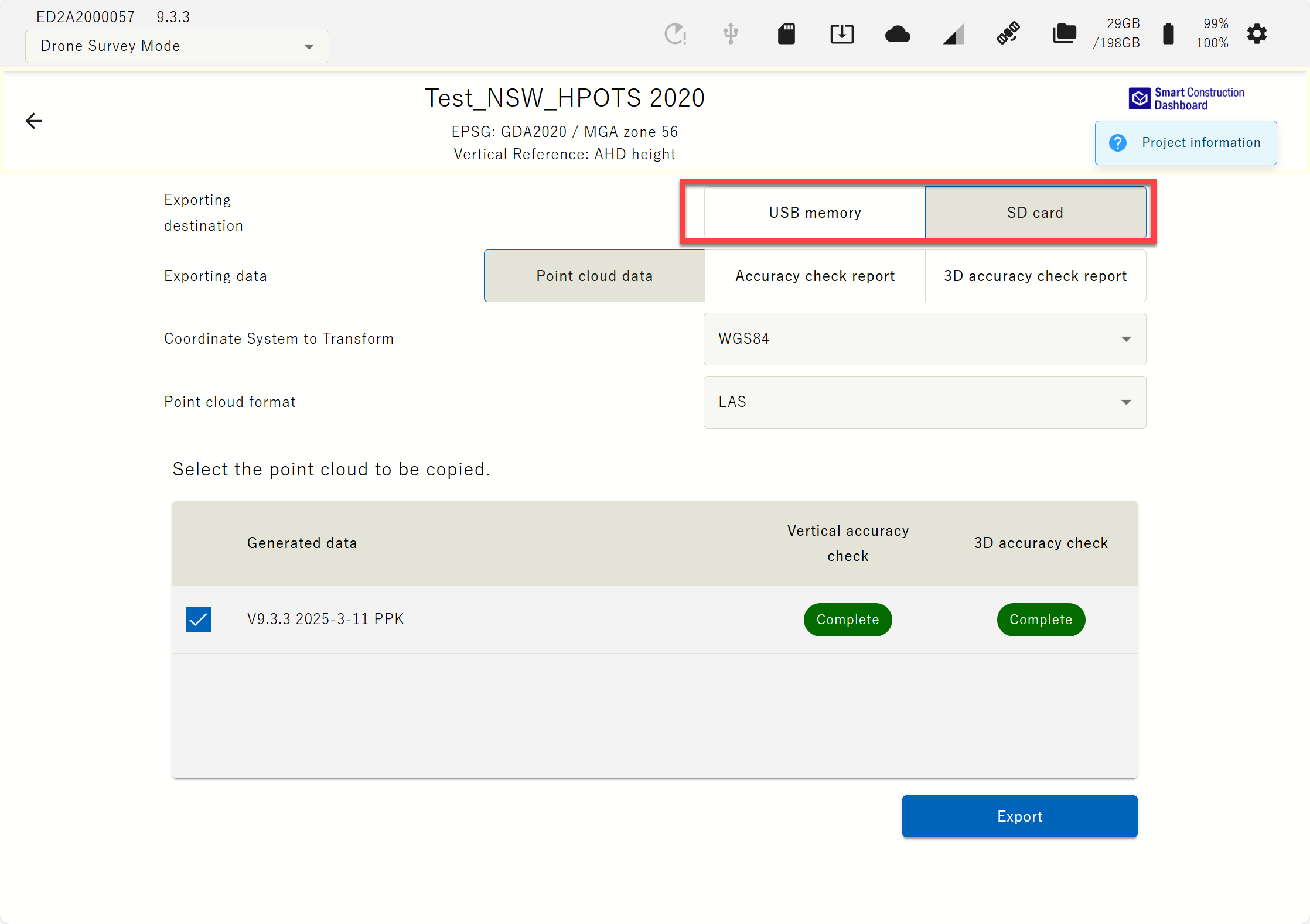
|
|
5 |
|
Low battery warning |
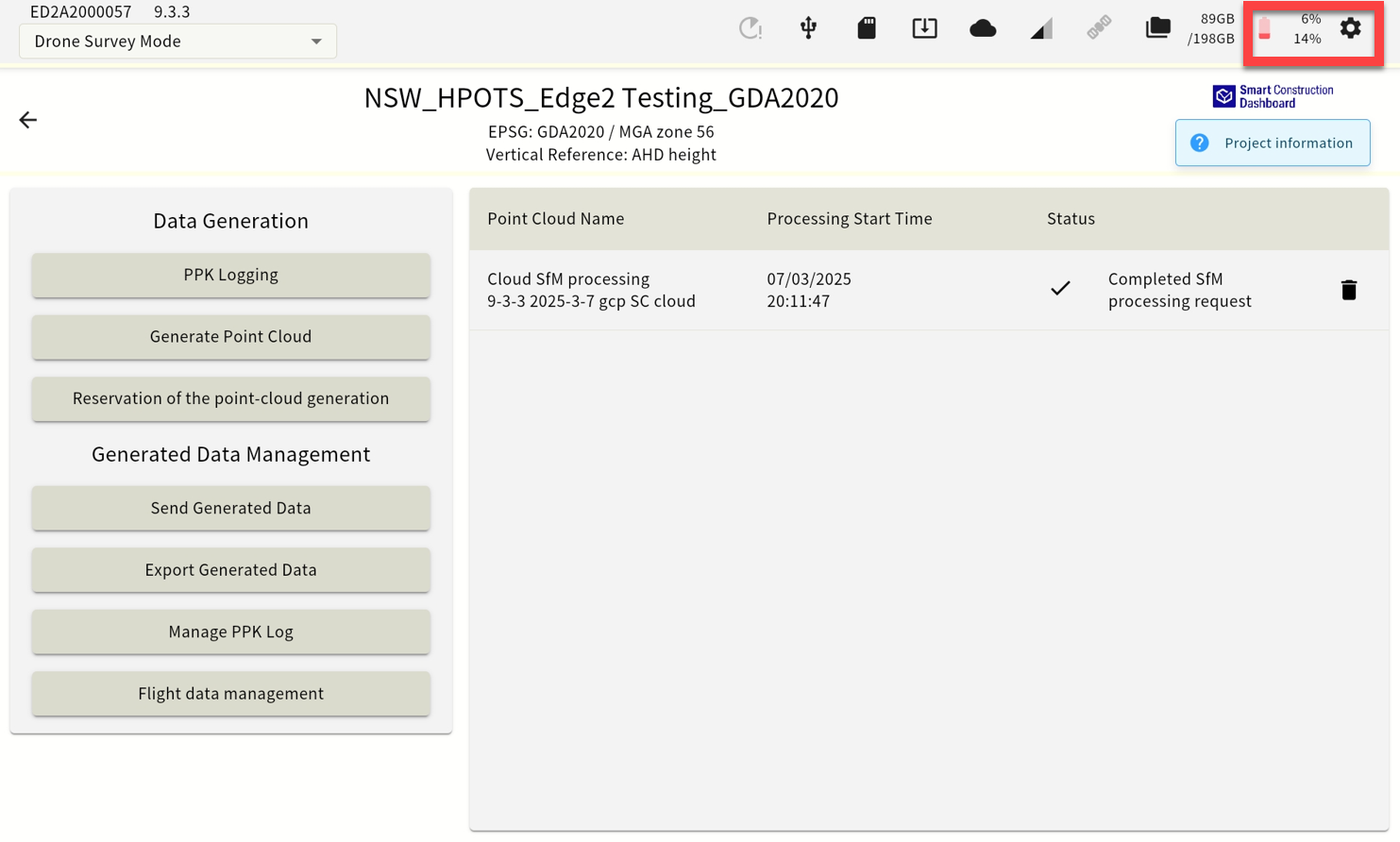
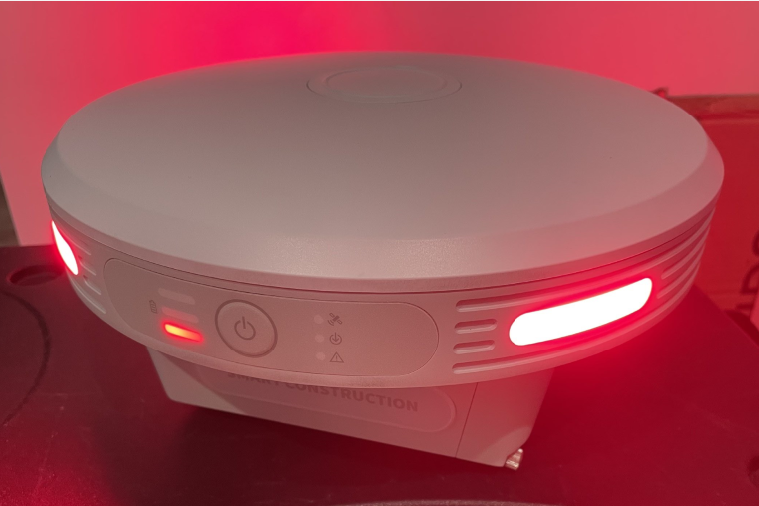
The UI now makes it easier to see when the battery is low , and the threshold for when the LED will warn you has been changed. 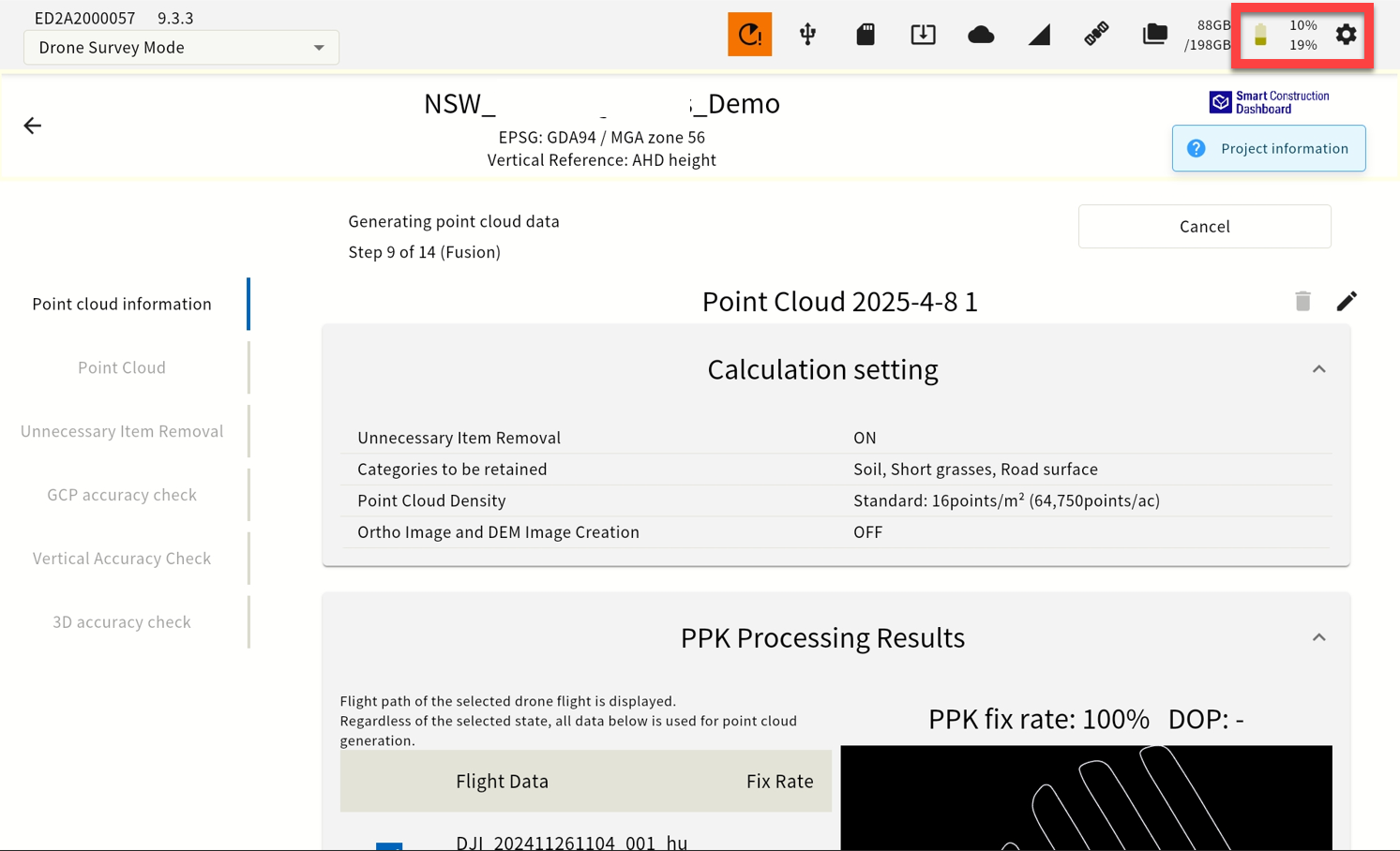
|
|
6 |
|
Mask angle change |
The mask angle can now be changed from 0 to 30 degrees in 1 degree increments. 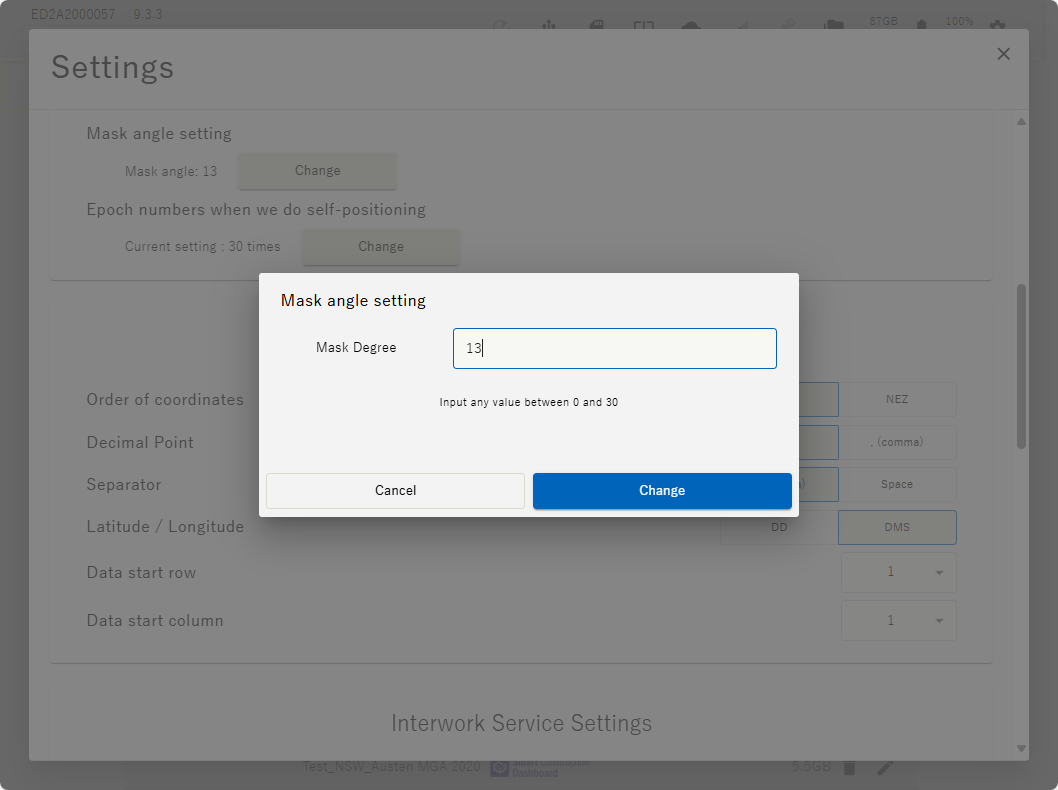
|
|
7 |
|
Error message regarding deviation of self-position |
When starting PPK logging, it is now possible to issue an error if the XY coordinates of the user's own position are off by >10m. 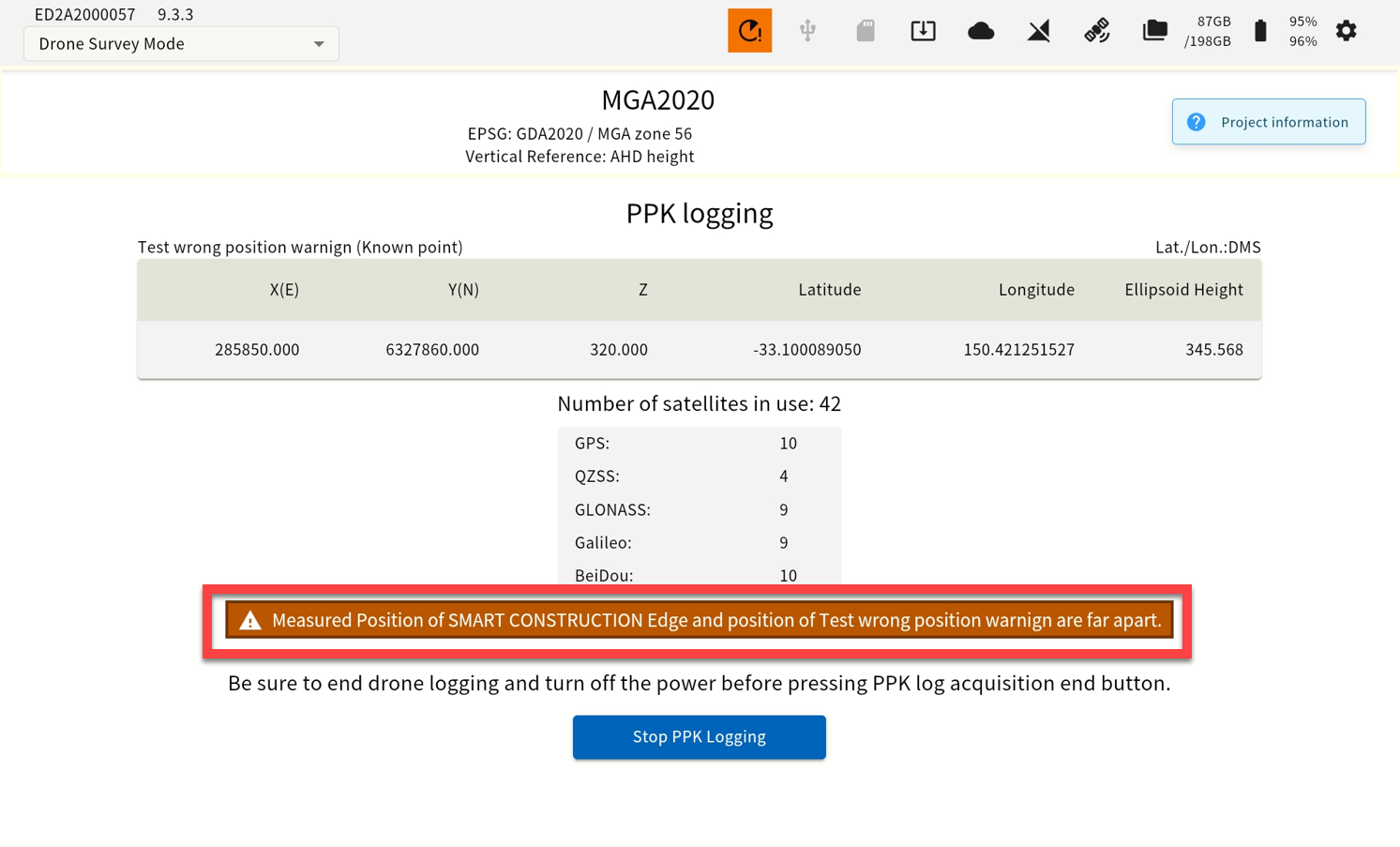
|
|
8 |
|
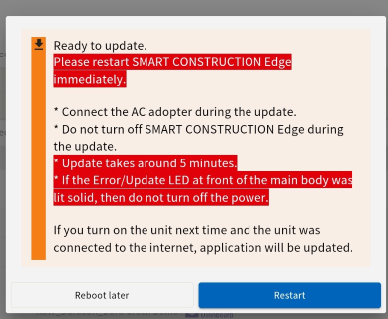
Software updates in one step |
For software updates after V9. Even if an OS update is required, the update will be completed with a single reboot. Updating from V6 to V9 will require 2 Step Power Cycle. One for Software & one for Operating System update. Follow on screen instructions. |
|
9 |
|
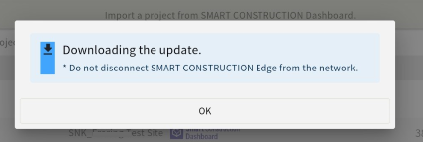
Added an icon that allows users to start updates at their own discretion |
Works with V9 and later. Software updates does not download automatically. Instead, the user is notified that an update is available and the download begins upon user action. 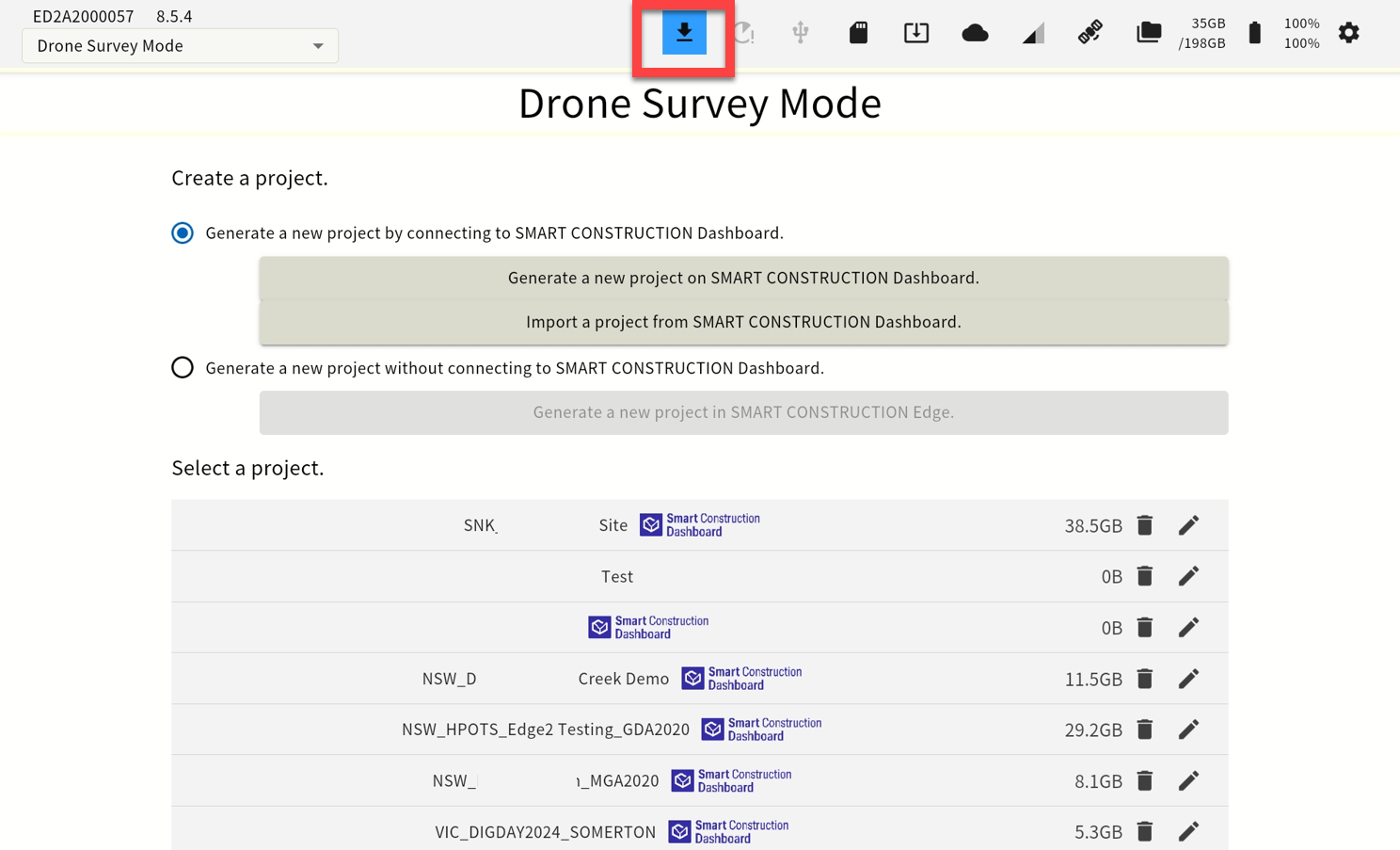
|
|
10 |
|
Restart function |
A restart icon has been added, allowing you to restart the device. 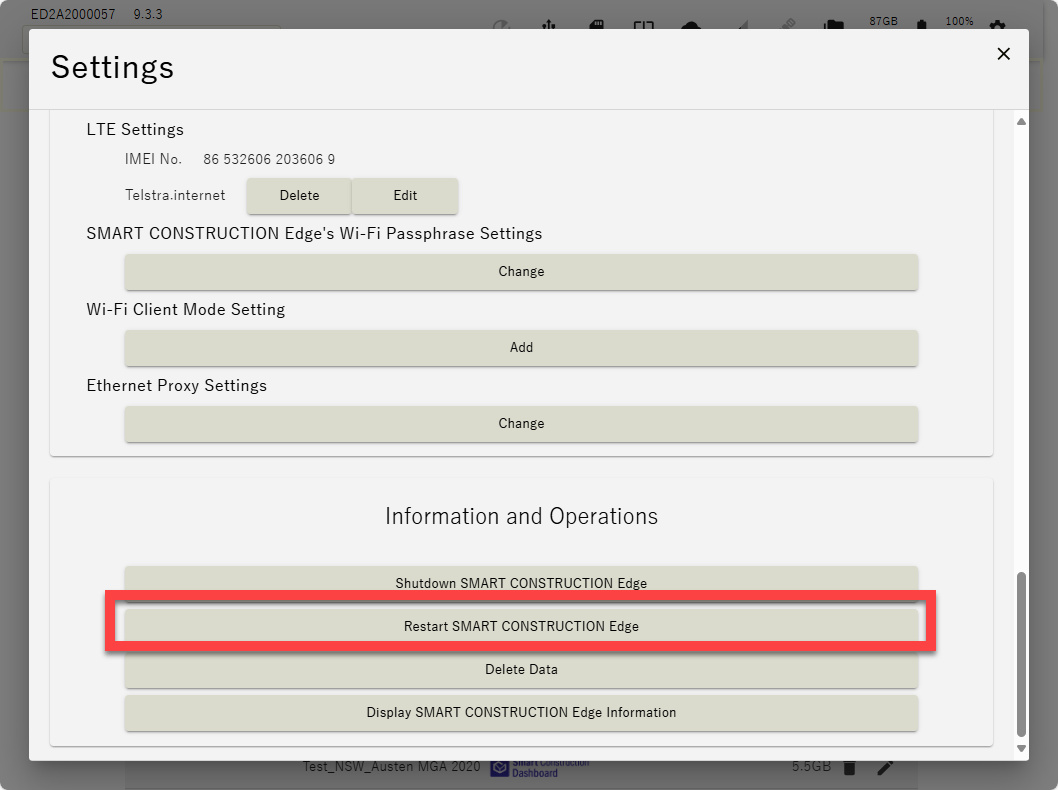
|
|
11 |
|
CMR Support |
CMR distribution is now supported when broadcasting from fixed digital UHF radios. |
|
12 |
Improved functions |
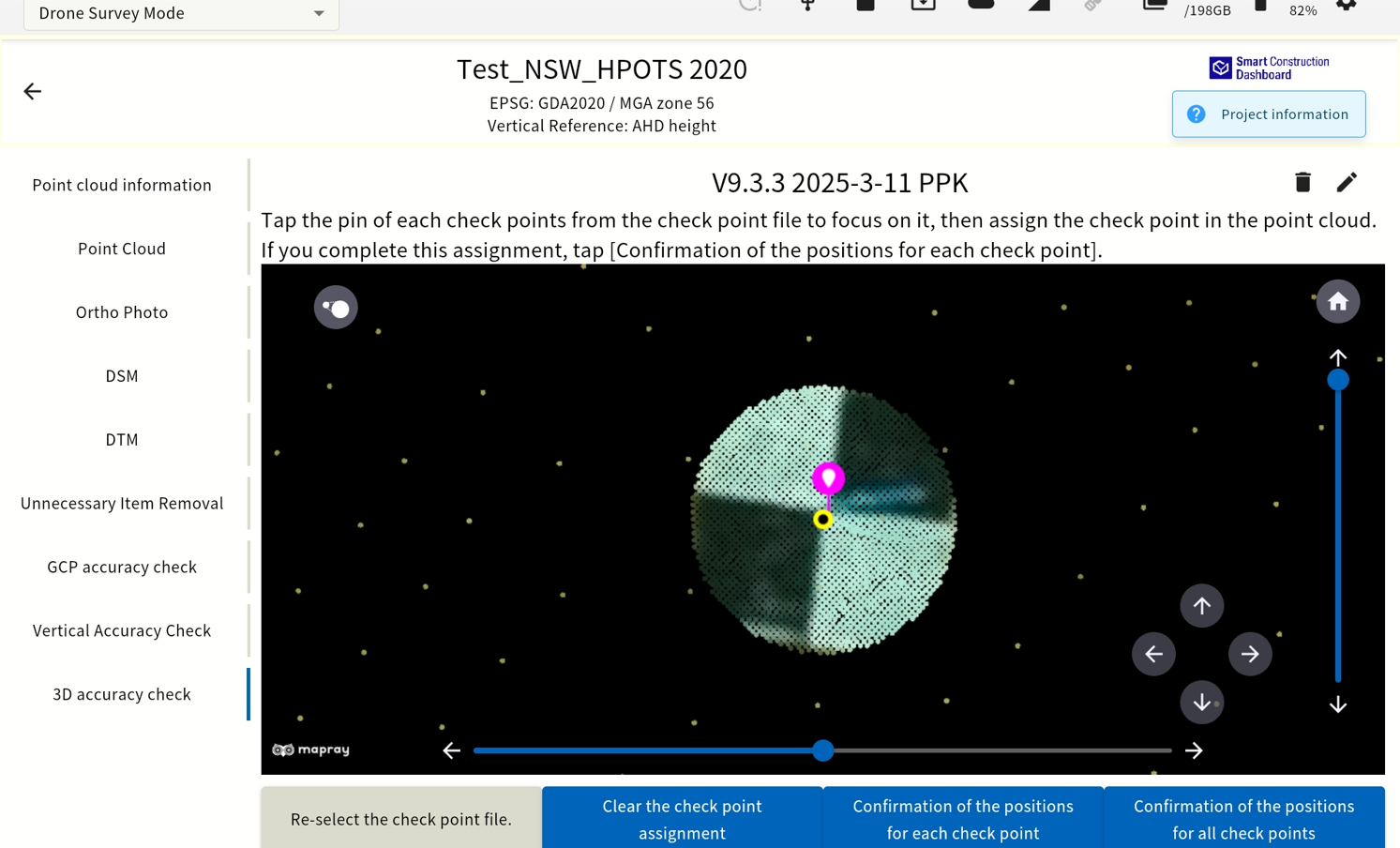
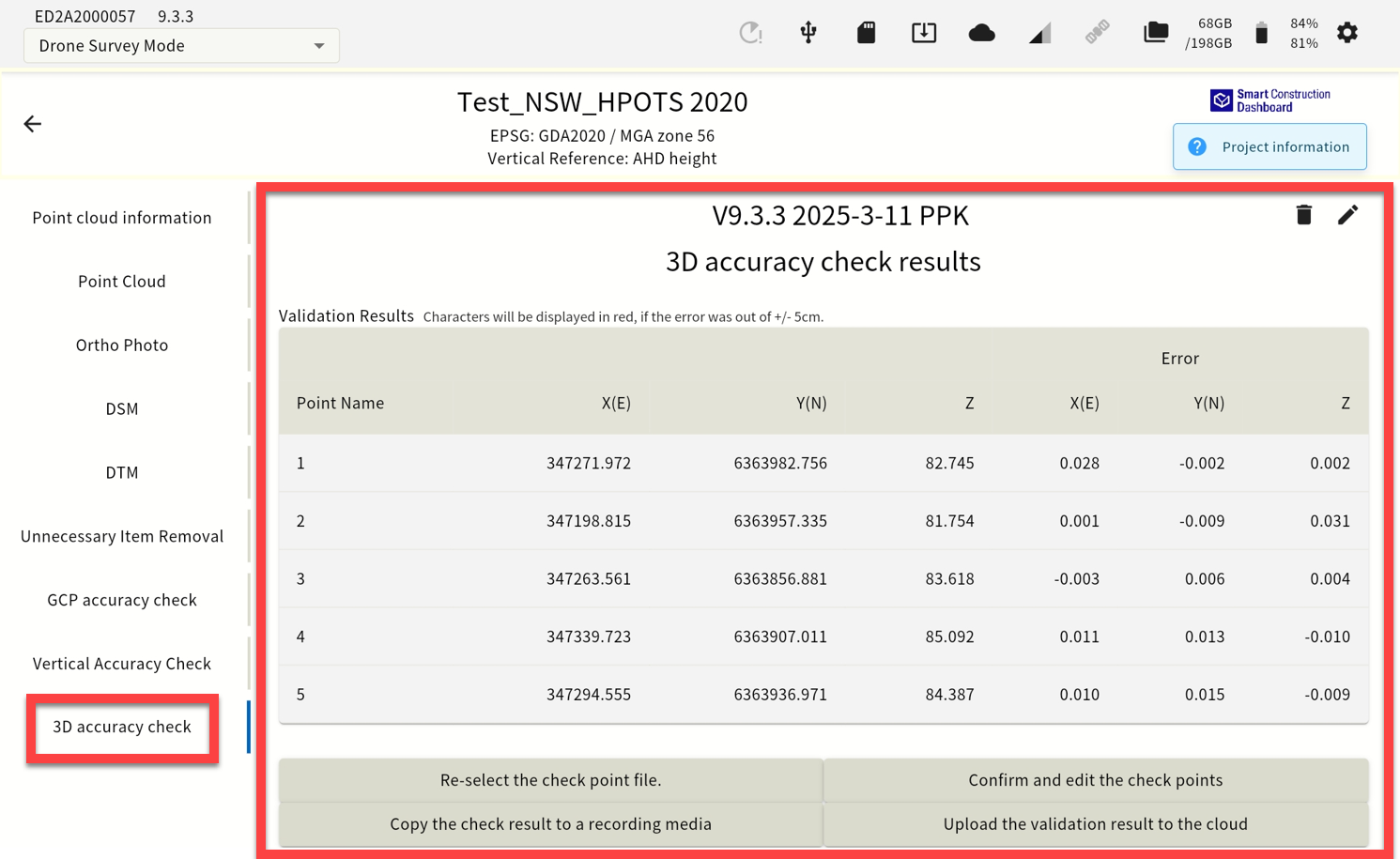
3D accuracy check function. Increased point cloud density around the verification point |
Infield 3d accuracy check function. Tick “Generate point cloud for higher-precision accuracy check.” & import GCP’s for this function. 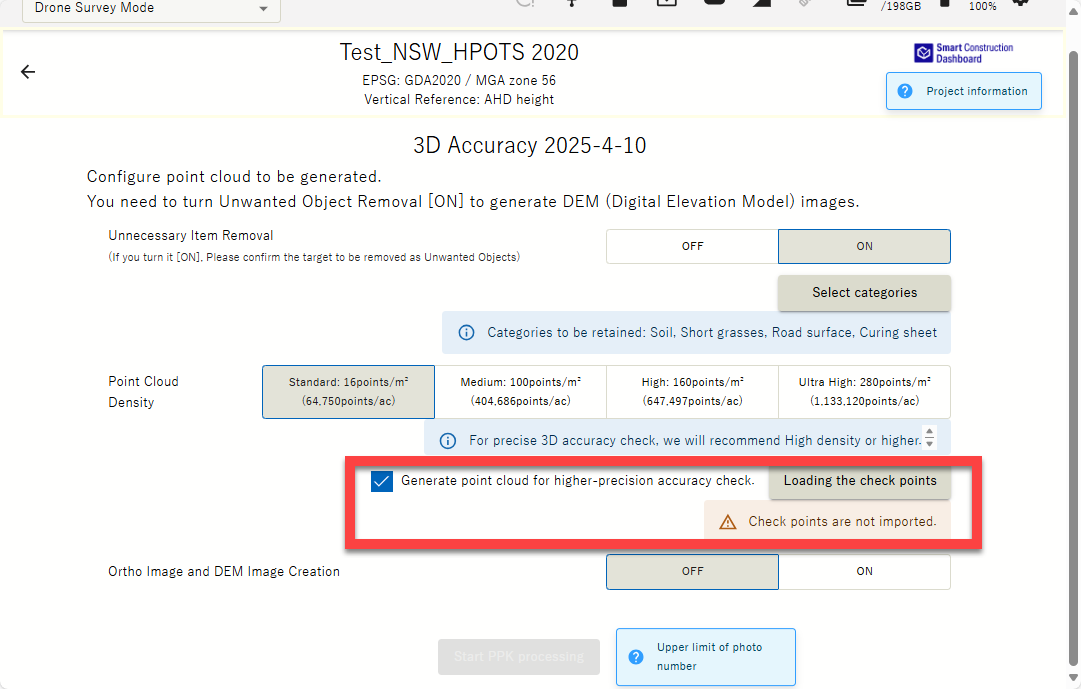
When verifying horizontal and vertical accuracy, the point cloud density around the verification point has been increased, making it easier to determine the center and allowing for more accurate confirmation of XYZ errors. 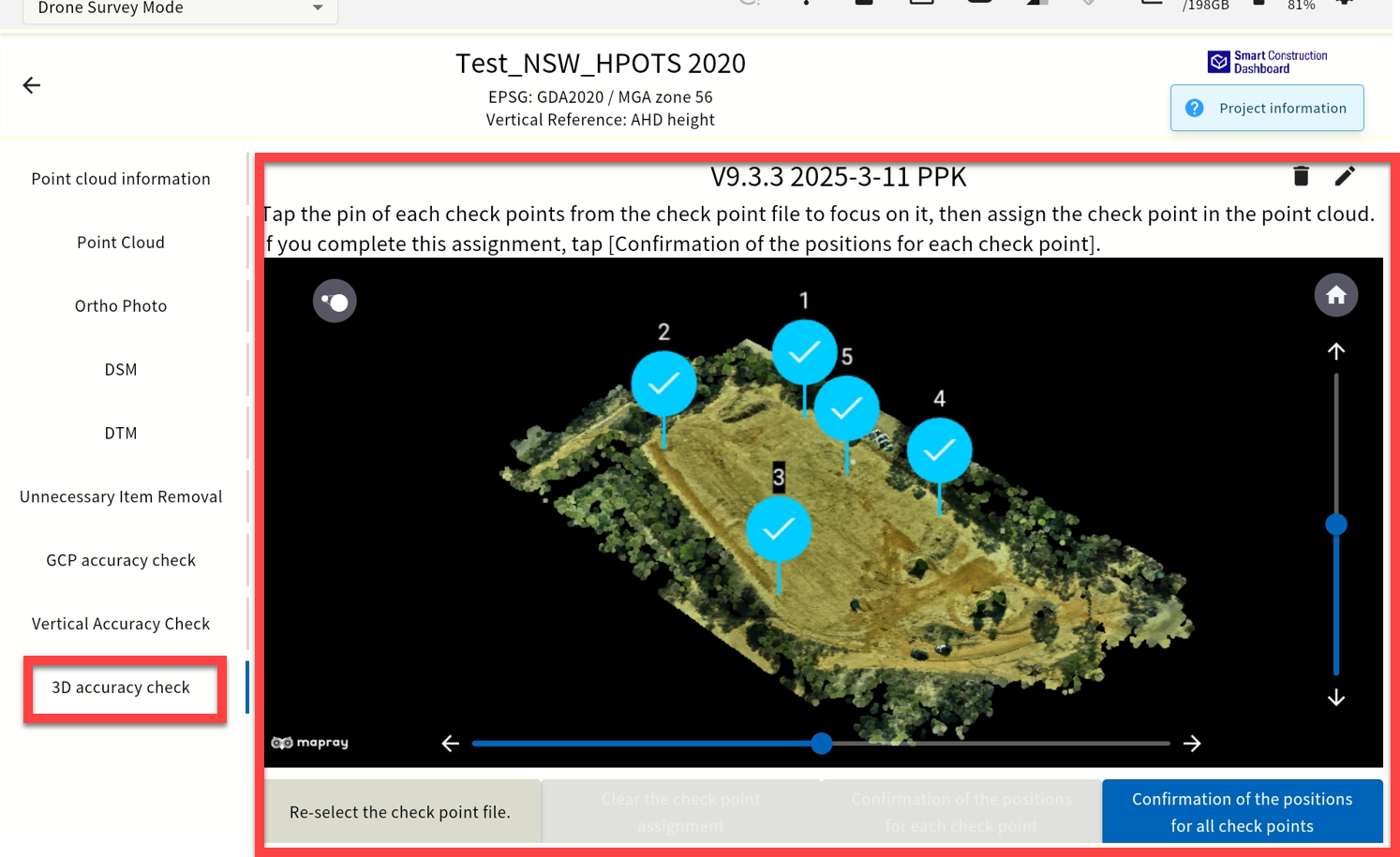
|
|
13 |
New Features |
Display of storage capacity used by each project & data assets |
You can now see how much storage space each project is using 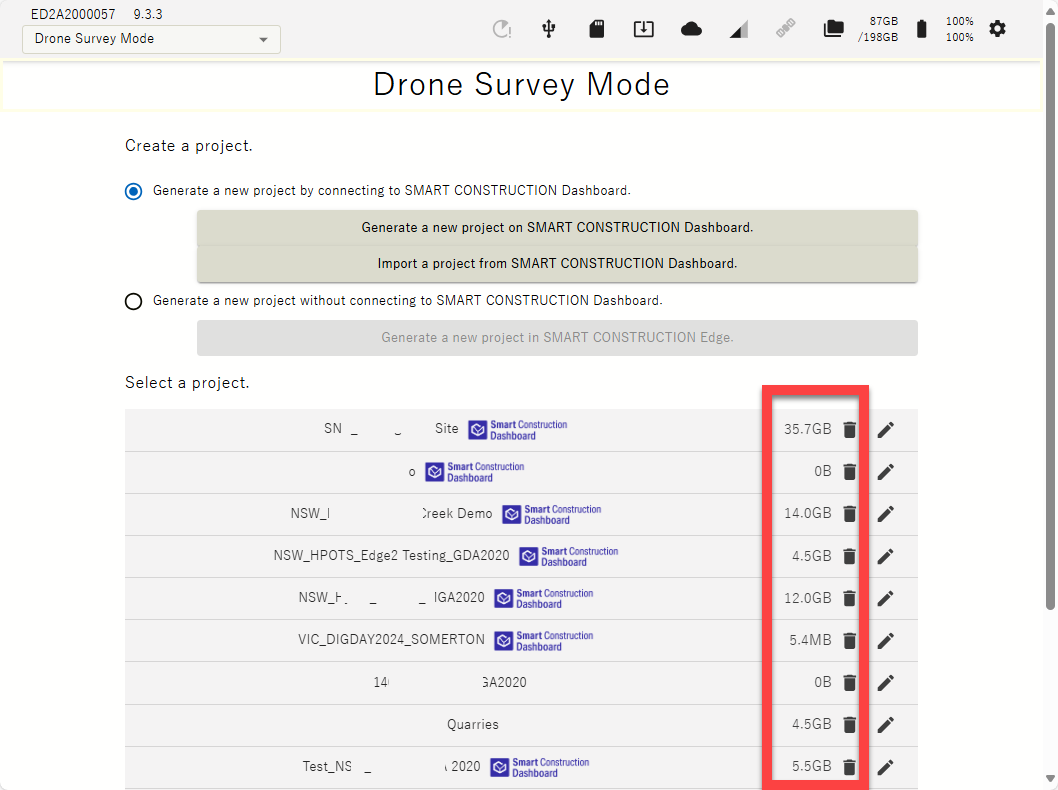
Generated, Flight & PPK log data sizes are also displayed. 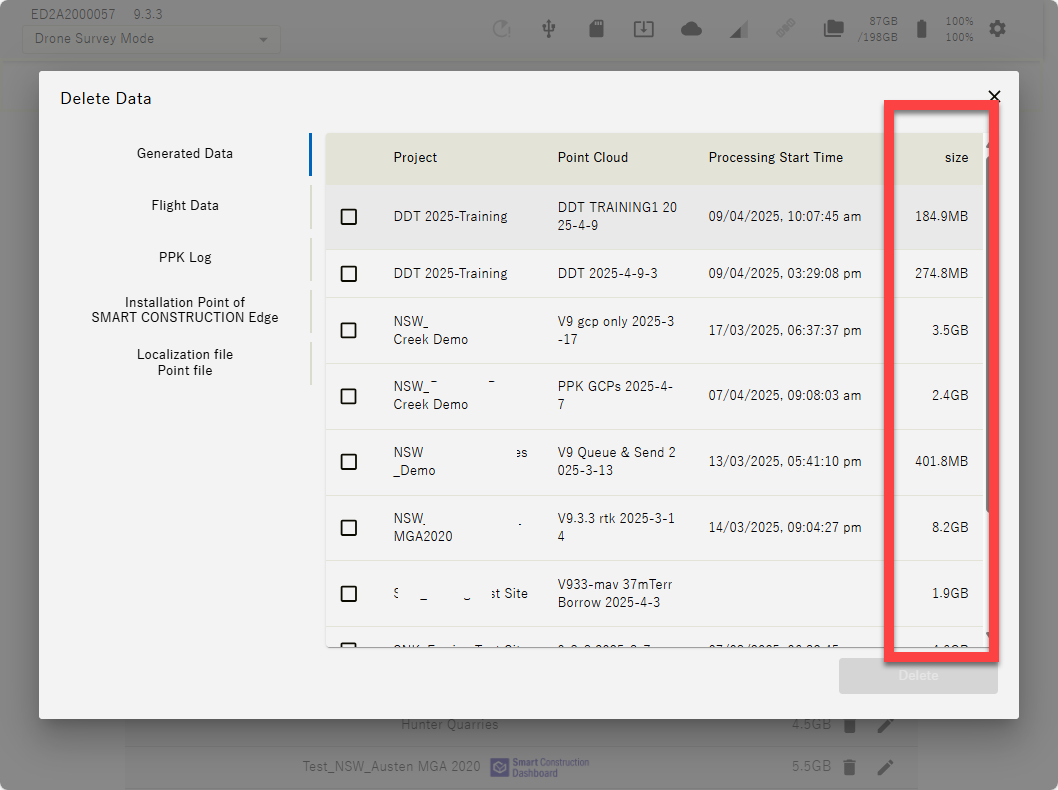
|
|
14 |
Improved functions |
Display only relevant geoid codes |
When you select a horizontal coordinate system, only the associated vertical references are displayed 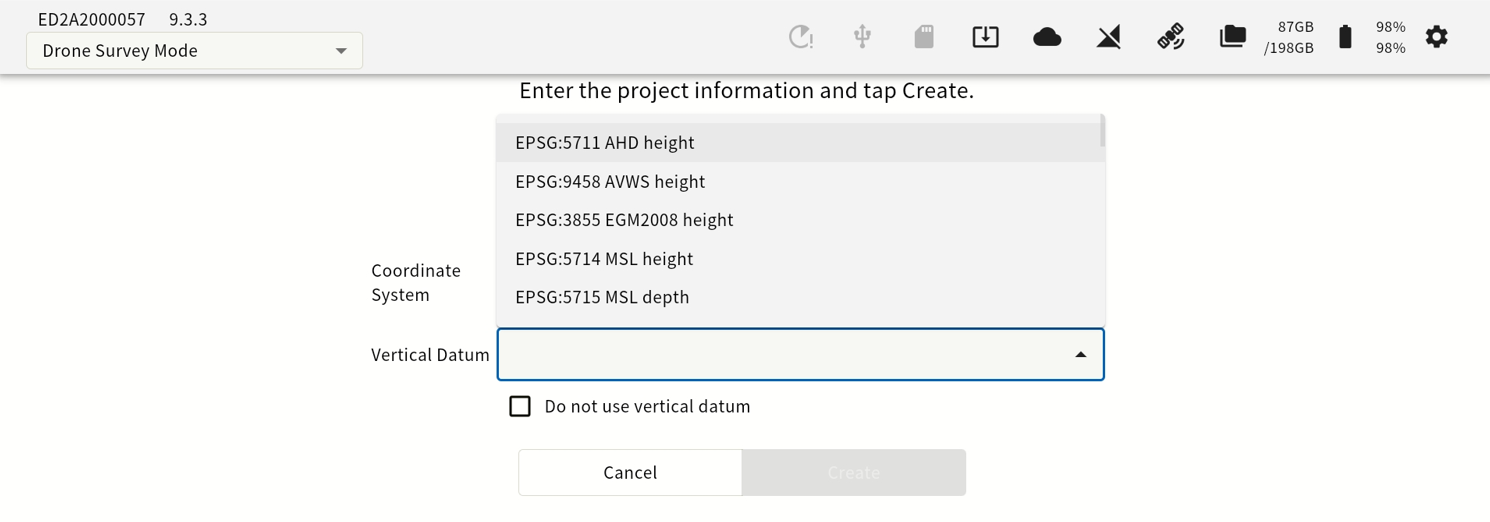
*Previously, all vertical references were displayed . |
|
15 |
Improved functions |
IMEI Number Display |
IMEI number is now displayed on the settings screen 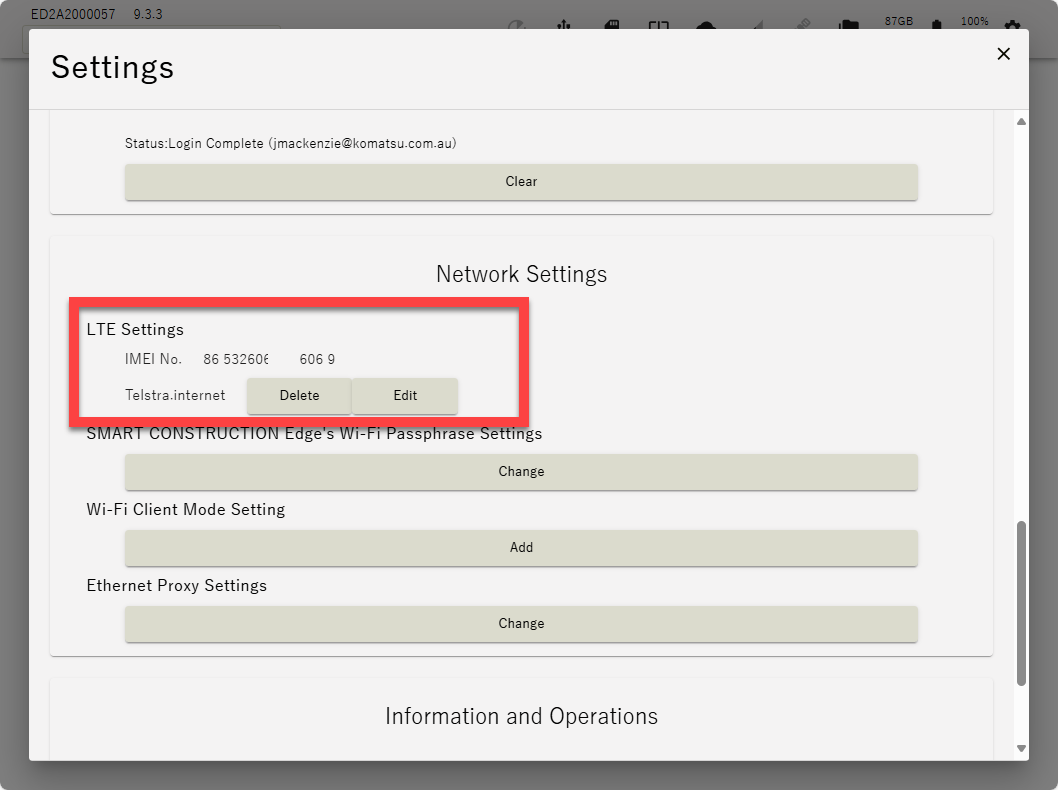
|
|
16 |
Improved functions |
Changes to junk removal UI |
Changed the UI for removing & retaining objects to make it easier to understand 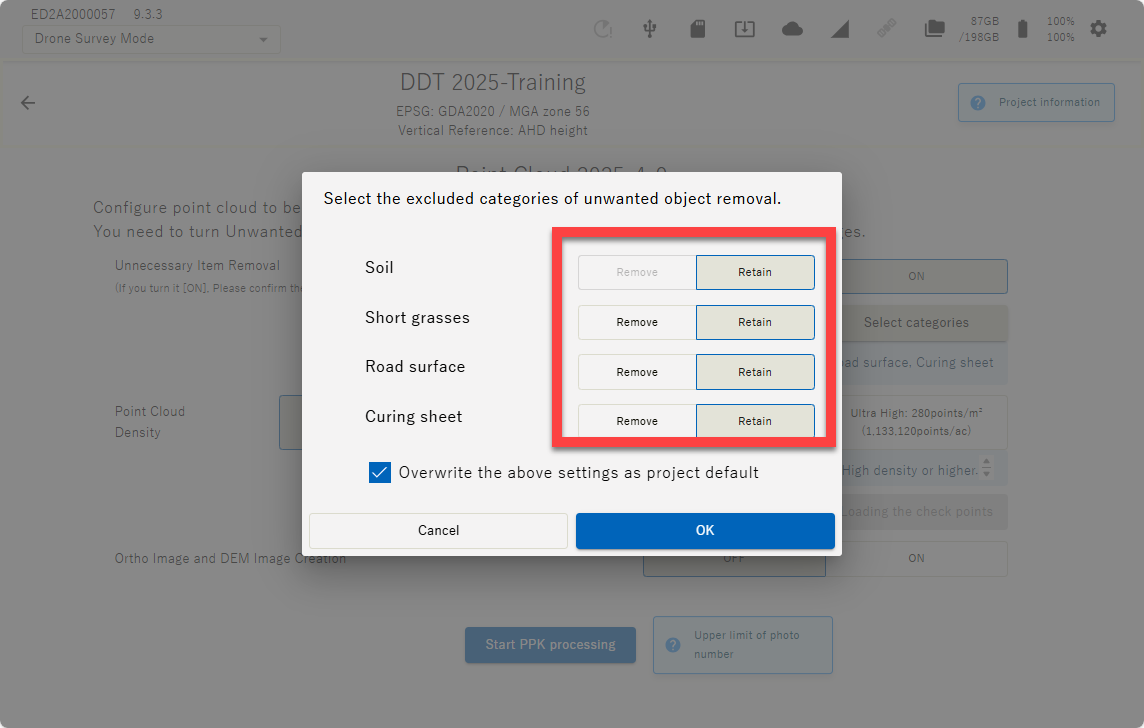
|
|
17 |
Improved functions |
EPSG Addition |
New Zealand EPSG additions TBA |
|
18 |
Improved functions |
SFM processing for GCP only (only supported for some aircraft) |
This is a preliminary function update in consideration of future updates, and will enable SFM processing of GCPs only on ( P4RTK & M3E ). Although we have confirmed the accuracy, unless there is a particular need to process GCPs only, we currently recommend processing with normal PPK/RTK or + GCP on the above models. |
|
20 |
New Features |
Vertical offset notation change |
The specifications have been changed to display the accuracy results after offset. 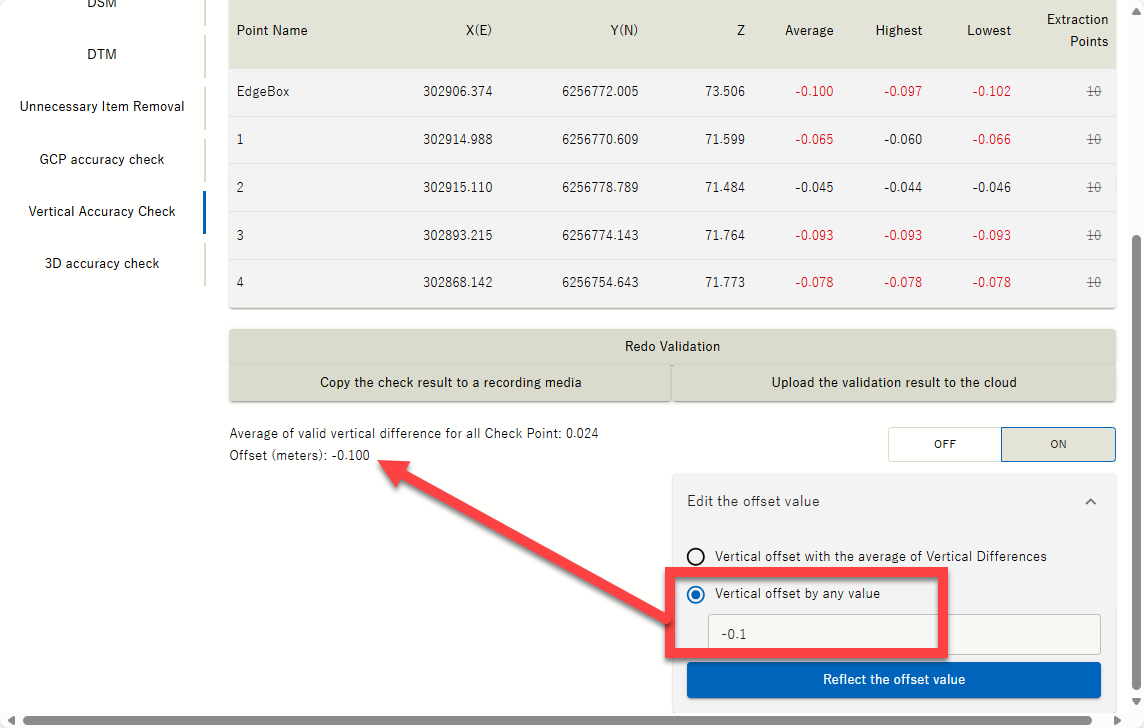
|
|
21 |
New Features |
Added flow control and transmission interval when streaming from external radio |
Flow control ON/OFF and transmission interval items have been added to suit the digital radio used. For Australia and New Zealand leave it OFF. Mainly used for Japan UHF Regulations. TBA 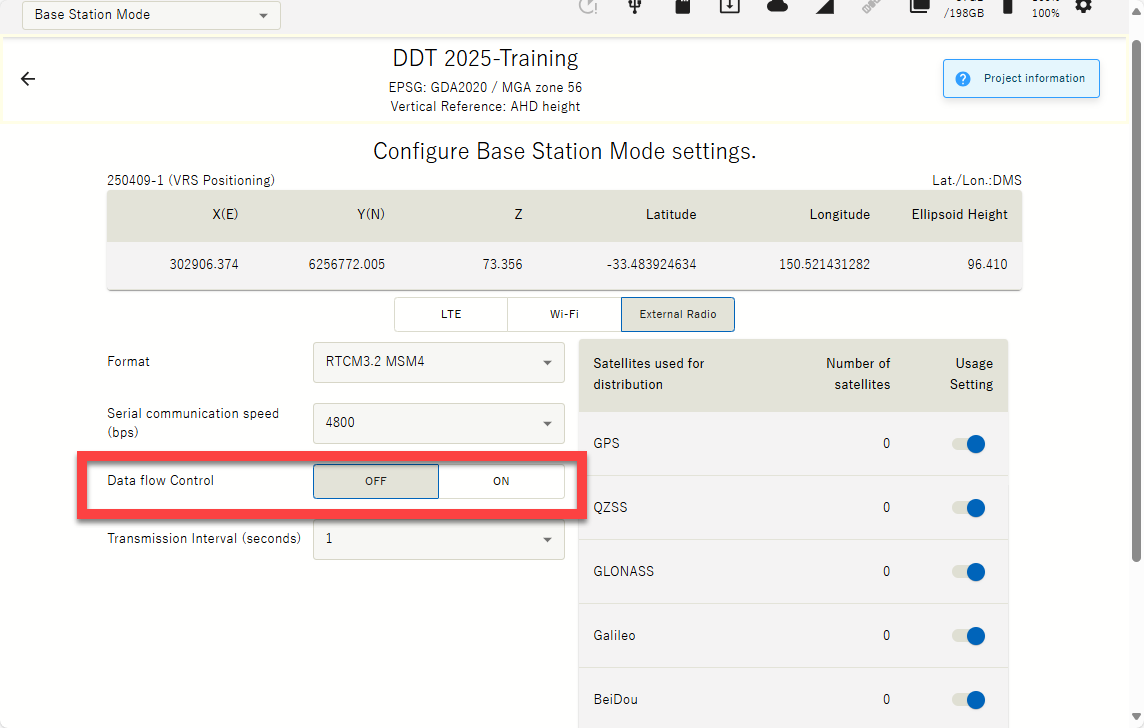
|
|
22 |
New Feature |
Send photos to SC Cloud SfM for processing |
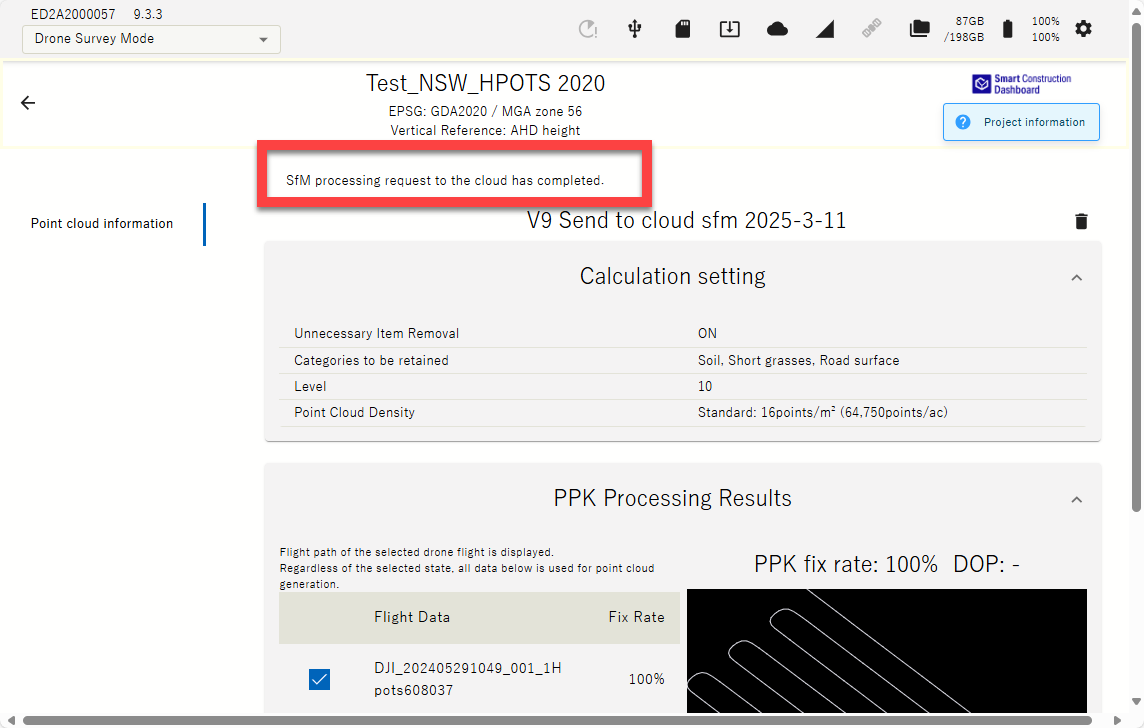
Destination to process drone data can be set to SC Edge or SC Cloud SfM for when larger than 50Ha site data processing are required & can be sent straight from Edge to Cloud SfM (up to 120Ha area size). SC Cloud SfM a License are required. Preconfigured parameters should be set for point cloud density (16ppm best practice) & Object remove filter ( 7-10). Orthophoto will be 1cm quality. 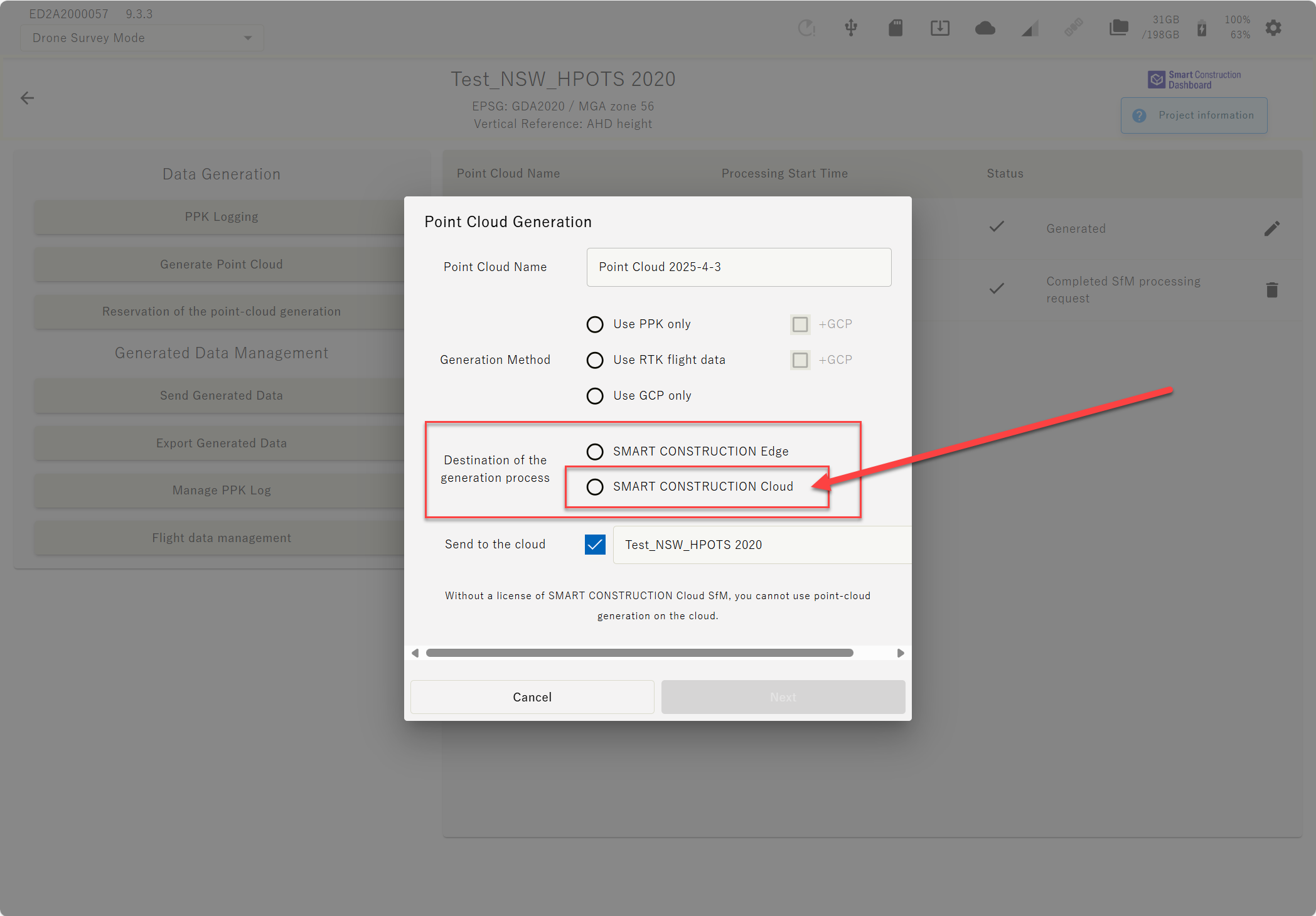
|
|
23 |
Improvement |
GCP tagging improvement |
The amount you can zoom into a GCP has been improved to zoom in a bit more 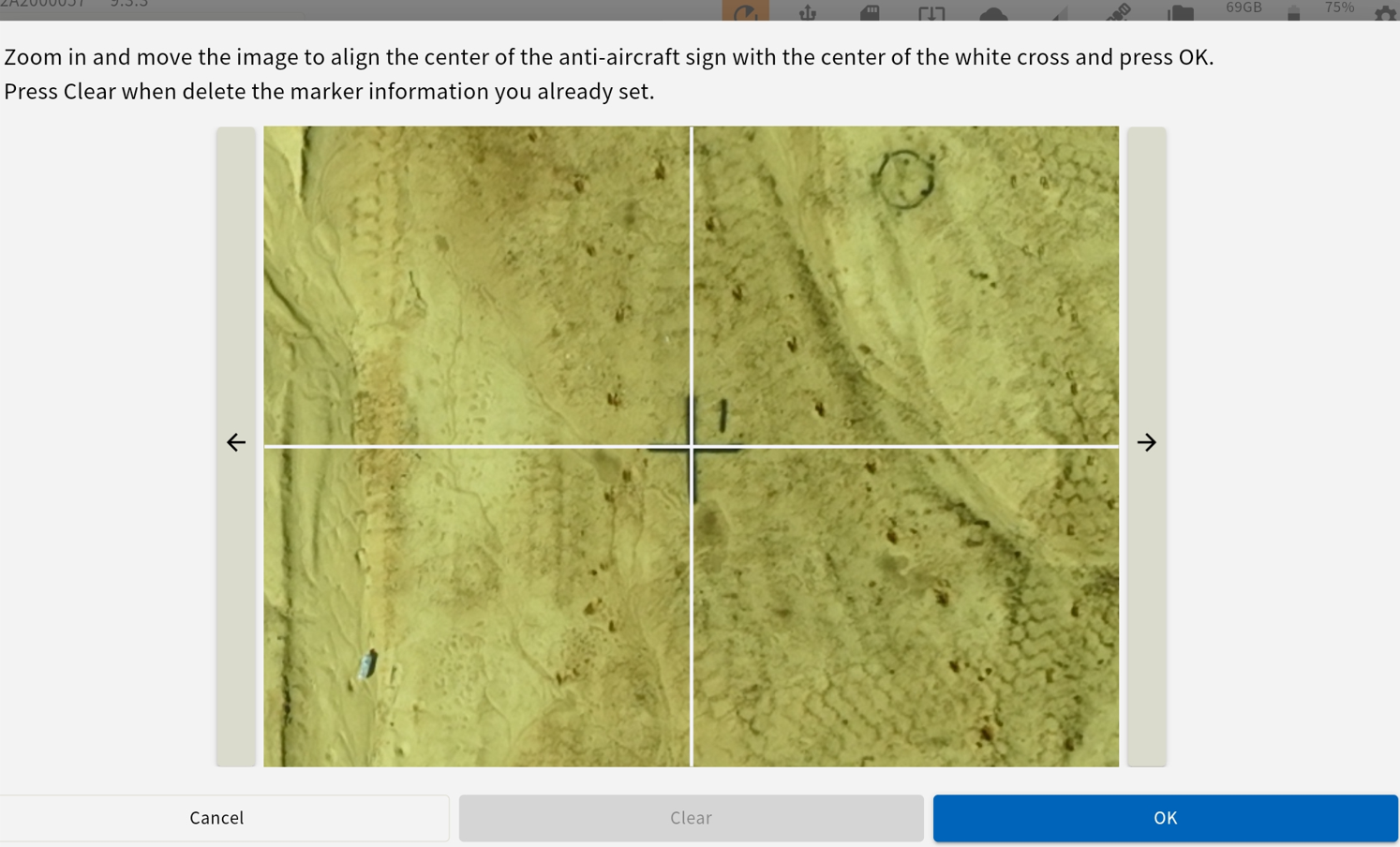
|
|
24 |
Improvement |
Minus Button |
Minus button has been resolved for Android tablets. |