Less dense and lower resolution data will enhance Dashboard performance.
Follow the best practices outlined below to improve Dashboard performance.
1. Drone Data
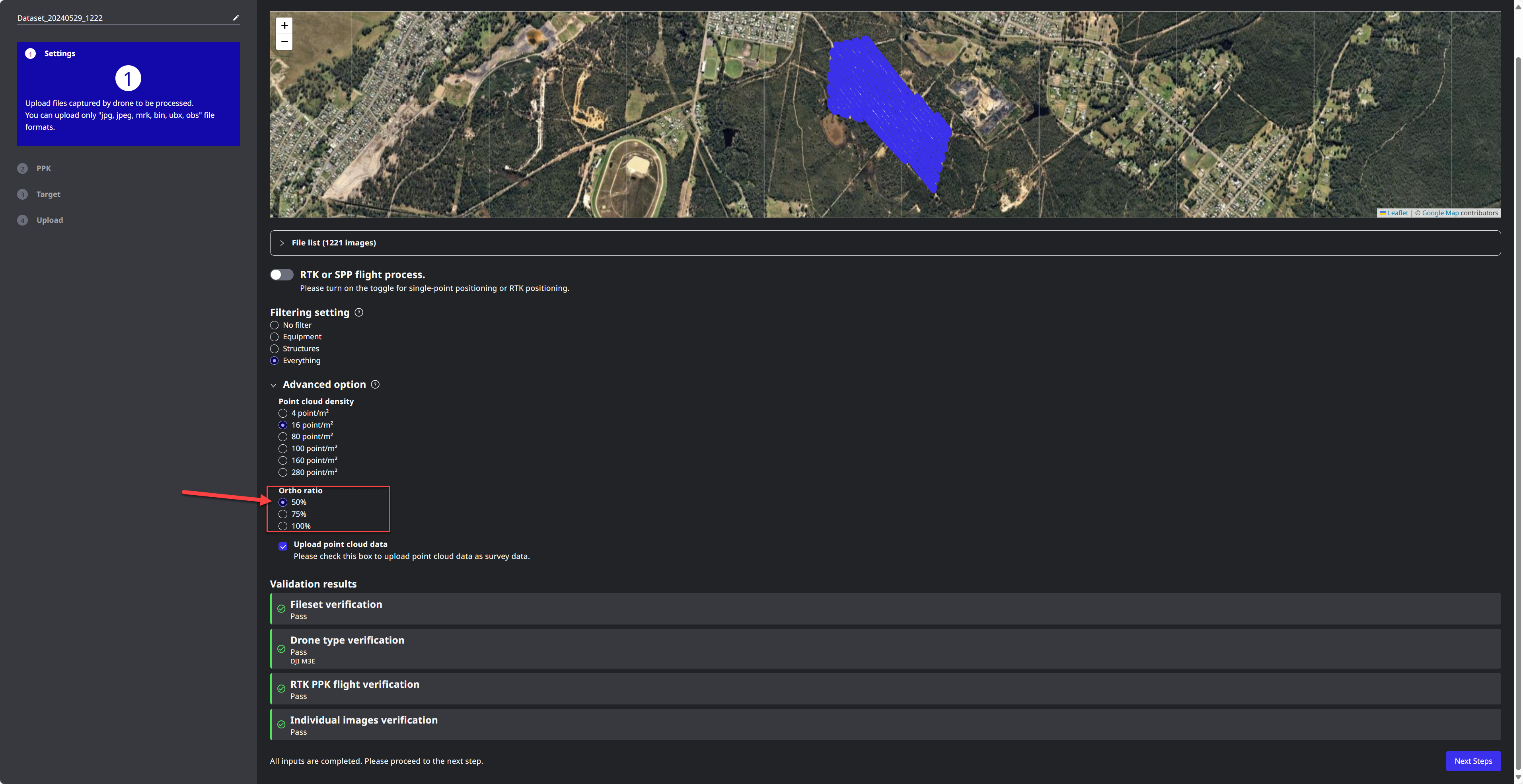
Decimated point clouds of approximately 16 points per meter are recommended.
Orthophotos with a reduced resolution of 75% or less are advised.
SC Edge2
Point Clouds from Edge select 16ppm setting
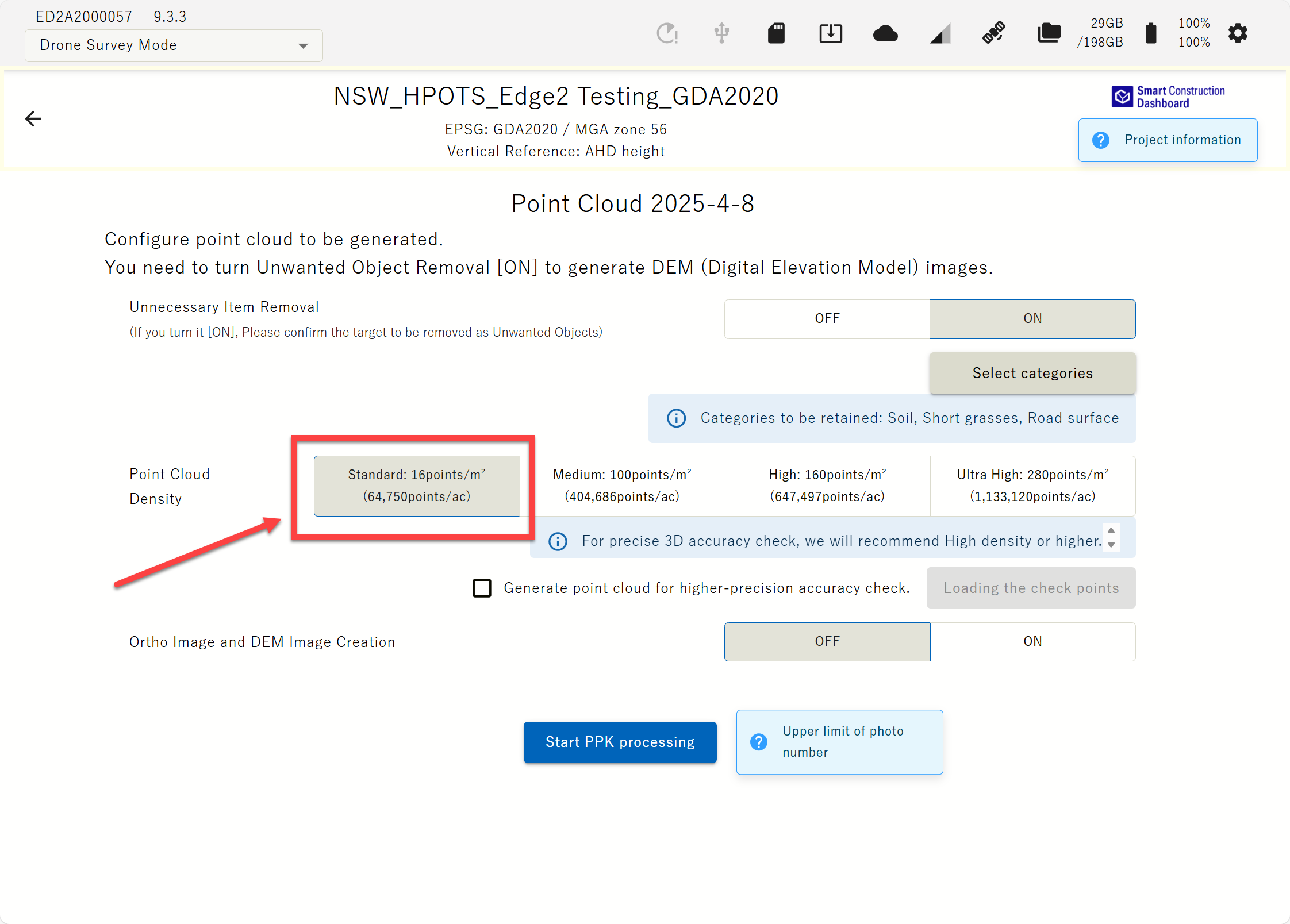
Orthophoto defaults to a resolution of 4cm, requiring no action except for selecting whether to process it.
SC Cloud SfM
Expand the “Advanced Option”
Select 16ppm or less
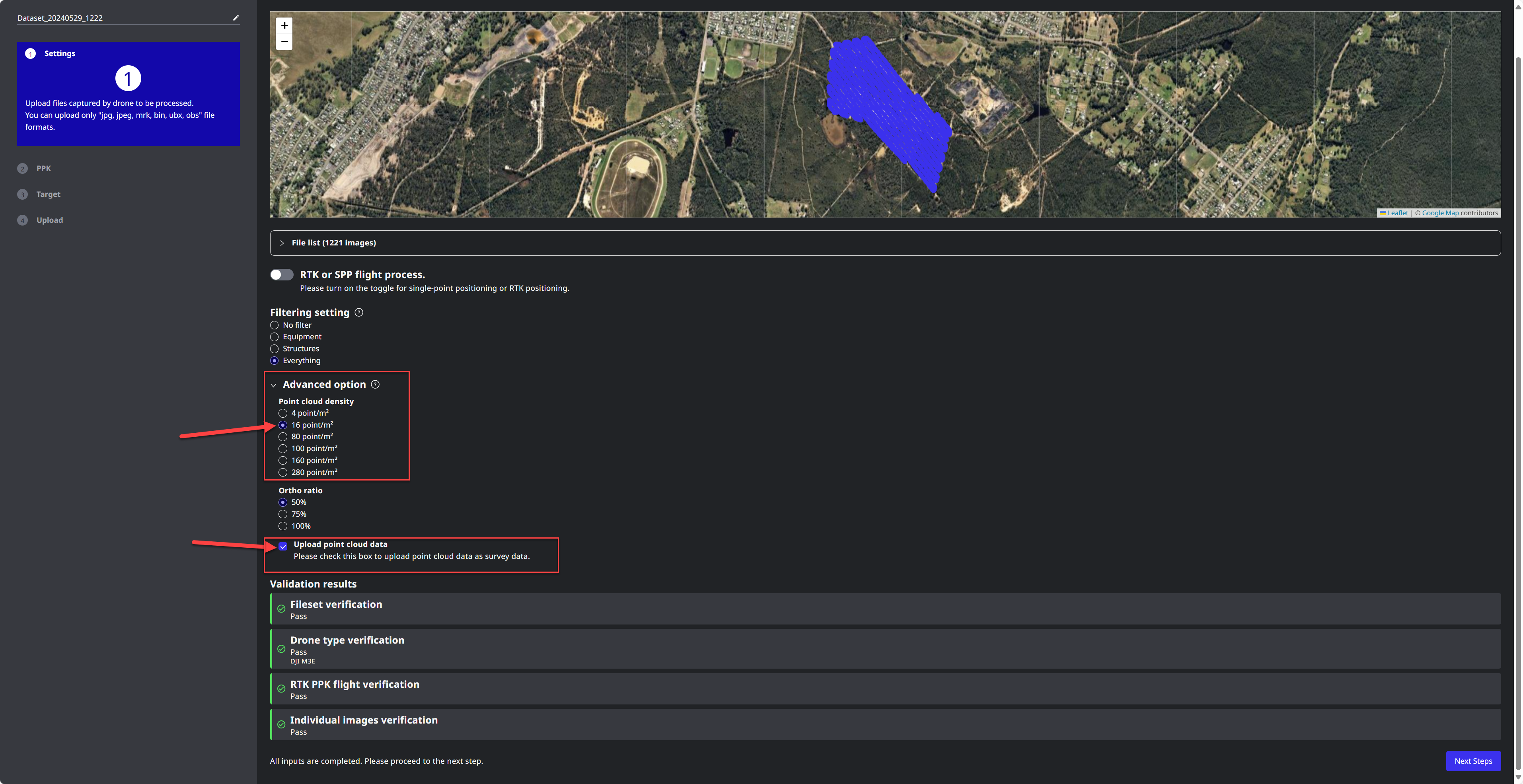
Make sure to tick “Upload the point cloud data”

Consider reducing orthophoto quality to 75% or 50% for non-essential flights that do not require high resolution.
50% are recommended for earthworks
2. Design Data
Design DTM/TINs
Ensure no duplicates exist in the 3D model, such as DTMs overlapping with other DTMs or faces overlapping with other faces.
Dense triangles do not affect Dashboard performance.
Linework
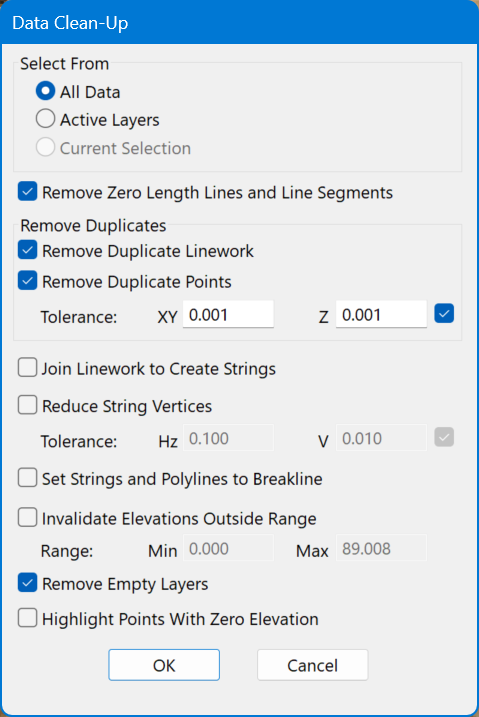
Ensure no duplicate strings, lines & points exist.
Use survey software to run a data cleanup, checking for data and point duplications. Then, delete any duplicates and remove empty layers.
SC Dashboard
3. Annotations
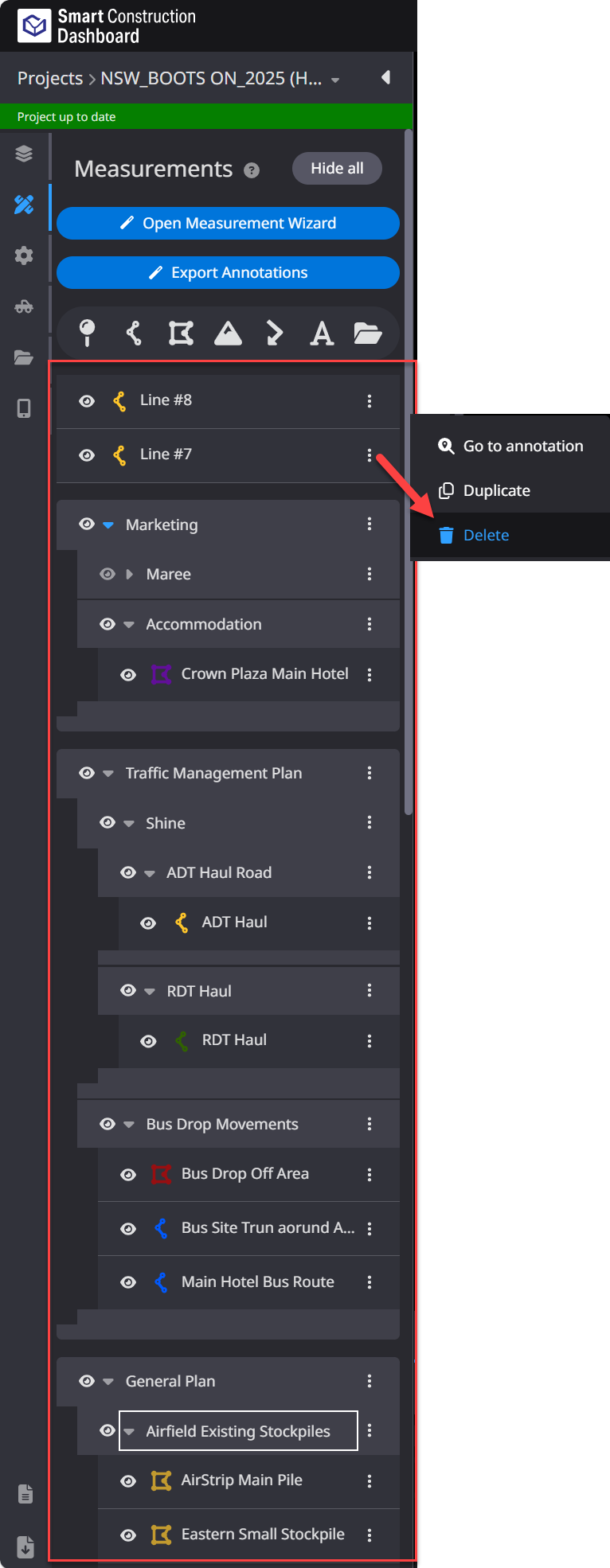
Ensure annotation layers do not exceed 150 by deleting any unnecessary measurements.
For annotations & measurements that you may need again in the future you can “Export” the annotation as a DXF.
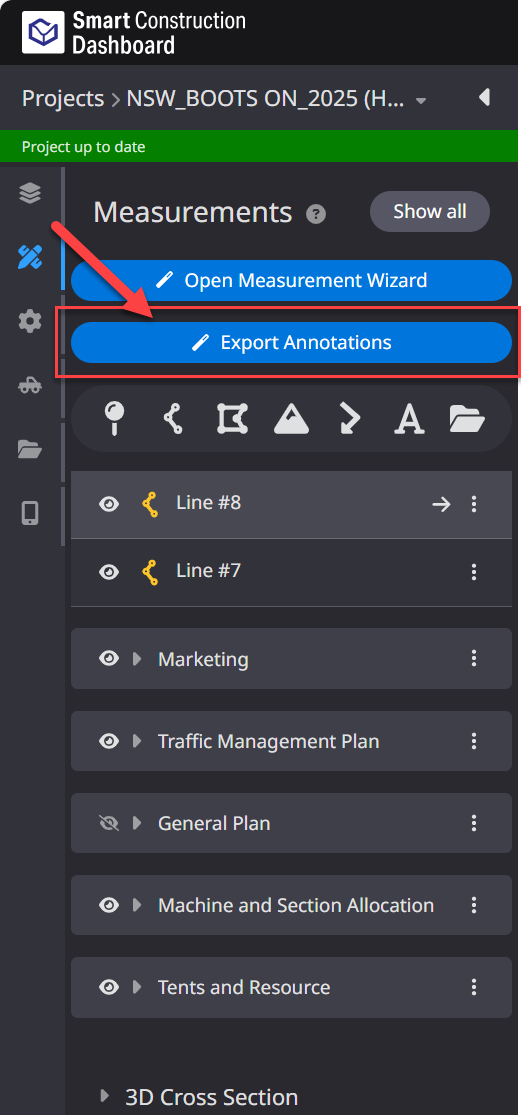
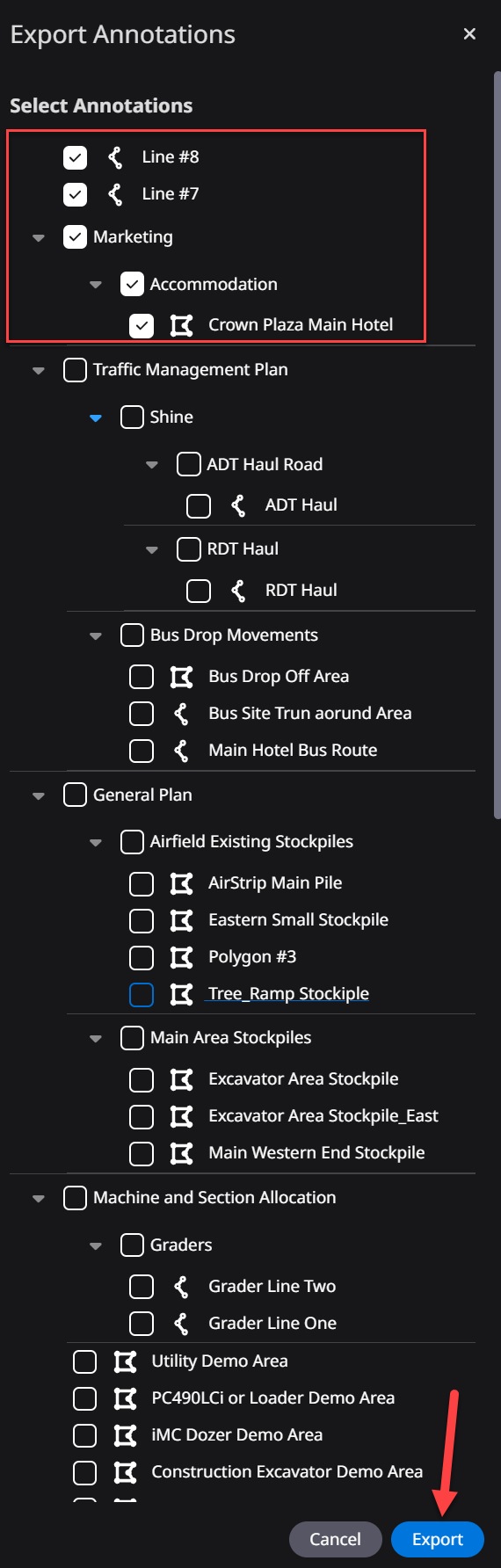

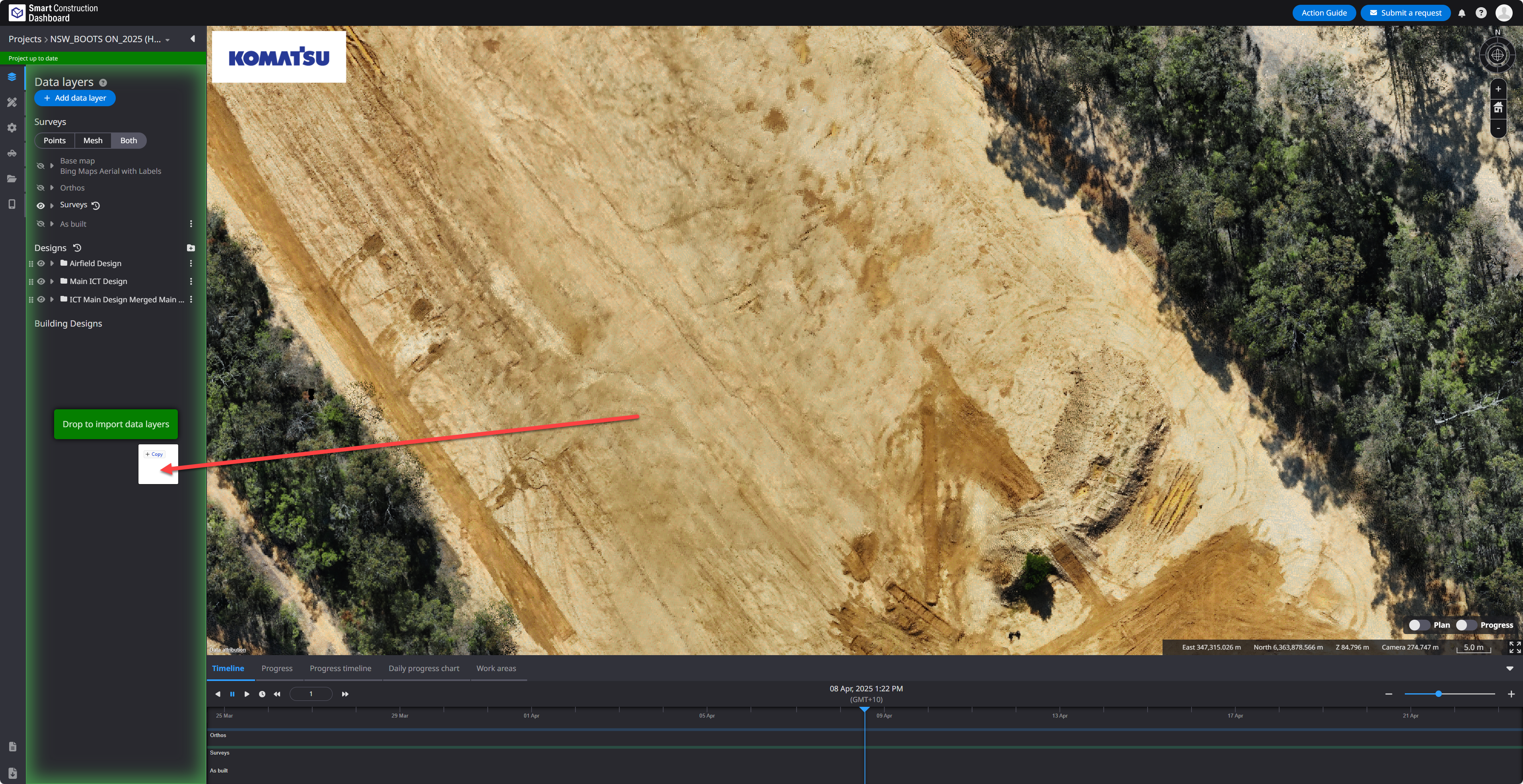
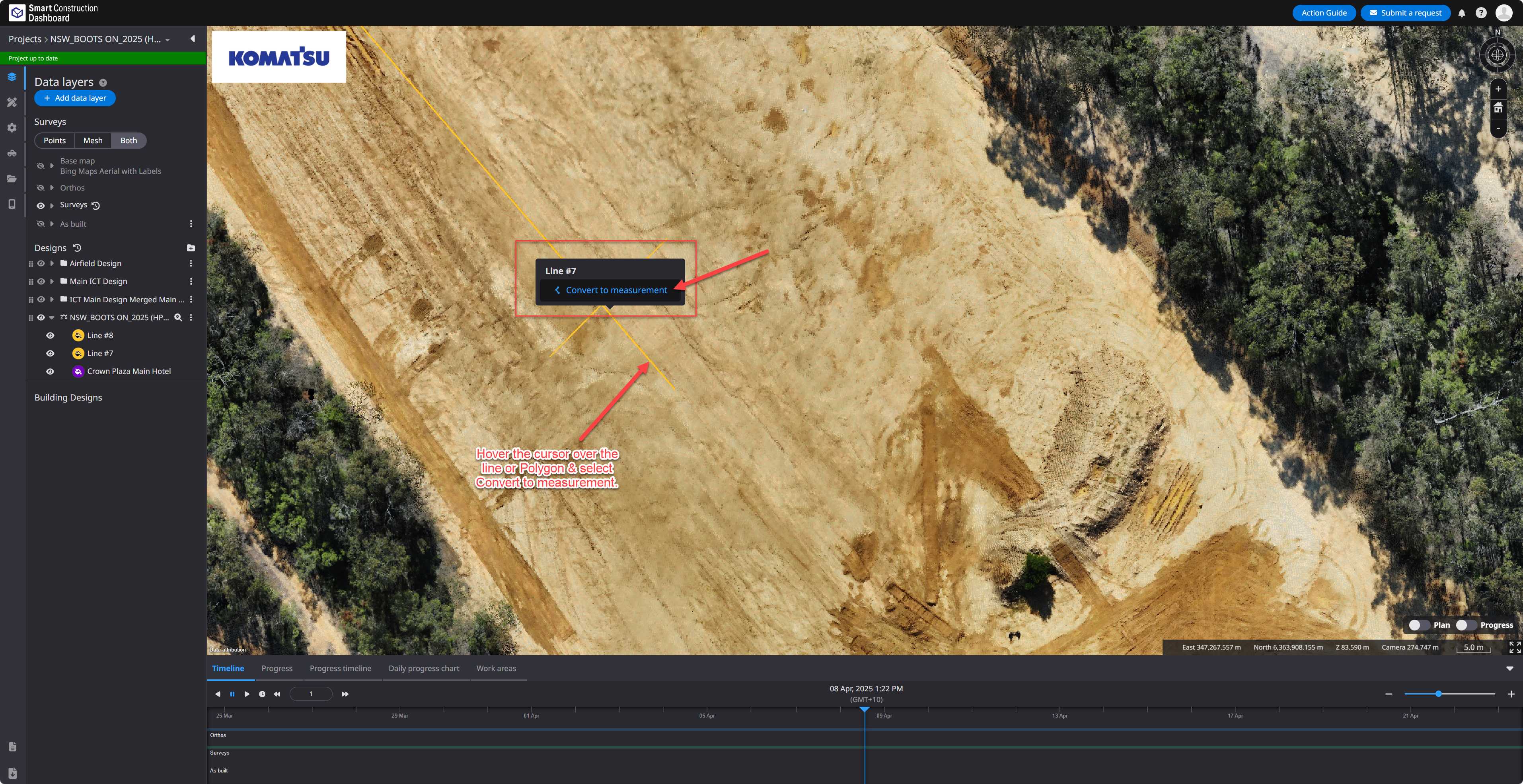
You can reimport these by dragging and dropping the file into the dashboard as linework and converting the line or polygon back to a measurement.