This function is available with tablet app version 1.0.06 or later. If you are using an older version, please update the app.
Introduction
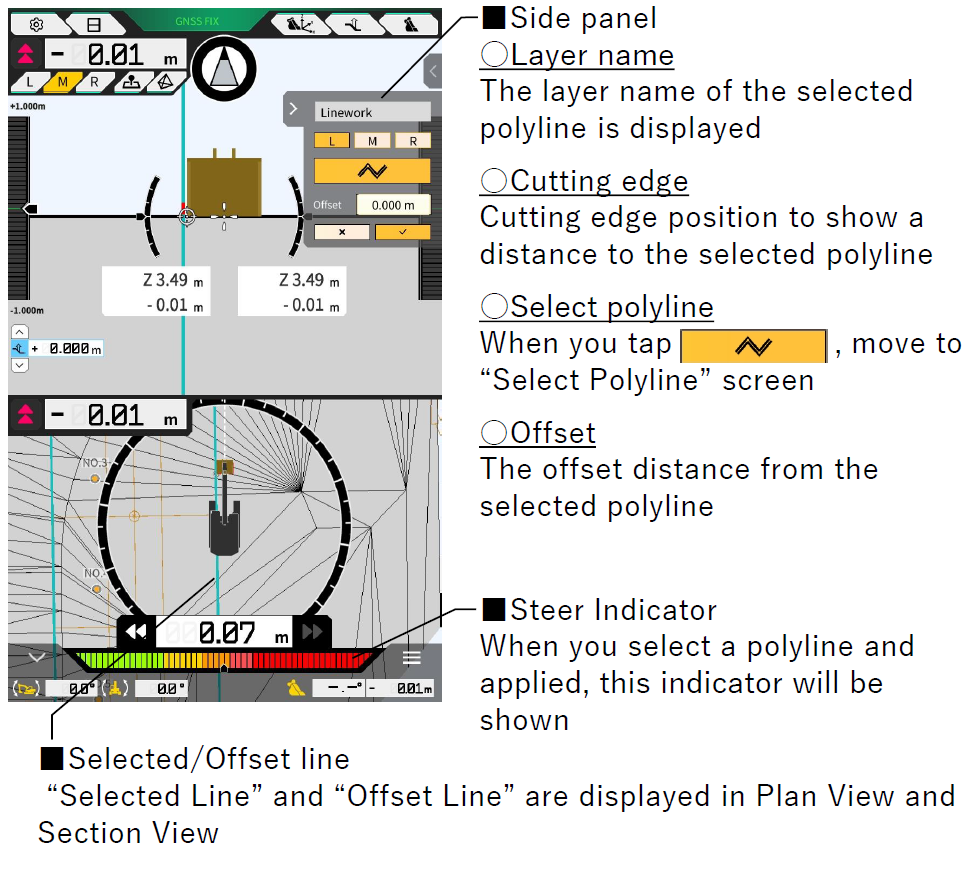
This function provides horizontal guidance for selected polylines. To use this function, select a project file that contains linework.
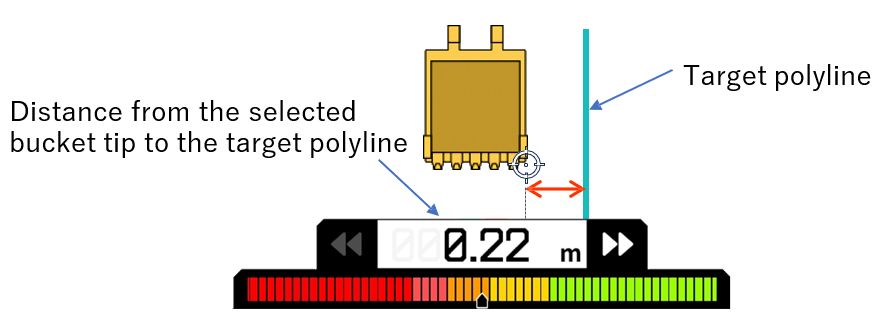
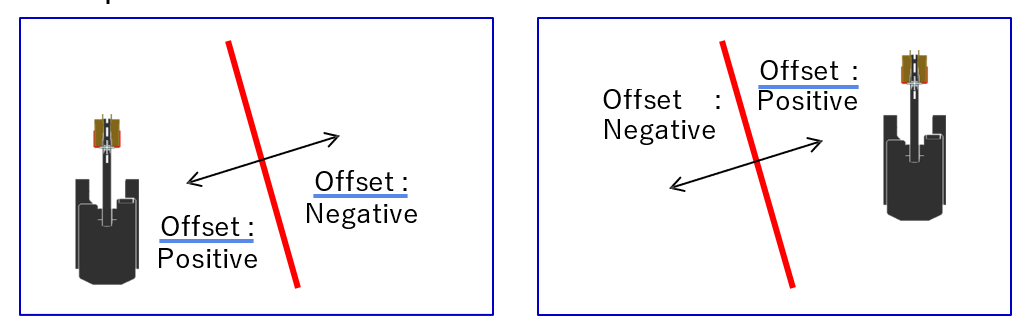
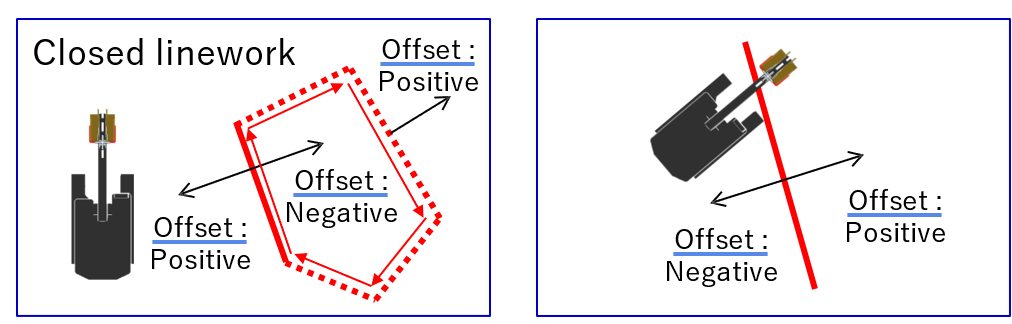
The offset direction depends on the relationship between the position of the bucket and the selected linework.
Application Settings
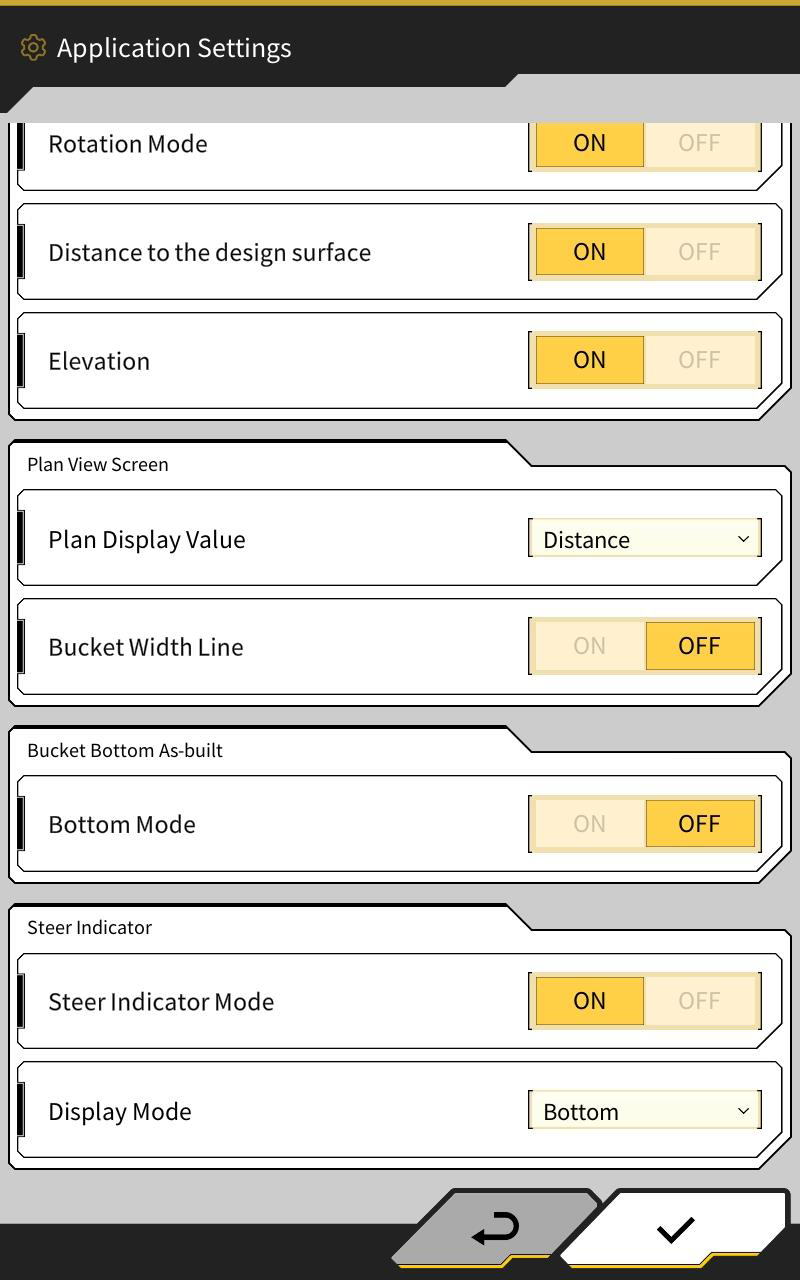
The Steer Indicator settings can be found in the Application Settings Menu.
Steer Indicator Mode
When you turn it OFF, “Side panel” in the guidance screen disappears. The default is ON.
Display Mode
In the case of 2 screen display, Steer Indicator display can be selected “Middle” or “Bottom”. The default is “Bottom”
Steer Indicator Colour and Sound Settings
-
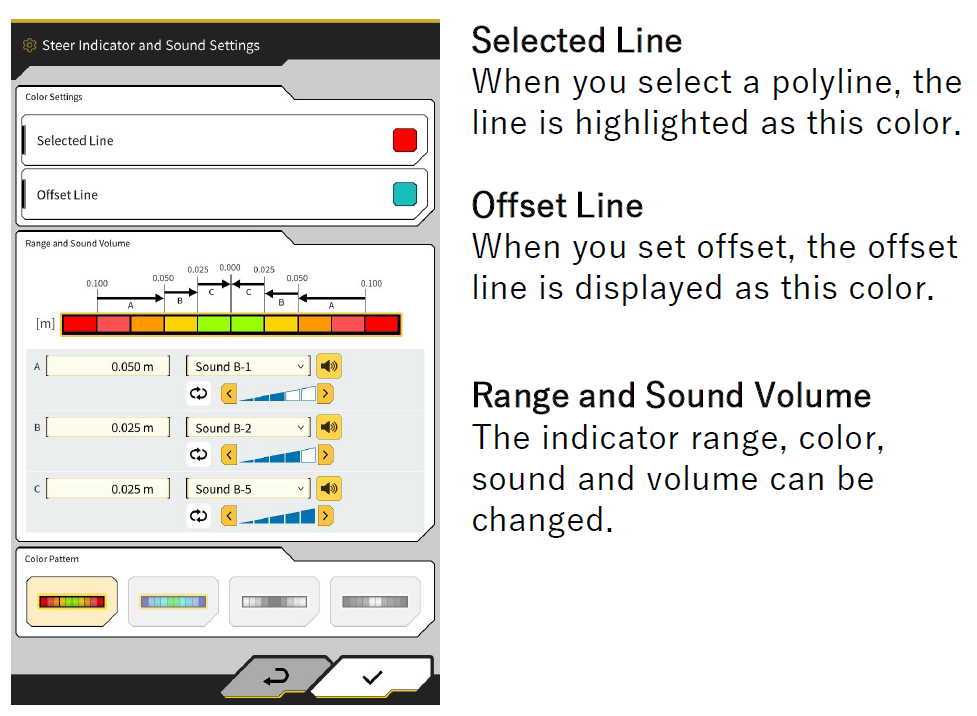
The range, color, and sound of the Steer Indicator and line colour can be changed.
1. Launch Machine Guidance Screen
2. ⚙Menu
3. Guidance Settings
4. Steer Indicator and Sound Settings
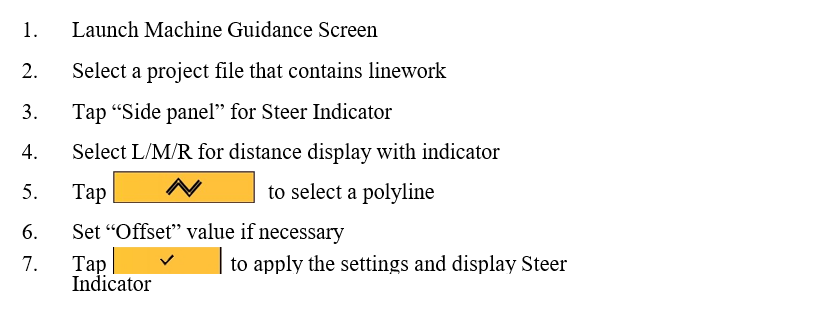
How to use Steer Indicator
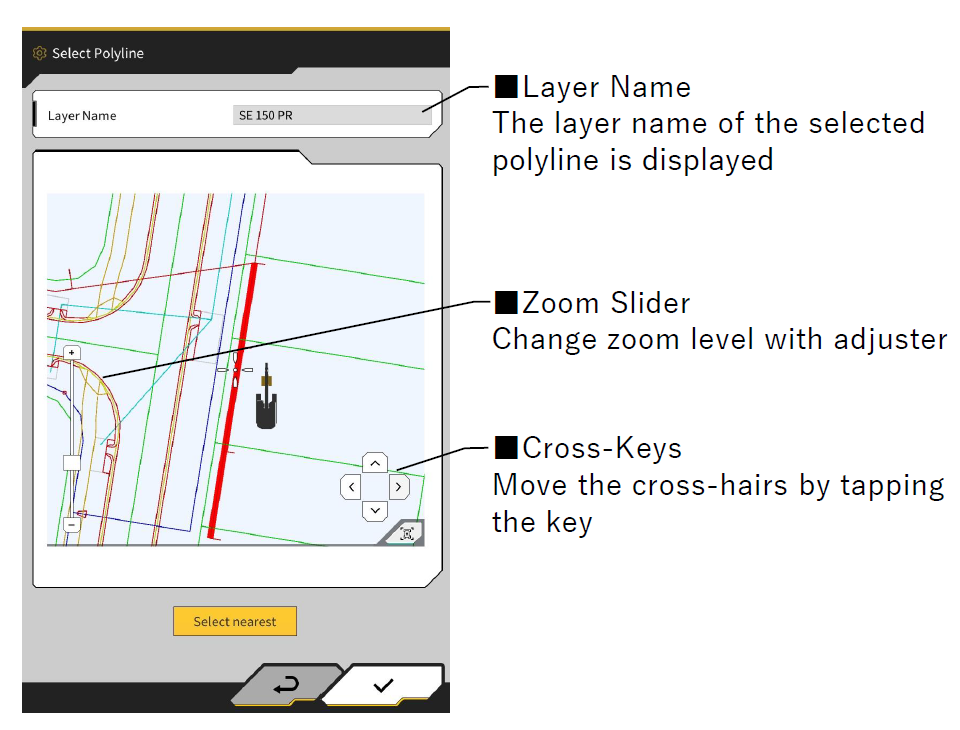
How to select Polyline
You can select a polyline on this screen by moving the cursor over the linework or by tapping “Select nearest” button.
Tap " Select nearest " to select the polyline closest to the selected cutting edge (L/M/R) of the bucket.