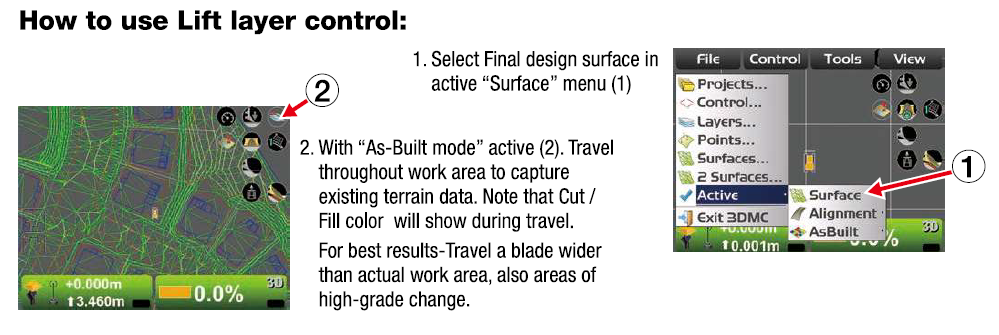
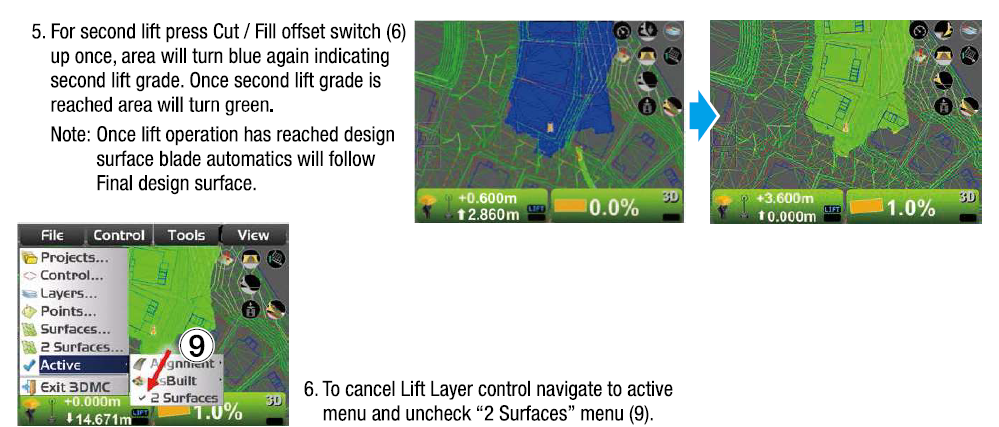
Lift layer control automatically spreads fill material from existing areas of the jobsite and continuously measures the ground beneath (As-built) to reach the final design surface.
Overview of Lift Layer Control operation:
-
Select the design surface of the final design surface as the active surface
-
Drive machine into target area and obtain current terrain data (As-Built)
-
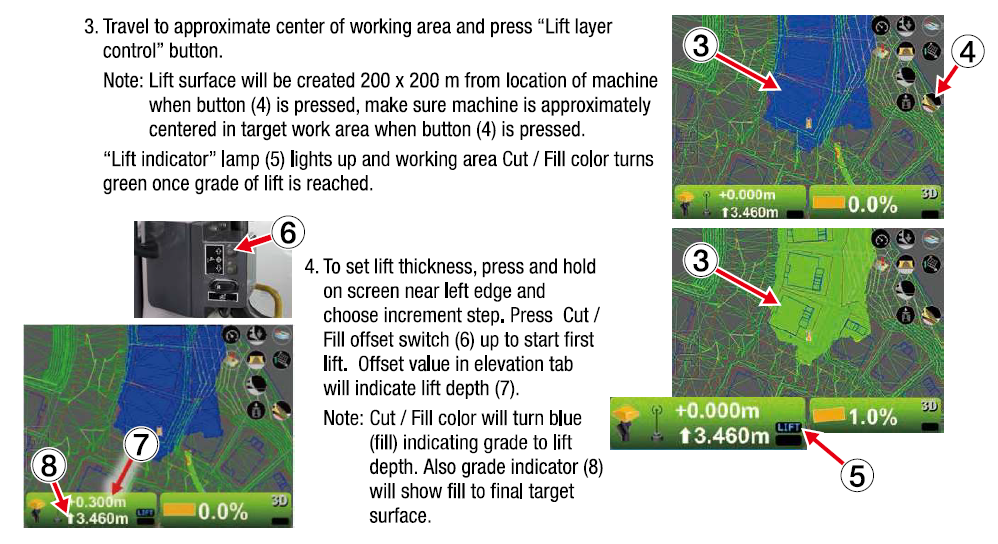
Move machine to target area
-
Push Lift layer control button on main screen
-
Set the lift thickness (offset values) by using the Cut / Fill offset switches in the cab to the right of the operator [Image (6)]. Offset value is displayed on the main screen