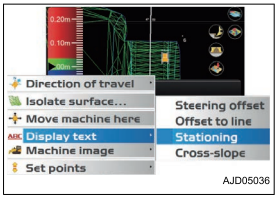
When using the polyline for steering, perform the following procedure
-
On the main window, hold down the polyline and display the menu.
-
Press the “Polyline”. A horizontal line perpendicular to the selected polyline is displayed.
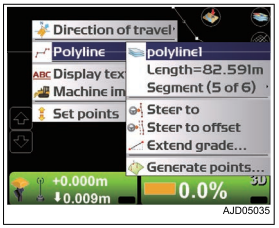
3. Press the power ON/OFF and menu switch to display the main menu.
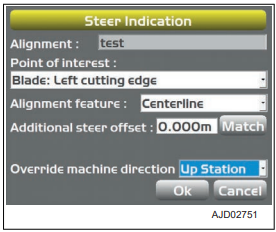
4. On “Control” menu, press “Steer indication...” and select. The setting of the Steer Indication can be changed. For the setting method, see “STEER INDICATION OPTIONS”.
5. Hold down the Section view screen, and display the menu.
6. Press “Display text”. You can display the additional steering information on the Section view screen.