Points
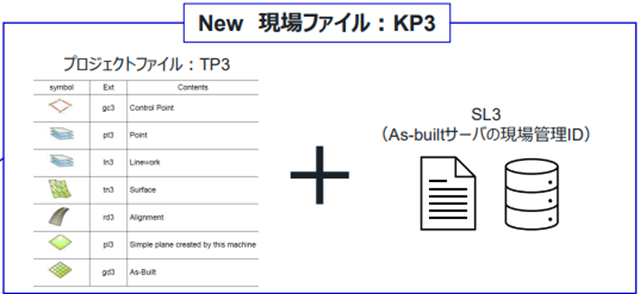
•Starting from iMC 3.0, each SL3 file is associated with each TP3 file and saved in HMI monitor as a KP3 file.
•HMI monitor can contain multiple KP3 files, making it easy to switch between them when moving between sites.
•When registering a new TP3 file, it is necessary to also register a paired SL3 file.
If there are multiple TP3 files for the same site, every TP3 file must be associated with the SL3 file.
Workflow
1.Transfer TP3 file and SL3 file to HMI monitor via SC Remote or USB
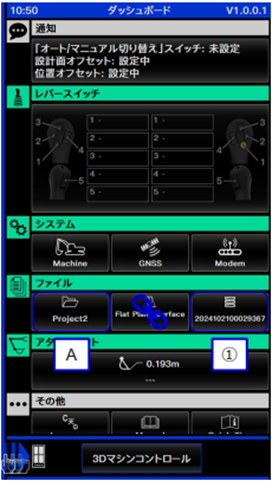
2.Register TP3 file [A] and it is converted to KP3 file (see the left image)
3.Register SL3 file [B] and it is associated with the KP3 file (see the right image)