Issue
When logging in to a site, the vehicle that is scheduled to be logged in is in use (grayed out) and cannot be selected.
Answer / Cause
-
You are logging into the vehicle from another terminal.
-
The vehicle is still logged in from a previous login.
Explanation / How to deal
1)Confirm the device that should be logged in, log out of the unintended device, and try logging in to the target vehicle again.
-
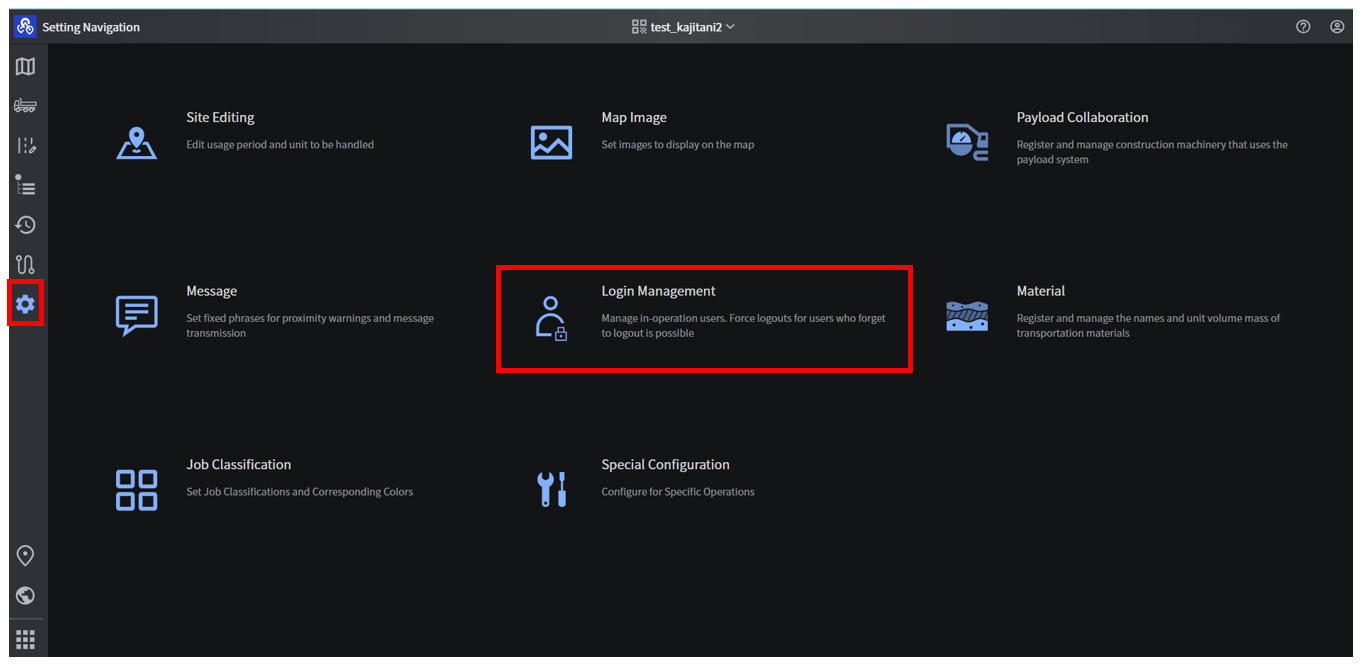
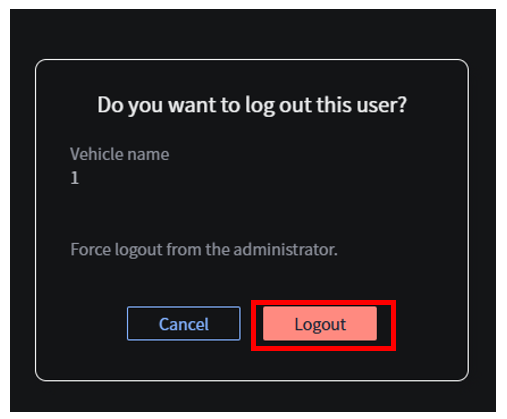
It is possible to select a vehicle that is still logged in and force it to log out from the Smart Construction Fleet web side even while it is logged in. If unintended login information remains, please force logout and try logging in the target vehicle again.
-
Open the target site and click on "Login Management" from the various settings (⚙).
-
Users currently logged in will be listed, and a forced logout can be performed by clicking on the target vehicle logout.