
Smart Construction Fleet Version 5.15.0 be released on Tuesday, September 30 (JST).
The main new features and fixes in this update are listed below.
■ Release Details
<<New Features>>
【Web】【Mobile App】
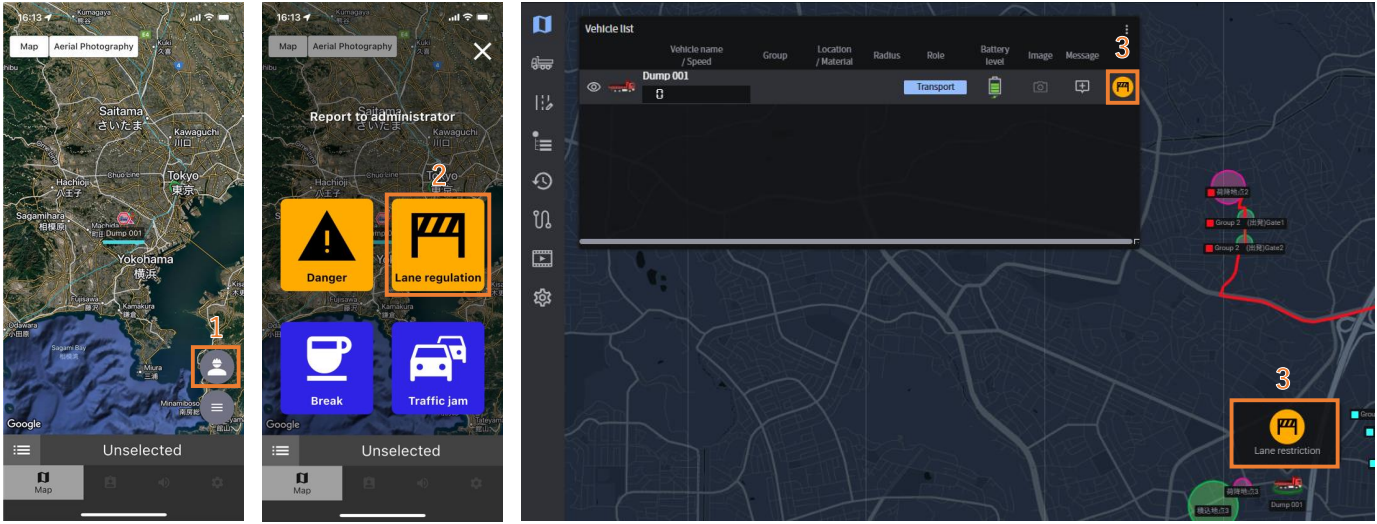
Function to report via stamps from the mobile app
When situations such as traffic congestion on hauling routes or hazardous conditions occur, workers will be able to report to administrators using stamps from the mobile app. The response will remain visible in the Real-Time Viewer for 5 minutes from the time it is sent via the mobile app.
[Operating Procedure]
1. [Mobile App] Tap the human-shaped icon at the bottom right of the map screen
2. [Mobile App] Select a stamp
3. [Web] The stamp is displayed in the Real-Time Viewer app.
<<Minor Changes>>
【Mobile App】
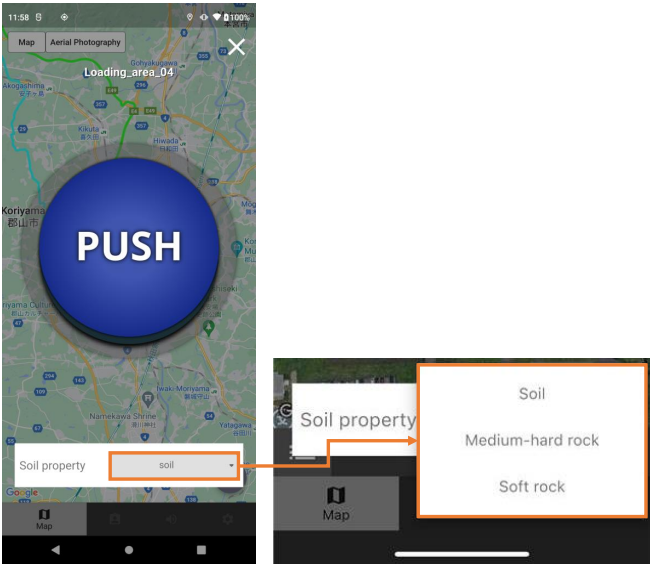
Change in specification to retrieve the loading soil type list at login
When logged in with the role “Transport” and entering a loading point, the Loading PUSH button will appear, allowing the user to select the soil type from a pre-registered soil type list and perform the loading operation. Currently, the soil type list is retrieved via mobile communication upon entering the loading point. To improve usability in No-signal area, the specification will be changed so that the soil type list is retrieved at login instead.
【Mobile App】
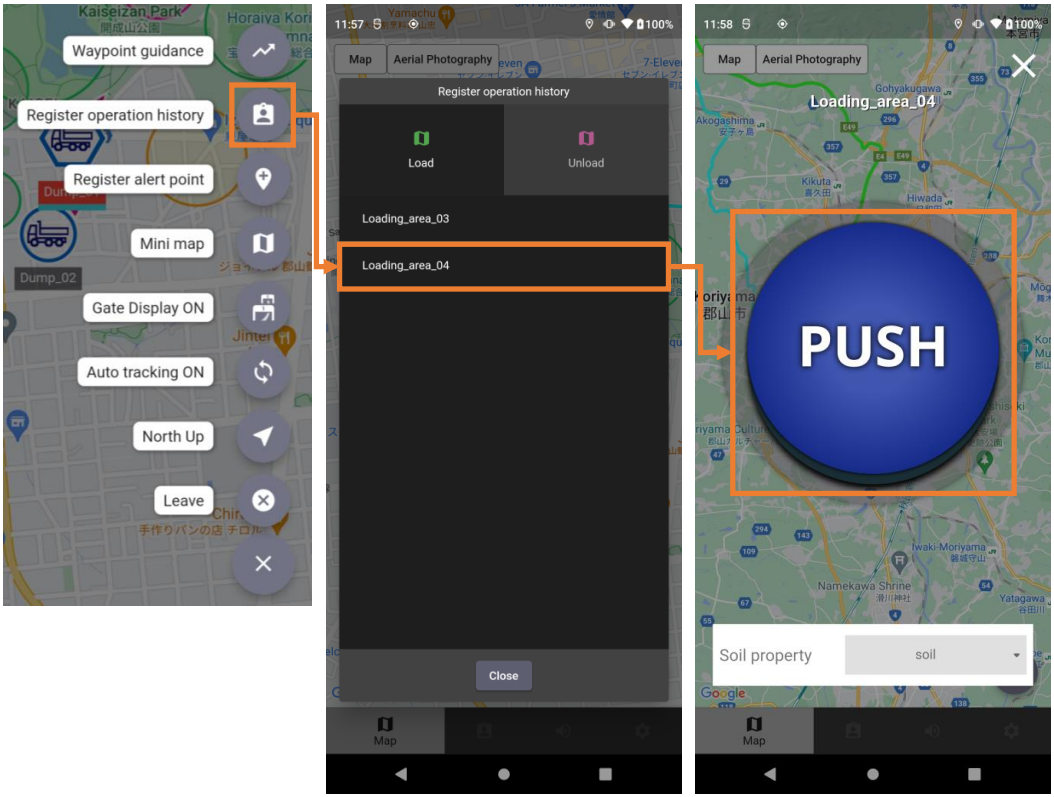
Change in specification to prioritize manual work history registration at any location
When logged into the mobile app with the role “Transport,” there are currently two ways to manually register work history:
1.From the map screen, tap Submenu > Register Work History, select the work point, and press the PUSH button
2.Press the PUSH button that appears when entering a work point At present, method 2 is prioritized. This will be changed so that method 1 is prioritized. With this change, work history registration will be possible using method 1 even when the hauling vehicle is inside a work point.
To use the new features, please update to the latest mobile app version scheduled for release on September 30.
The mobile app version “5.15.0” released this time cannot be installed or updated on devices running iOS 14 or earlier.
If you are using a device running OS 14 or earlier, you will not be able to use the new feature. Please check your iOS version and update if necessary.
Note that while the new feature will not be available, you can continue using mobile app versions prior to “5.14.0” on devices running iOS 14 or earlier.