On Tuesday, July 22, Smart Construction Fleet (Web) version 5.14.0 will be released.
The main new features and fixes in this update are as follows.
■ Contents of release
[Web] [Mobile App] Function to reply to web messages with stamps from the mobile app
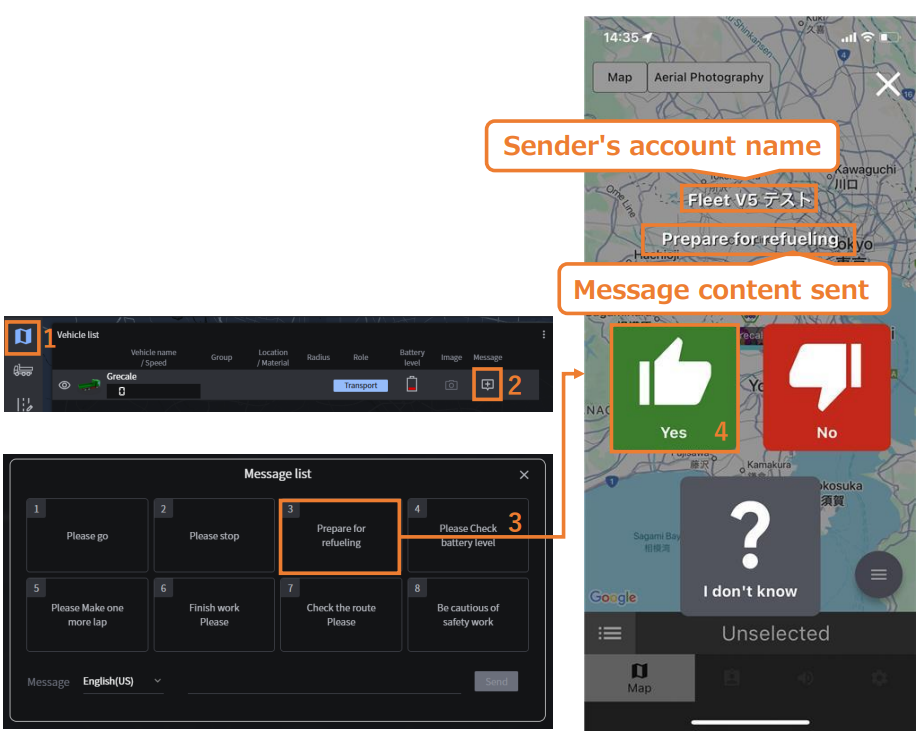
This feature allows workers to respond to messages sent from the web using stamps in the mobile app. Administrators will be able to see whether the message has been read by the worker. The response will remain visible in the Real-Time Viewer for 5 minutes.
[Operating Procedure]
1. [Web] Open the Real-Time Viewer
2. [Web] From the Message column, select the vehicle you want to send a message to
3. [Web] Send the message The sent message and available stamps will appear in the mobile app. Messages cannot be sent to vehicles logged in using the Smart Construction Fleet Device.
4. [Mobile App] Select a stamp to reply Stamp replies cannot be made while driving (over 10 km/h) To be continued on the next page
-
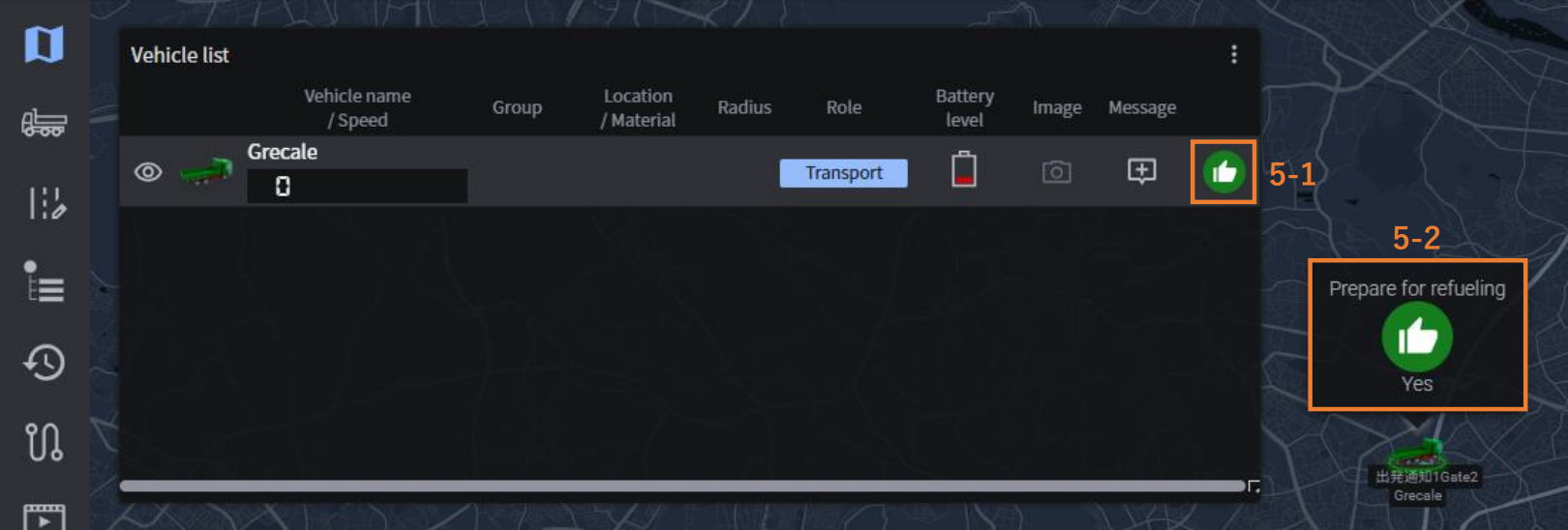
[Web] The reply will be displayed in the Real-Time Viewer The response will appear in two places for 5 minutes:
1. At the far right of the vehicle list
2. As a speech bubble next to the vehicle icon on the map
[Web] [Mobile App] Function to reply to web messages with stamps from the mobile app
[Web] Change in the display specifications of “UI Display Toggle” in the Real-Time Viewer
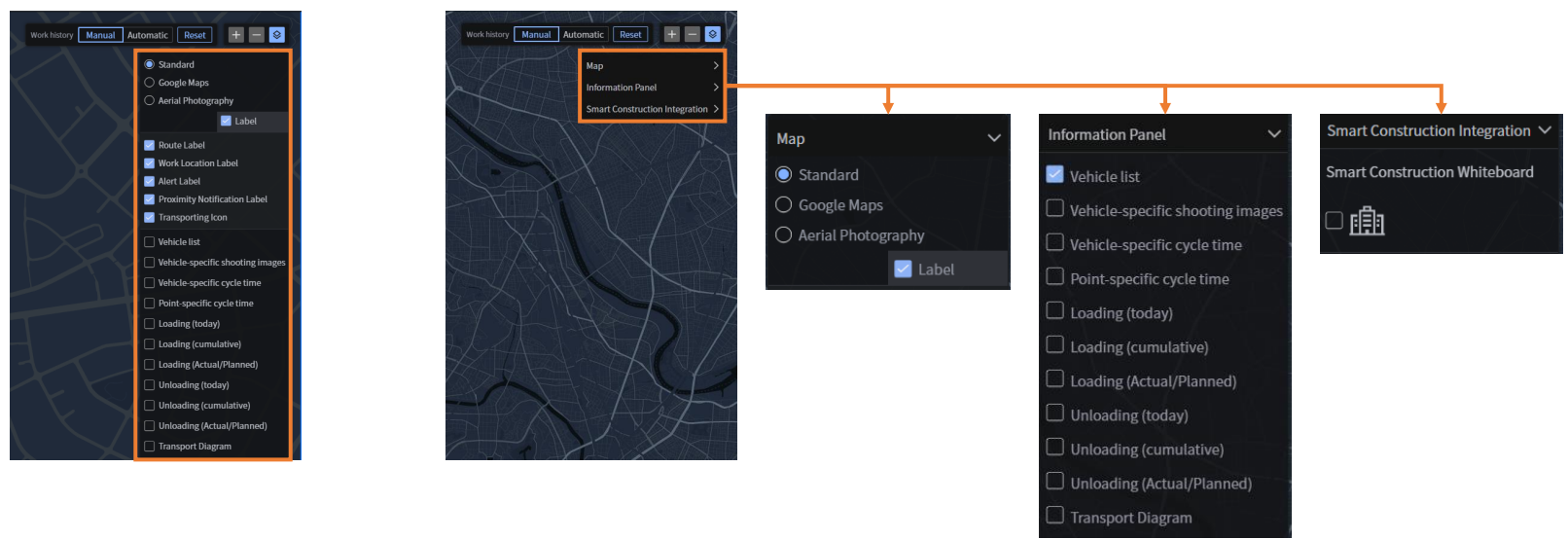
Due to new feature additions, the display behavior/specifications of the “UI Display Toggle” menu will be updated.
[Current Behavior] [After the Release]
All settings are now displayed They are grouped into three categories:
in a consolidated view. “Map,” “Information Panel,” and
“Smart Construction Integration.”
Clicking on each category will expand its contents