Create New Machine
-
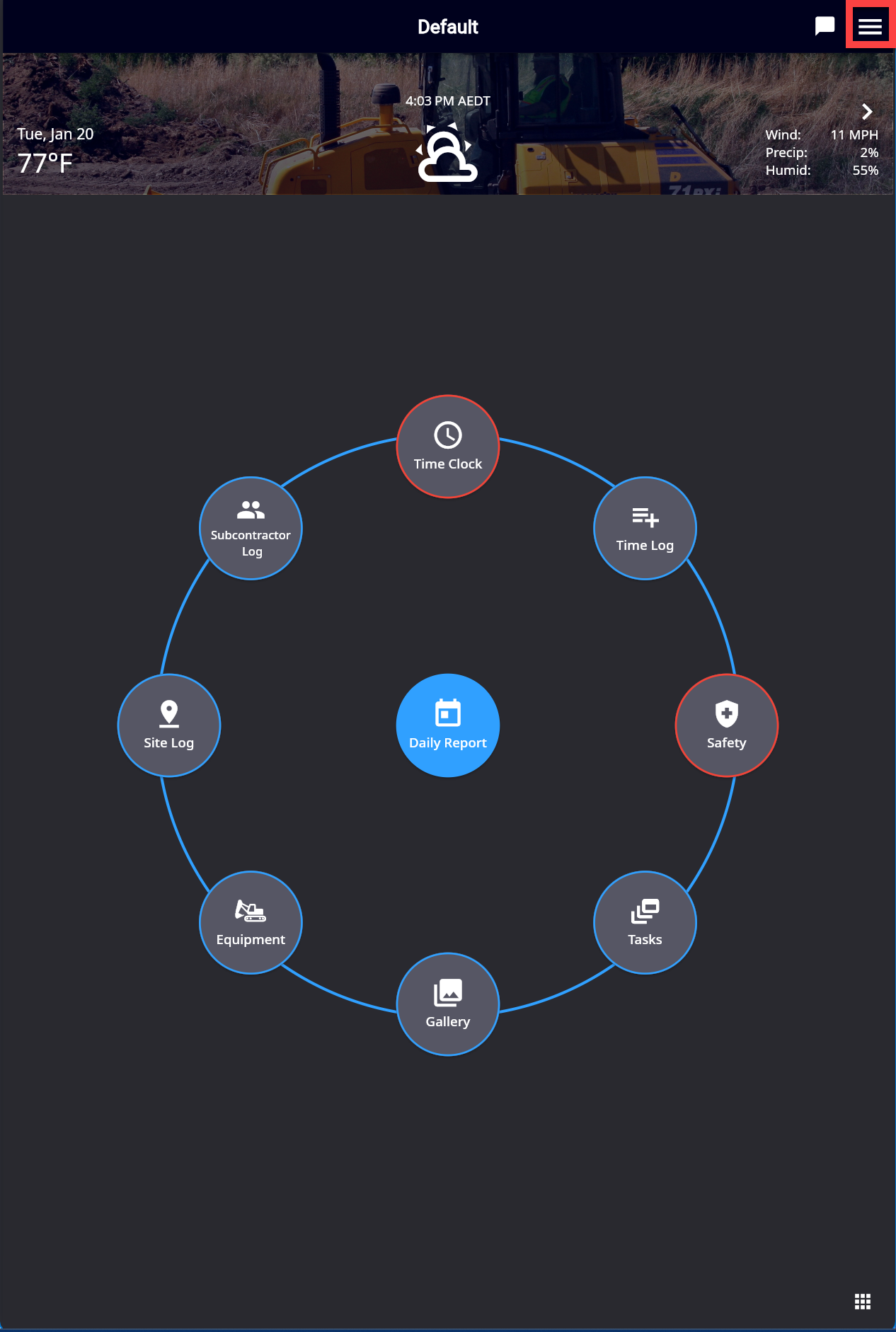
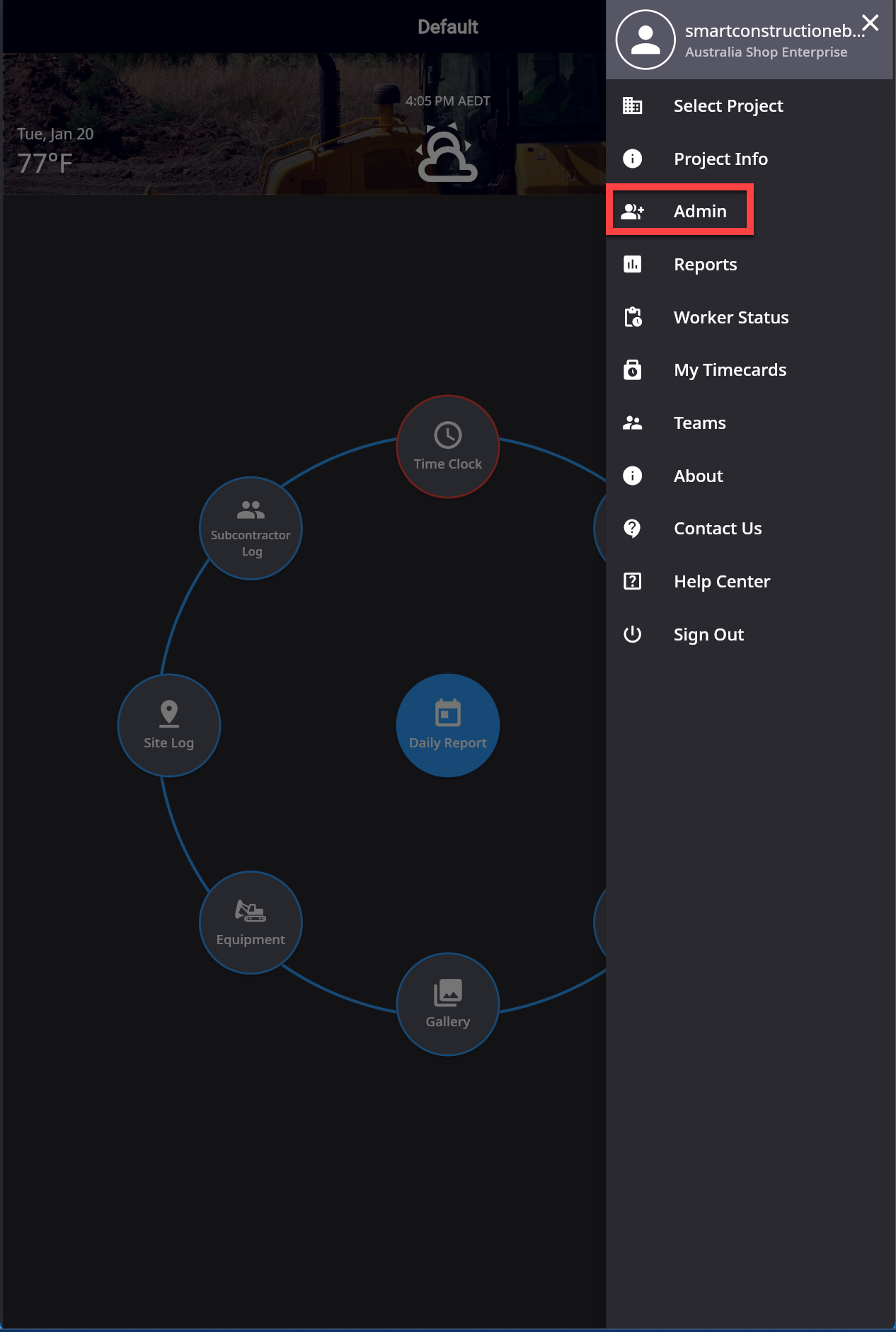
Click the Hamburger icon top right, then “Admin”
-
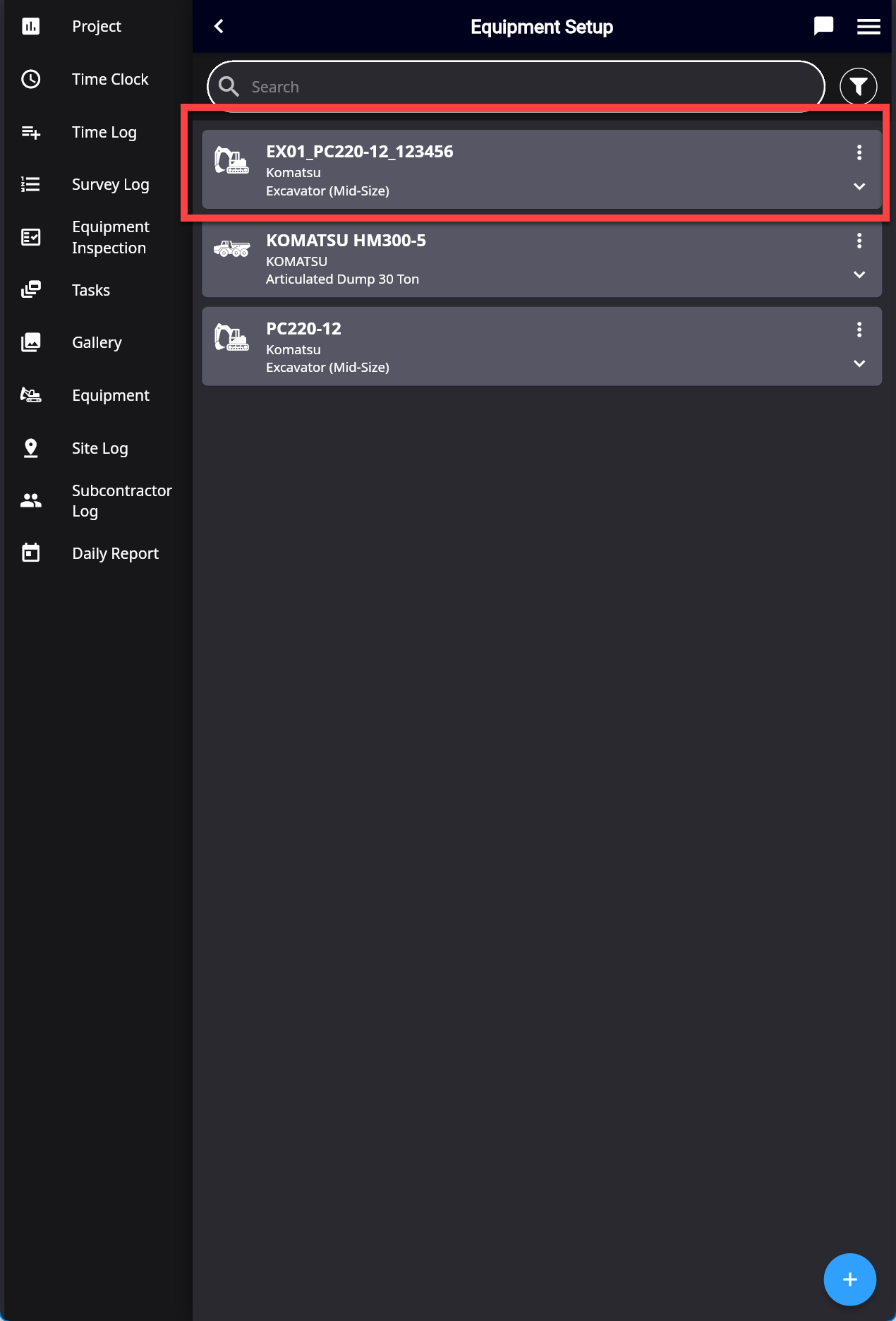
Select “Equipment Settings” then “Equipment Setup”
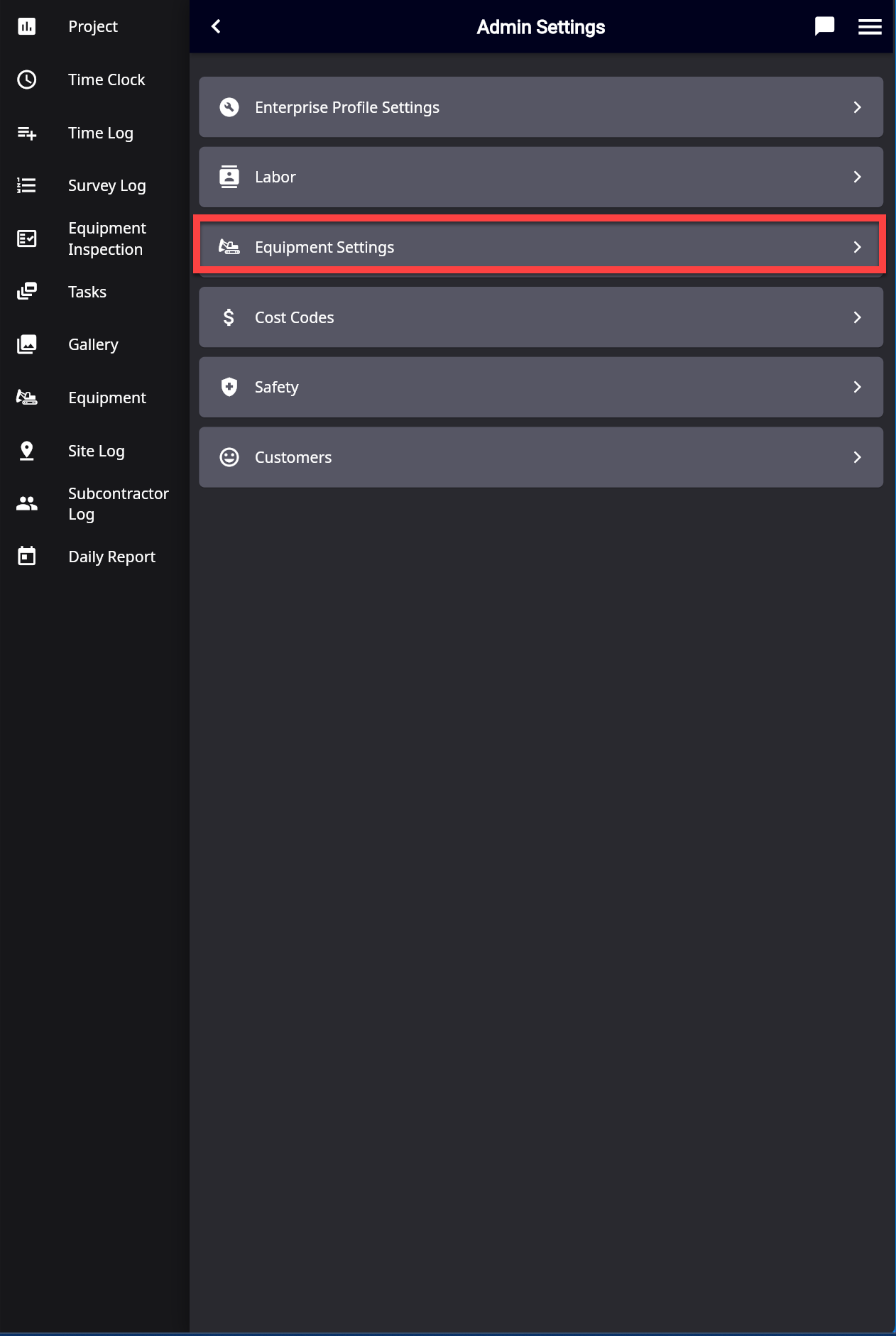
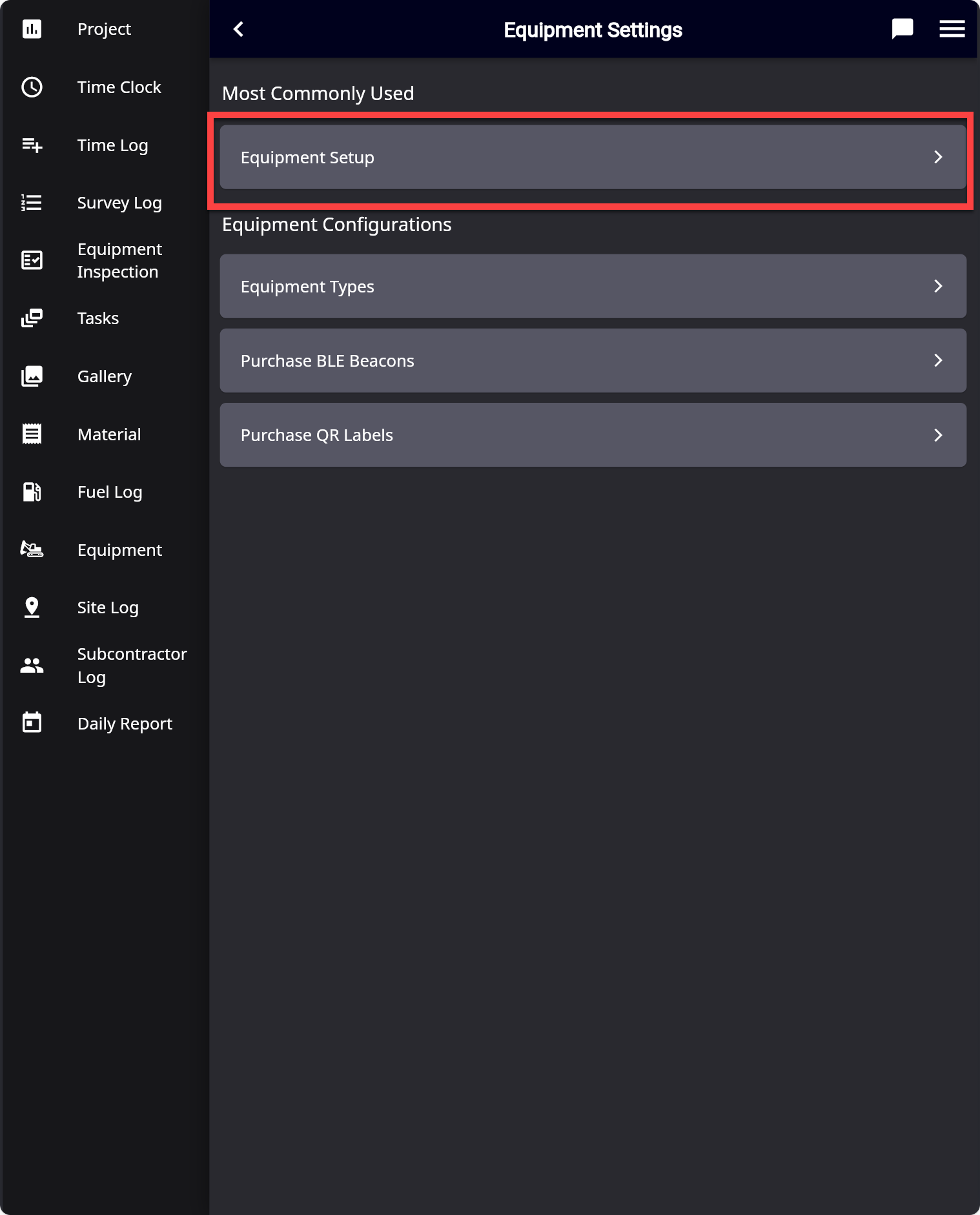
-
Press the “Plus” icon bottom right
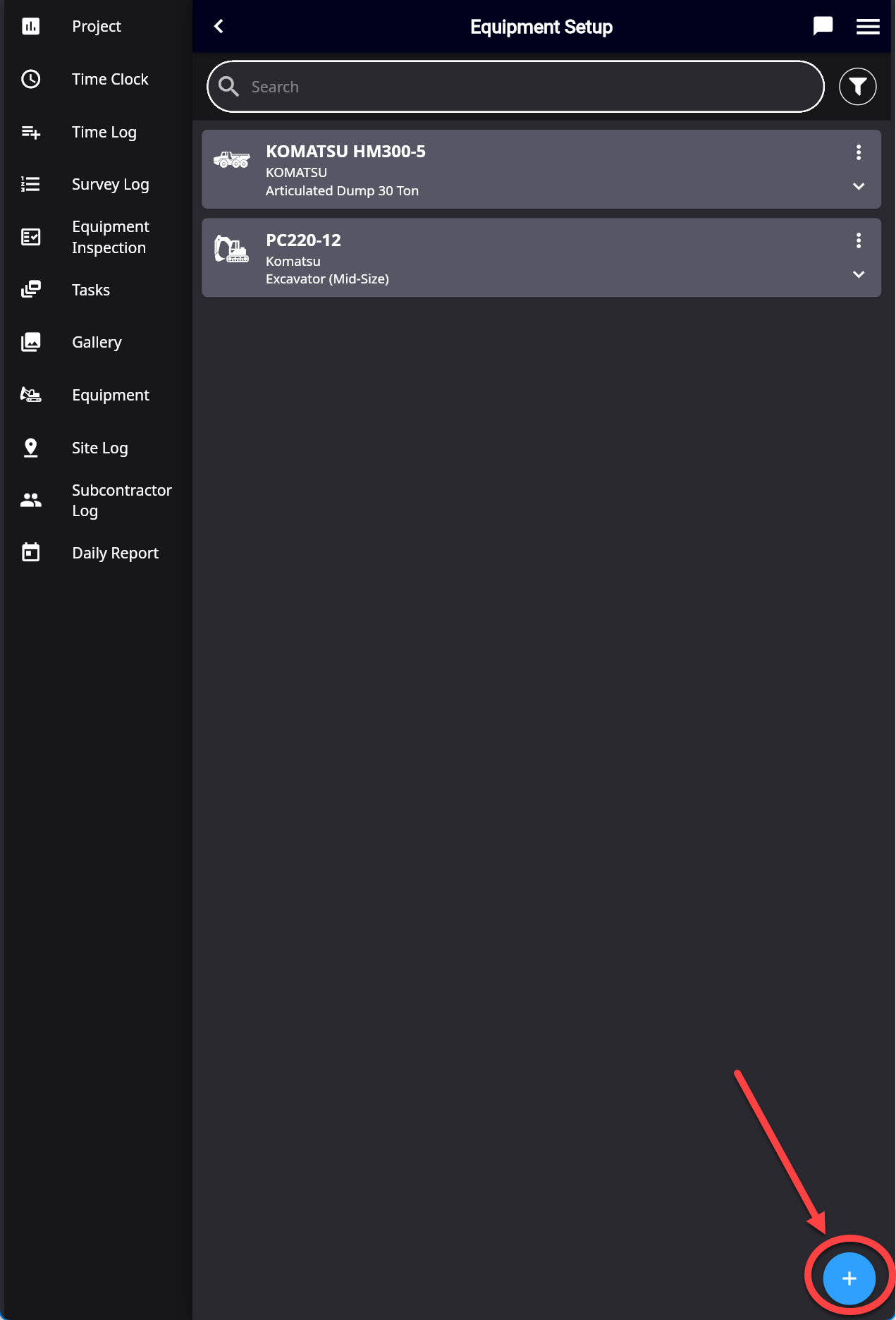
-
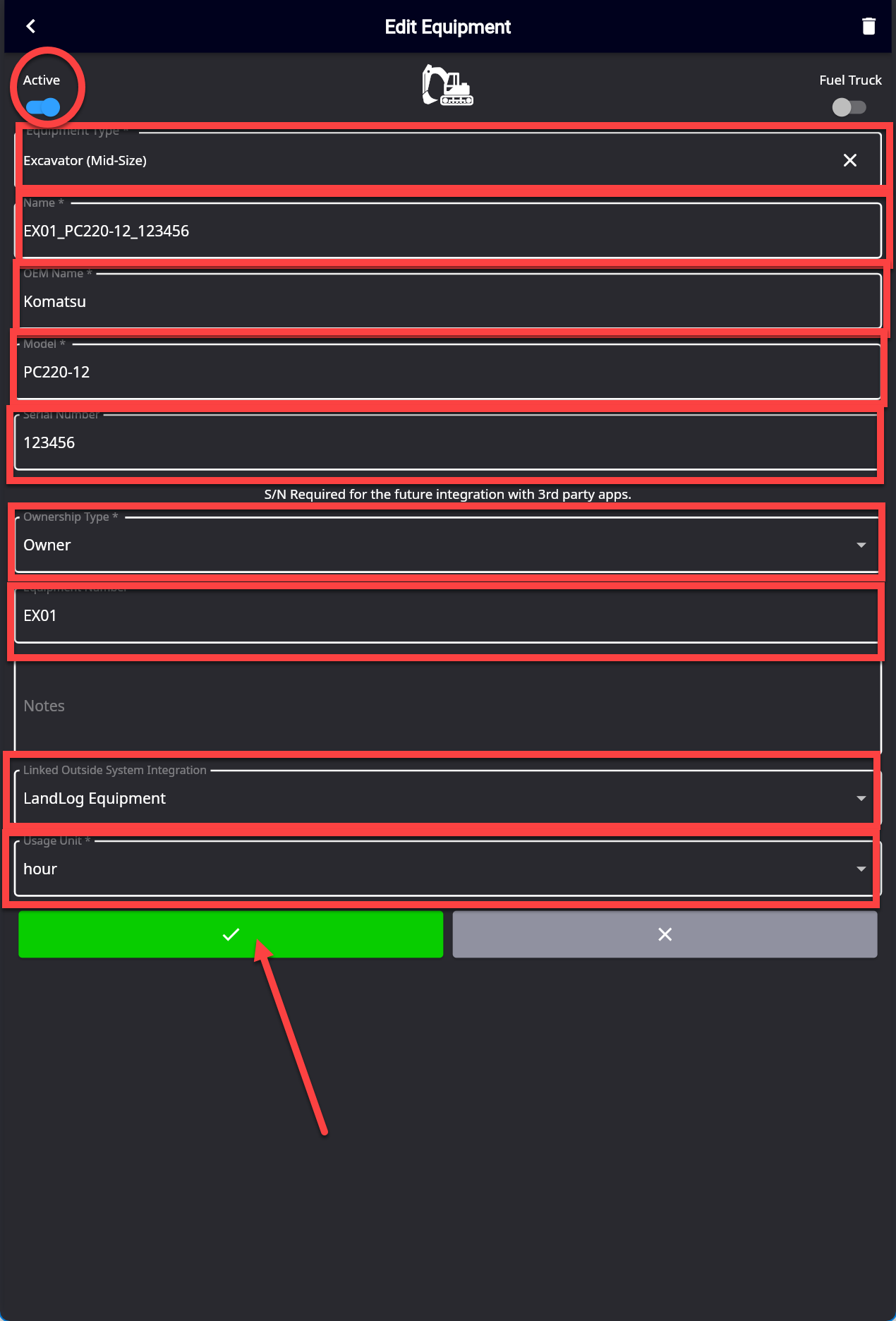
Fill in the required details *:
-
Equipment Type
-
Name: Plant Name
-
OEM
-
Model
-
Serial Number
-
Ownership Type
-
Equipment Number
-
Link Outside: Landlog Equipment (optional)
-
Usage Unit: hour