
The following LED behaviour applies to BM2s with serial numbers of BM2A0070 and later. For earlier serial numbers, refer to the Legacy BM2 LED states topic.
The LEDs on the BM2 change colour and illumination pattern to indicate various meanings.
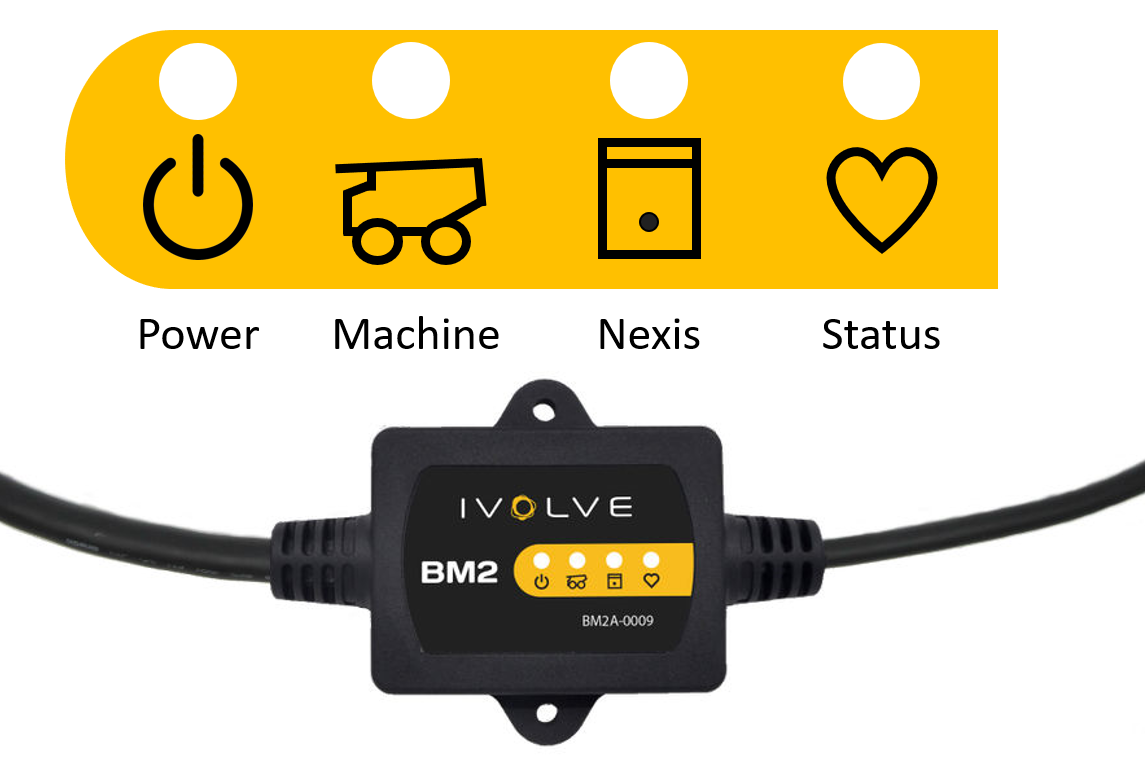
The documented BM2 LED behaviour is only relevant when the Nexis is up and running. It does not apply when the Nexis is starting up or rebooting.
Power LED
During normal operation, the power LED is solid red.
|
State |
Meaning |
Action |
|---|---|---|
|
Solid red |
Receiving power. |
None. |
|
Off |
No power. |
Is power expected? If so, check device, Nexis cable, and Nexis connector. |
Nexis LED
During normal operation, the Nexis LED flashes green.
|
State |
Meaning |
Action |
|---|---|---|
|
Flashing green |
Receiving data from Nexis. |
None. |
|
Flashing yellow |
High Nexis communications error rate. |
Check Nexis cable and Nexis connector. |
|
Off |
Not receiving data from Nexis. |
Is data expected from Nexis? If so, complete the following actions:
|
Machine LED
During normal operation, the machine LED flashes green.
|
State |
Meaning |
Action |
|---|---|---|
|
Flashing green |
Receiving data from machine. |
None. |
|
Flashing yellow |
High machine communications error rate. |
Check machine cable and machine connector. |
|
Flashing purple |
Ignition status change. |
Was an ignition state change expected? If not, check ignition cable, ignition connector, and signal applied to ignition input. |
Status LED
During normal operation, the status LED is off (no colour).
|
State |
Meaning |
Action |
|---|---|---|
|
Off |
BM2 working as expected. |
None. |
|
Solid yellow |
Software upgrade required. |
Upgrade BM2 software. |
|
Flashing yellow |
Software upgrade in progress. |
Do not remove power or Nexis communications until upgrade complete. |
|
Red |
System error. |
Replace BM2. |