
|
# |
Description of Feature or Improvement |
Detailed Information |
|---|---|---|
|
1 |
Revision and customization function of construction equipment information to be displayed Revision of displayed construction equipment information and customization function |
"SIM" and "IMEI" have been added to the construction equipment information. These two items can be registered on the construction machinery registration/editing screen, and the registered values will be searched on the construction machinery search screen. 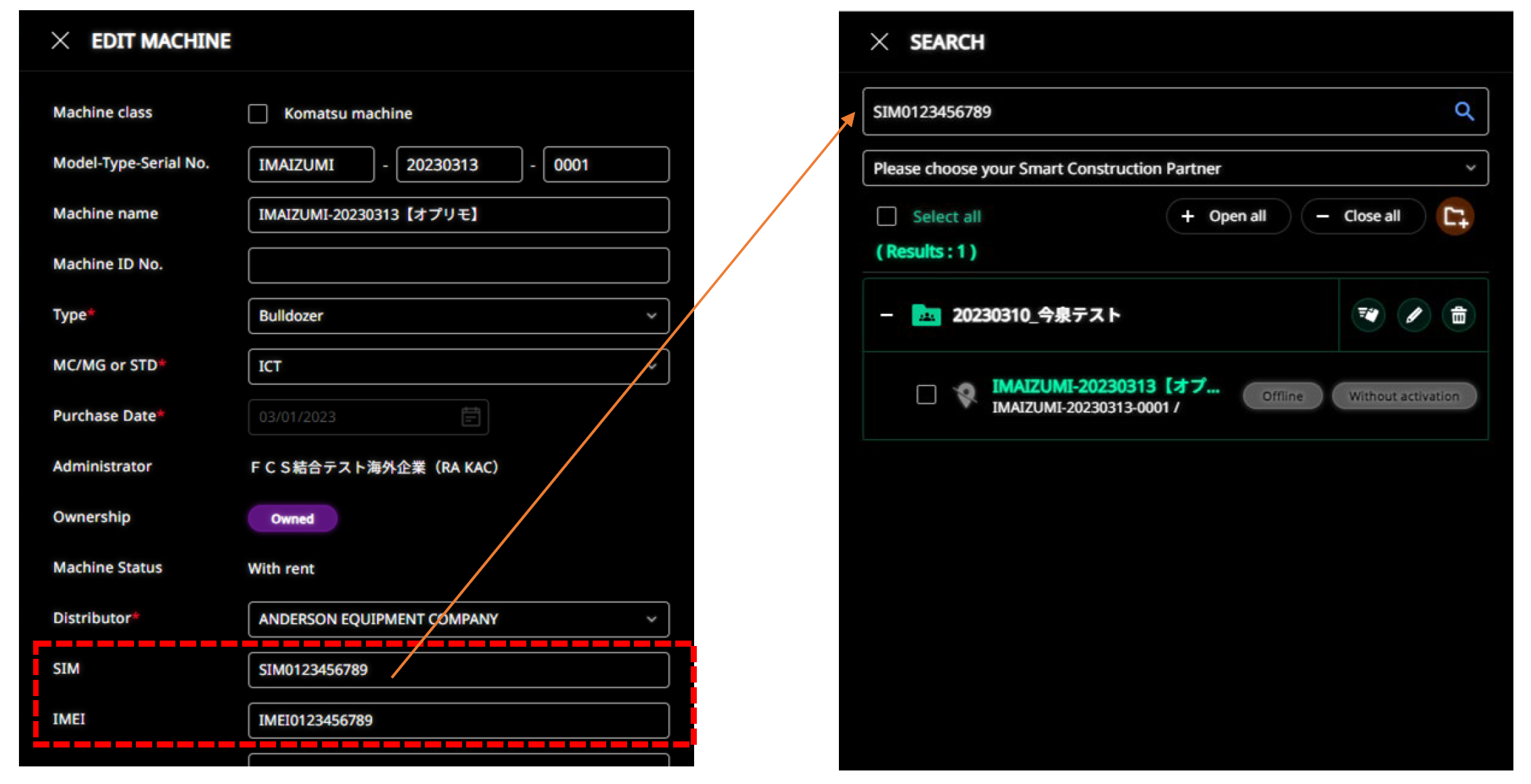
|
|
2 |
Revision of displayed construction equipment information and customization function |
The following external APIs have also been added to support the addition of "SIM" and "IMEI" items.
|
|
3 |
Visualization of Remote usage and effects |
Added a function that allows you to view the usage status of SCRemote. A dedicated screen opens from the button added to the dashboard. 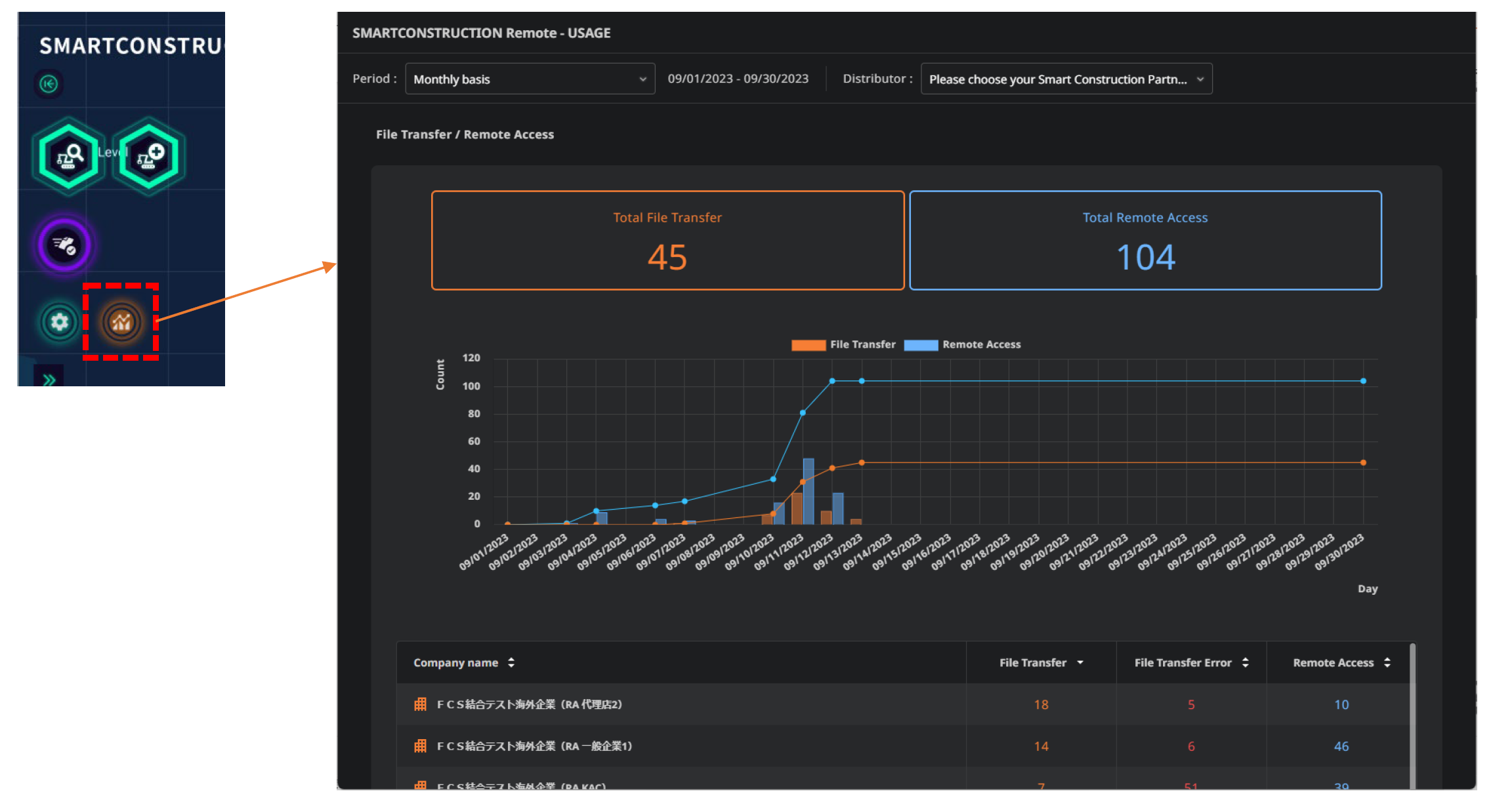
The usage screen shows the number of file transfers and remote connections made over a specified period of time, and how much time and fuel were saved on a per-enterprise and per-customer basis. 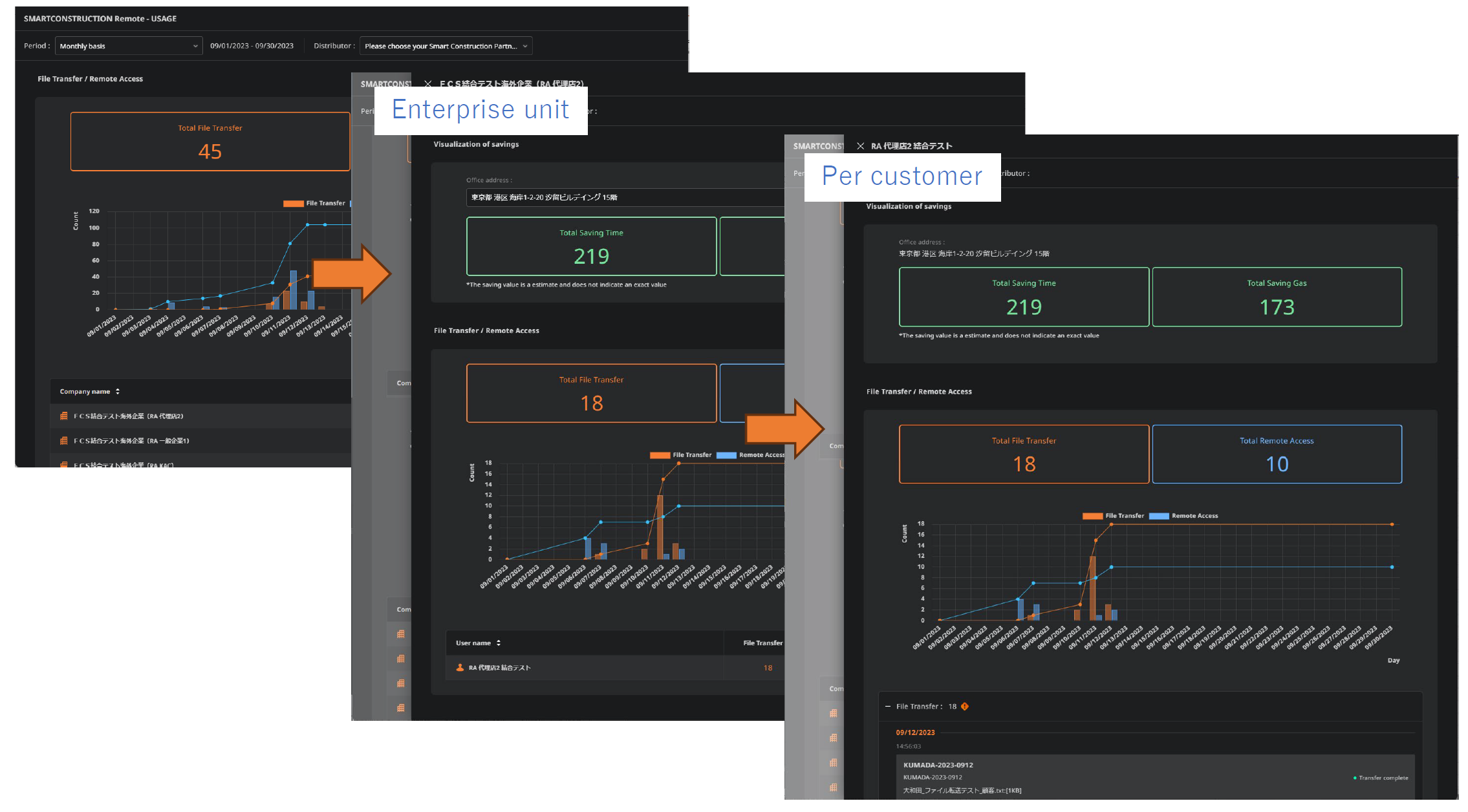
|
|
4 |
Improved in-process display after clicking construction equipment. |
When a construction machine is selected on the construction equipment search screen, loading is sandwiched, and the construction machine details screen is displayed after loading is completed. (Screen operation is not possible during loading) 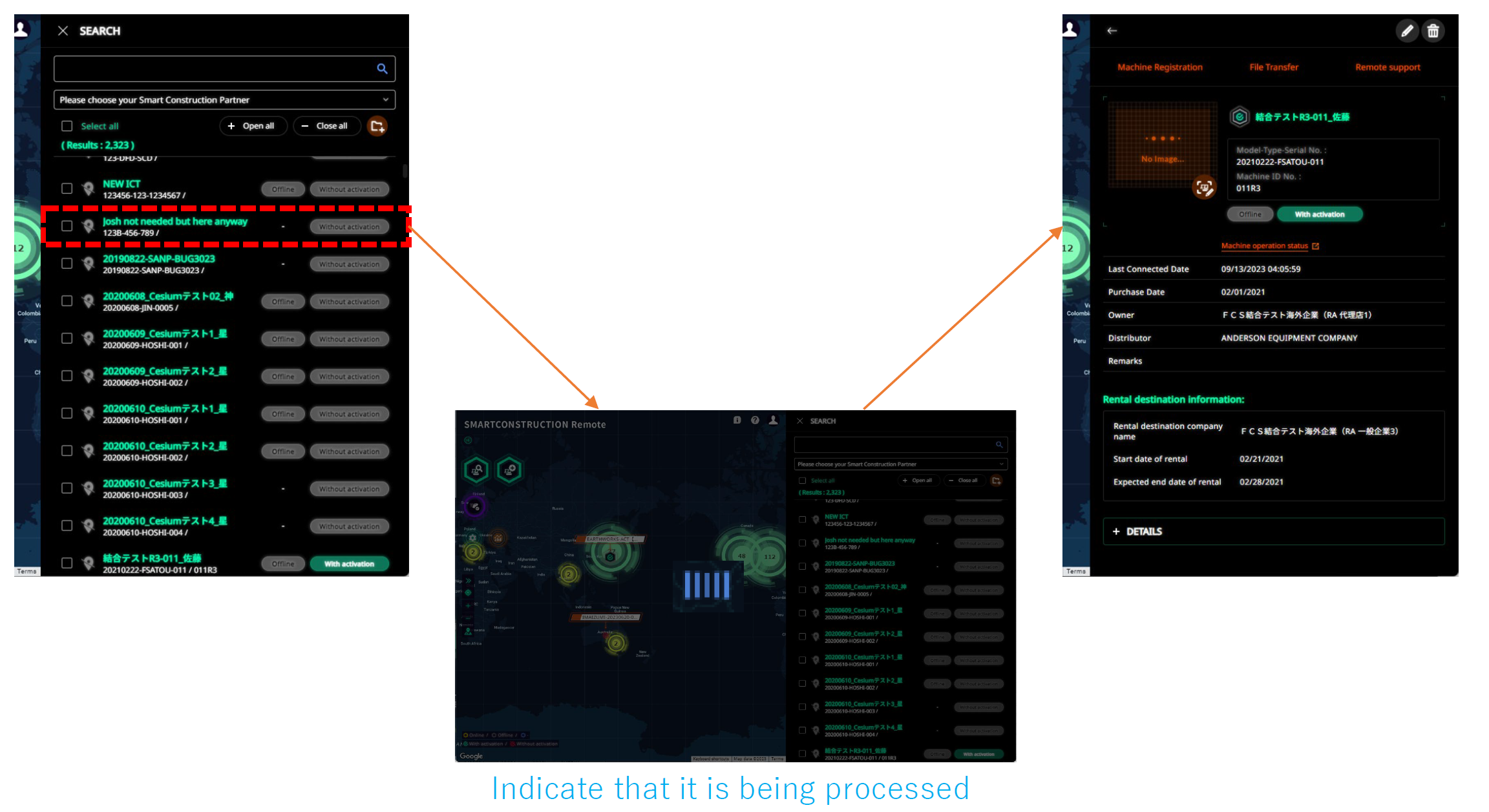
|
|
5 |
Add wording on the construction equipment search screen (administrator) |
When a local subsidiary or distributor user initially displays the construction machinery search screen, the text prompting the search is now displayed. The content of the wording is the same as that displayed on the construction equipment search screen of the mobile app version. 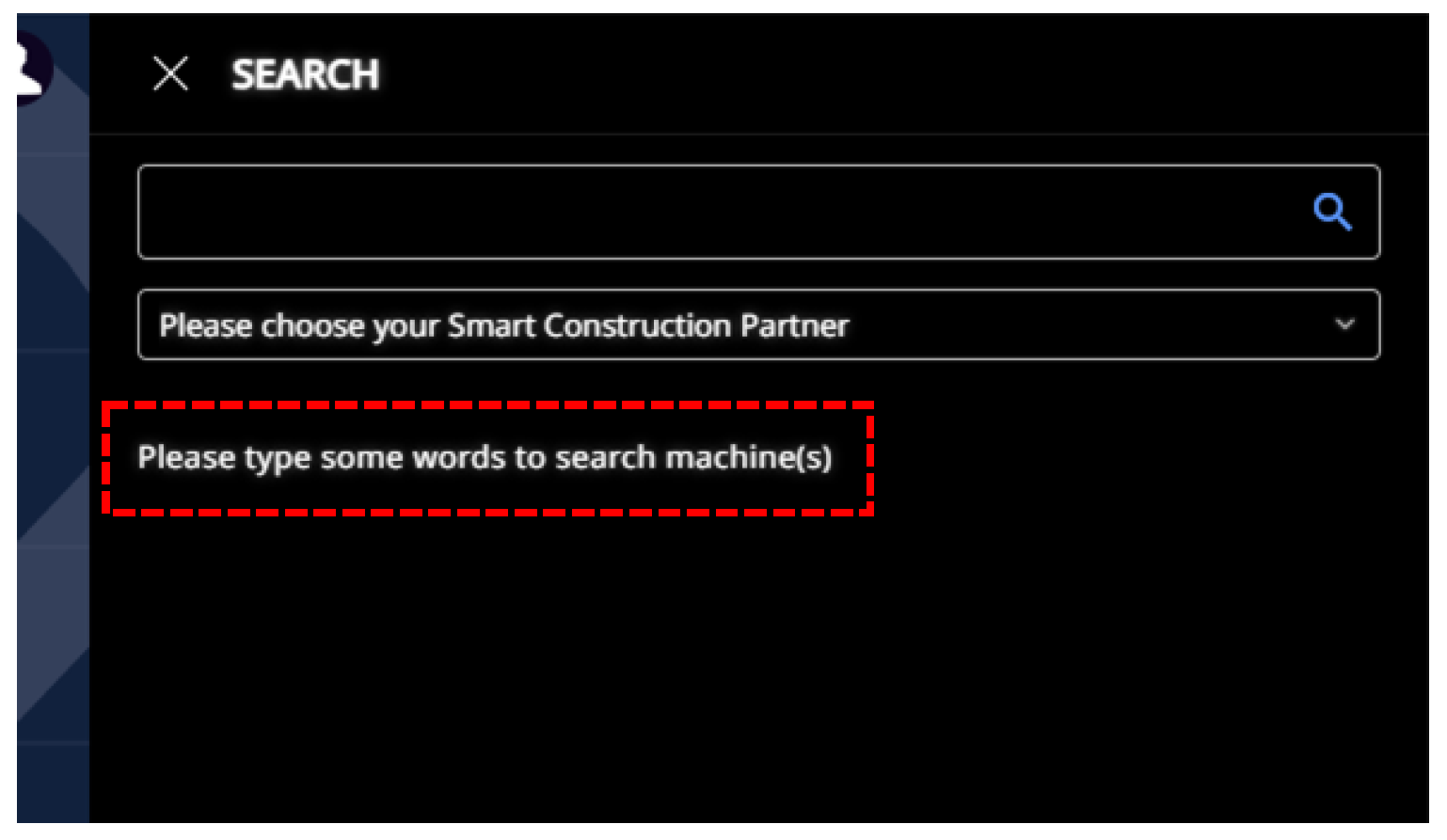
|
|
6 |
Improved map pinning |
An address input field has been added to the construction equipment location registration screen, and the location can be registered by searching latitude and longitude from the entered address. 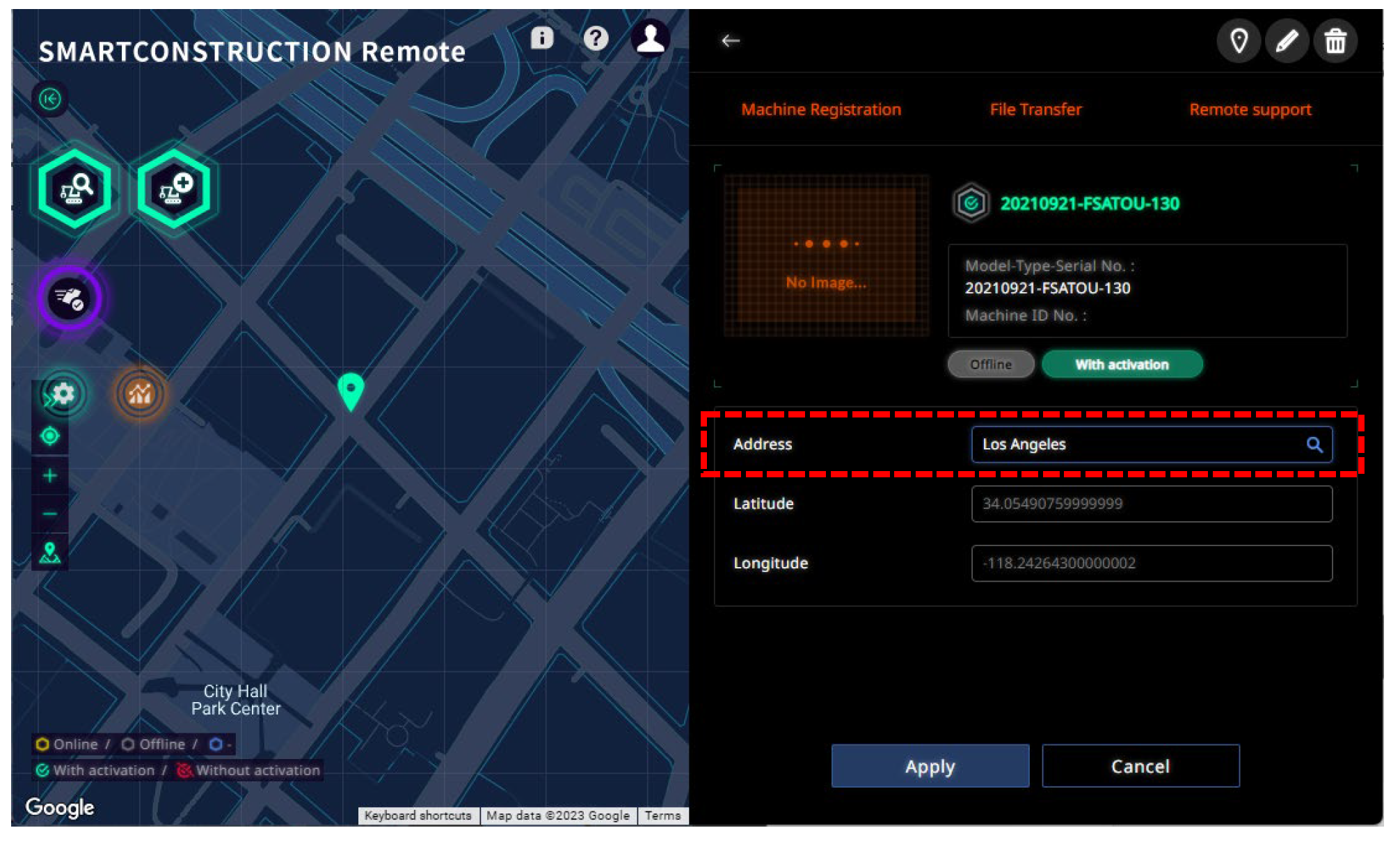
|
|
7 |
API changes due to platform transfer |
When deactivating construction equipment, the new PF API is executed to change the number of construction equipment licenses. 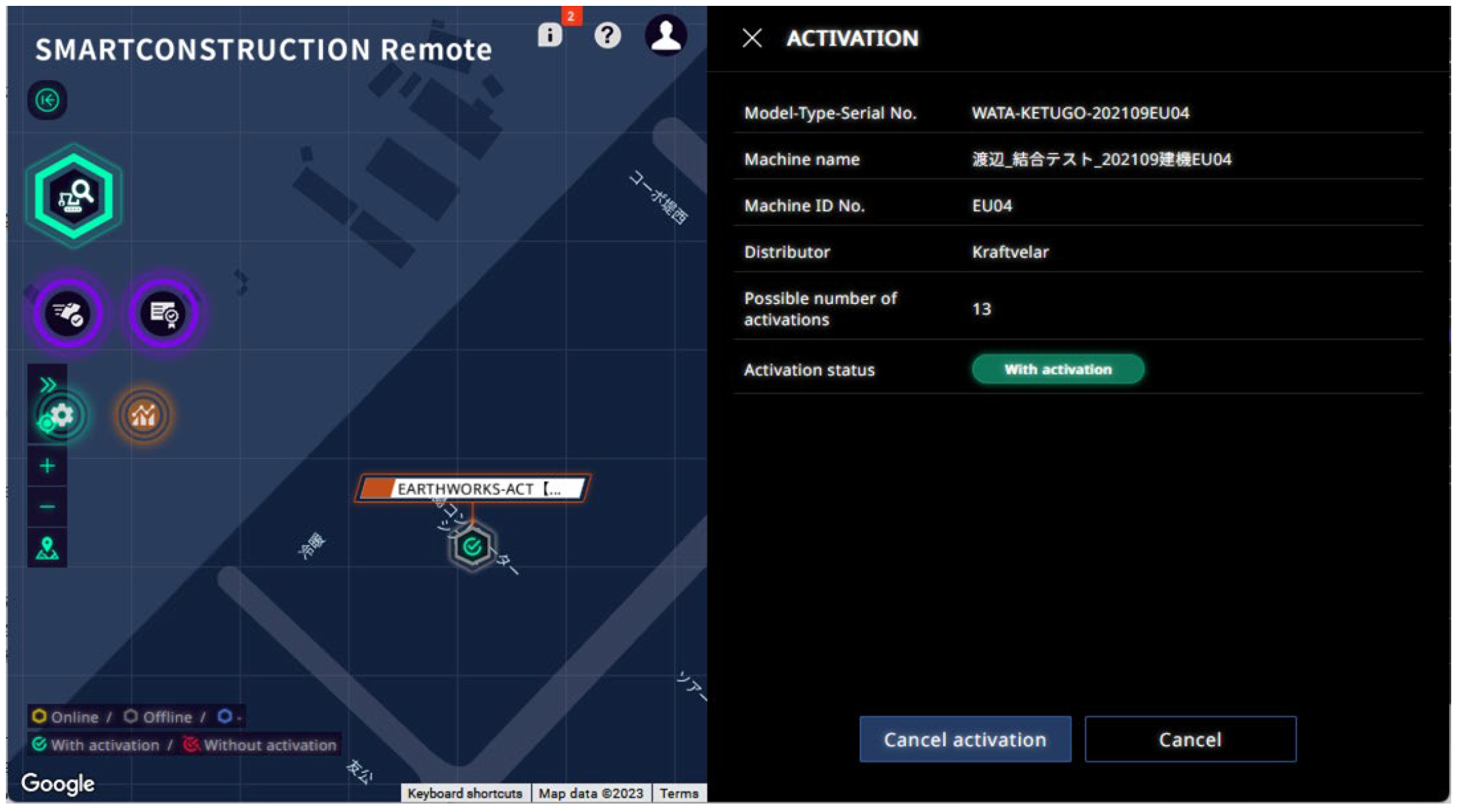
|
|
8 |
Transition to the Support Center Inquiry Screen |
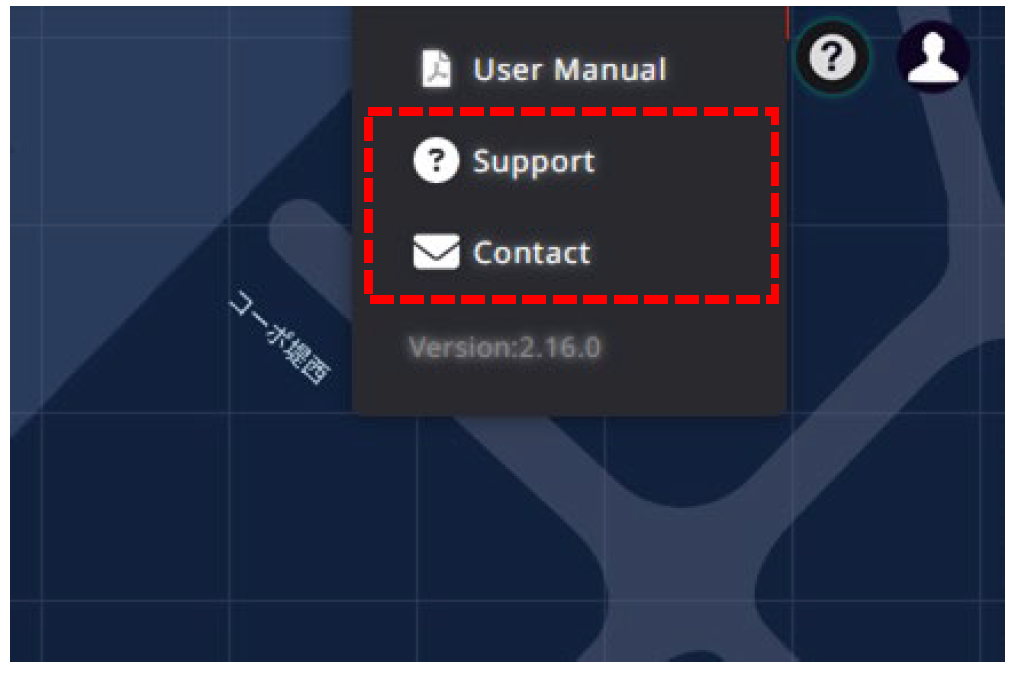
Added "Support" and "Contact" links to the help menu of the dashboard. The control of these two links varies by region.
|