
FEATURES
Messages 2.0
•Message operators from GoLine
•Configure custom responses
•Sent to one, many, or all
Enhanced payload target settings
•Define your own payload limits
•Separate from rated payload
•Set custom operational targets
Horizontal timelines BETA
•New, intuitive horizontal layout
•Track each machines status
•Account for every minute
Speed overlay in iControl
•Track safe speeds at a glance
•Easily distinguish unsafe areas
Improve site safety
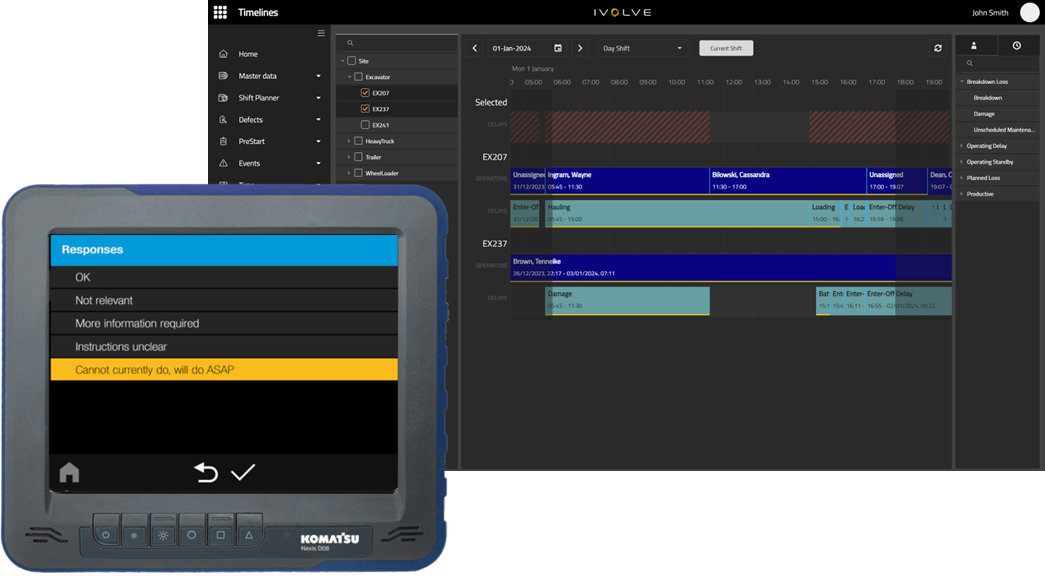
Messages 2.0
It’s never been easier to communicate through Smart Quarry Site.
Benefits
-
Cut the chatter on site and communicate to individual operators, or groups of operators, in an instant.
-
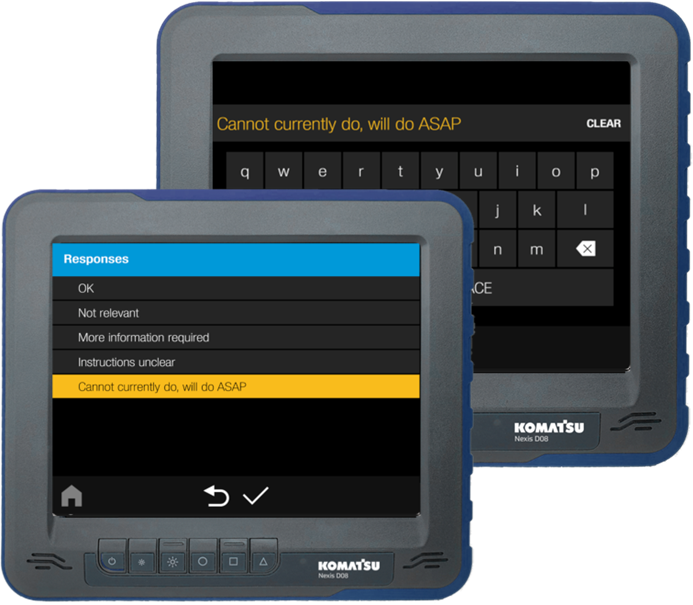
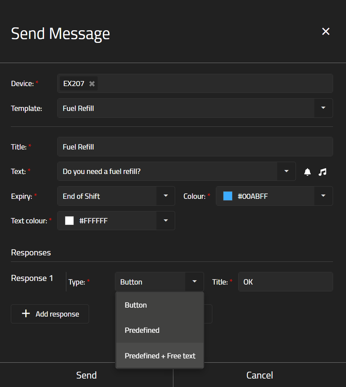
Users can create custom or pre-set responses for operators, and track all messaging in GoLine, your site’s mailbox.
-
Users can set a banner to appear and an alert tone to play on the operator’s in-cab Smart Quarry Site display,
-
set an expiry date for the message, and
-
Choose the message’s background and text from a full spectrum of colours.
-
-
With a wide range of response options, from a single button to acknowledge the message, to a list of pre-written replies, to the option for the operators to write their own custom responses.
Enhanced payload target settings
Set the operational targets you need for each truck to get the most from your fleet.
-
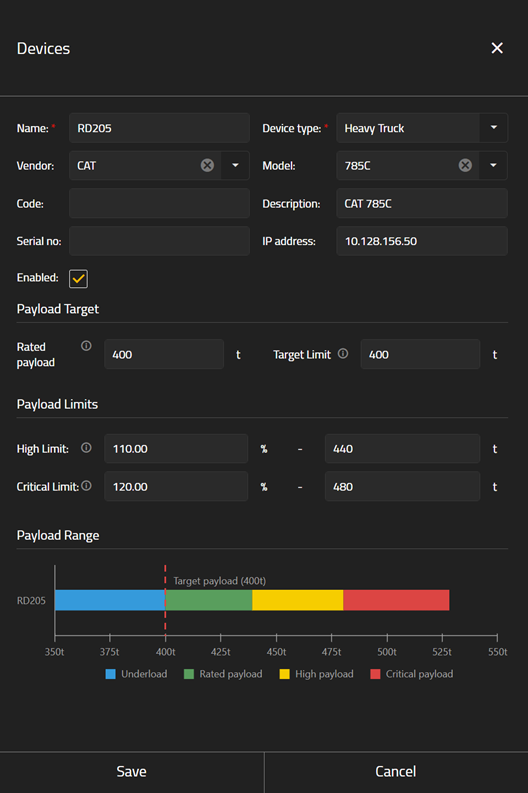
Define your own payload limits, separate from a machine’s rated payload.
-
In addition to the rated payload, you can now set a target limit, high limit, and critical limit for each machine.
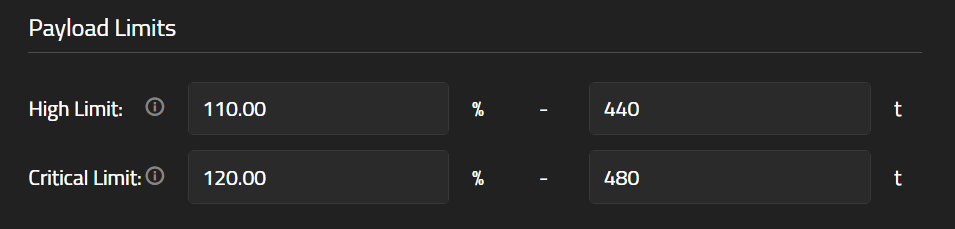
This is perfect for mixed fleet sites, ensuring your entire fleet has clear targets and transparent productivity.
-
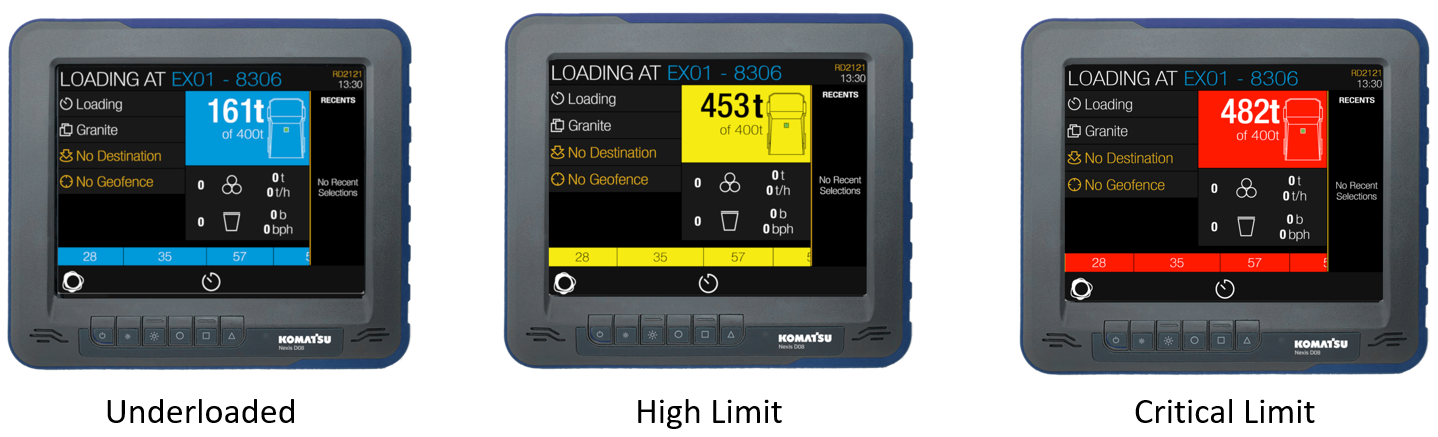
GoLine displays an easy-to-read graph of each target and limit, while the iVolve display shows an operator when they are underloaded, or reach their high and critical limits.
Horizontal timelines BETA
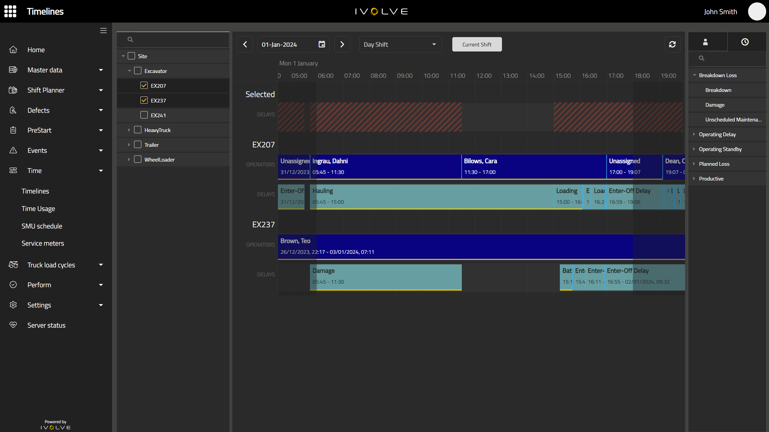
Following user feedback, our machine timelines have a new, intuitive horizontal layout. Track each machine’s status, and ensure every minute is accounted for.
BETA RELEASE
Purpose: gather feedback from customers on what works and what could be improved.
Deploy to: key early adopter users interested in testing out the features and how it could be used at their operation.
-
Drag and drop delays and operators onto the timeline at any point within a shift, and even add delays to every selected machine at once.
-
Clicking a delay shows a quick summary of its details, while double-clicking opens a detailed editor to update its duration down to the minute.
Missing data is a thing of the past with the new Timeline Editing tool.
Speed overlay in iControl
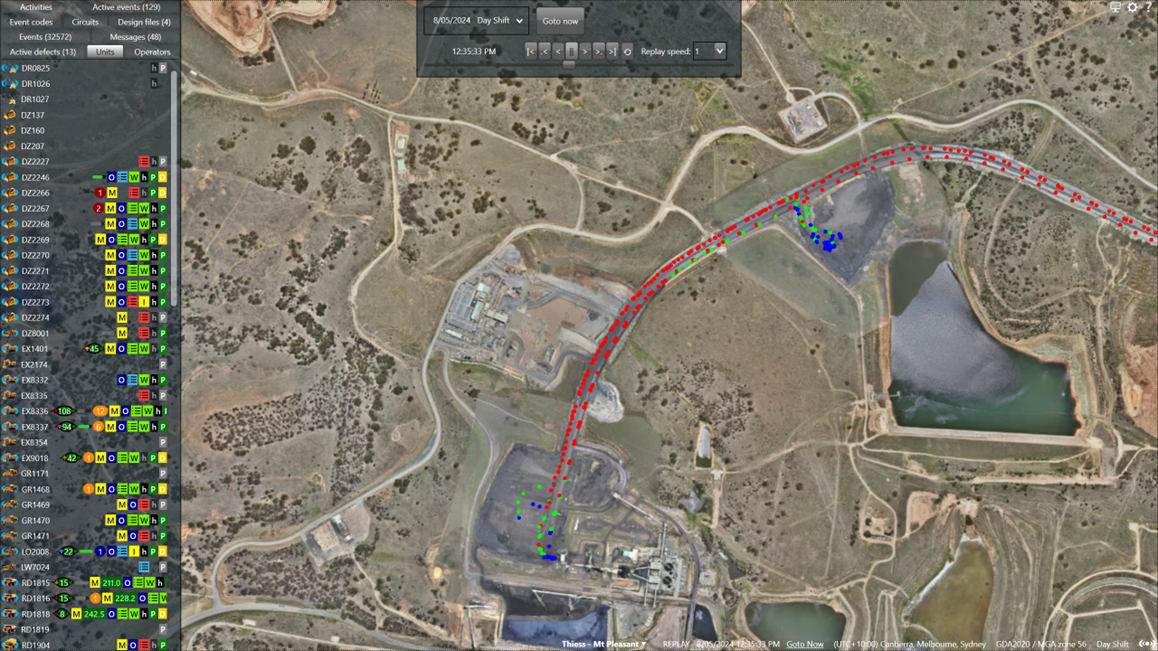
Safety compliance is now even easier with the Speed overlay map.
With blue dots for underspeed, green dots for the correct speed, and red dots for overspeed
Benefits
-
Users can see at a glance which machines are travelling too fast, and clearly distinguish where safety can be improved.
-
Plan and act straight away when speed is an issue on your site.